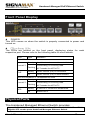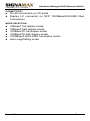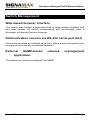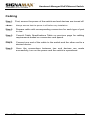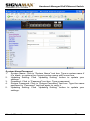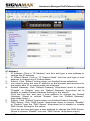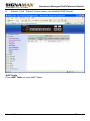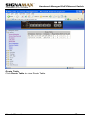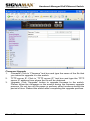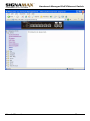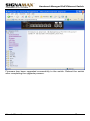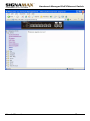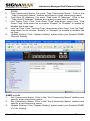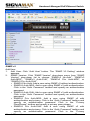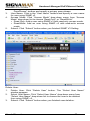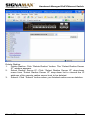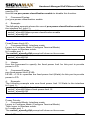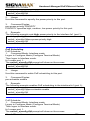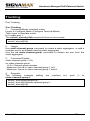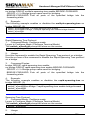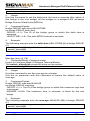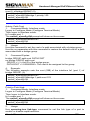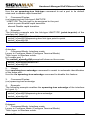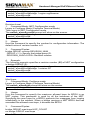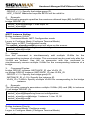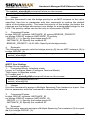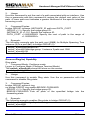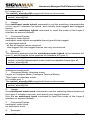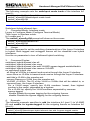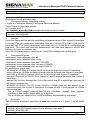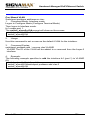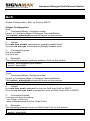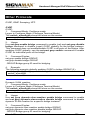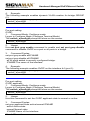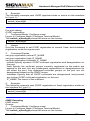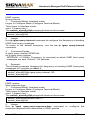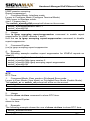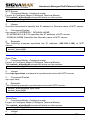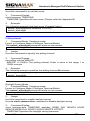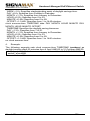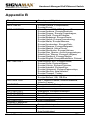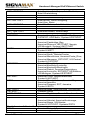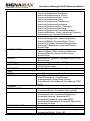
1
Signamax Connectivity Systems Hardened Managed PoE Ethernet Switch Model -065-7708 U S E R ’ S G U I D E Hardened Managed PoE Ethernet Switch Quick Start Guide This quick start guide describes how to install and use the Hardened Managed PoE (Power over Ethernet) Ethernet Switch. This is the switch of choice for harsh environments constrained by space. Physical Description The Port Status LEDs and Power Inputs LED State Indication 10/100BaseTX Steady Link/ACT PoE Flashing A valid network connection established. Transmitting or receiving data. ACT stands for ACTIVITY. Steady Power Device (PD) is connected. Off Power Device (PD) is disconnected. 10/100/1000BaseTX, 1000BaseSX/LX/BX Steady Link/ACT User’s Manual Flashing A valid network connection established. Transmitting or receiving data. ACT stands for ACTIVITY. 1 Hardened Managed PoE Ethernet Switch SFP Steady A valid SFP connection established. Off Without SFP. Power Input Assignment + 47~57VDC - Power Ground Power Terminal Block Earth Ground User’s Manual 2 Hardened Managed PoE Ethernet Switch Functional Description Meets NEMA TS1/TS2 Environmental requirements such as temperature, shock, and vibration for traffic control equipment. Meets EN61000-6-2 & EN61000-6-4 EMC Generic Standard Immunity for industrial environment. RS-232 console, Telnet, SNMP v1 & v2c & v3, RMON, Web Browser, and TFTP management. Supports Command Line Interface in RS-232 console. Supports 8192 MAC addresses. Provides 2M bits memory buffer. Supports IEEE802.3af Power over Ethernet (PoE) and IEEE802.3at PoE+ Power Sourcing Equipment (PSE). Supports IEEE802.3/802.3u/802.3ab/802.3z/802.3x. Auto-negotiation: 1000Mbps-full-duplex; 10/100Mbps-full/half-duplex; Auto MDI/MDIX. Provides up to two combo Gigabit ports. SFP socket for Gigabit fiber optic expansion. Supports digital diagnostics monitoring (DDM)/digital optical monitoring (DOM) functions according to the industry-standard SFF-8472. Store-and-forward mechanism. Full wire-speed forwarding rate. Power Supply: 47~57VDC Terminal Block power input. Operating voltage and Max. current consumption: 0.37A @ 48VDC, 0.32A @ 55VDC. Power consumption: 17.7W Max. -40℃ to 75℃ (-40℉ to 167℉) operating temperature range. Tested for functional operation @ -40℃ to 85℃ (-40℉ to 185℉). Hardened metal case. User’s Manual 3 Hardened Managed PoE Ethernet Switch Console Configuration Connect to the switch console: Connect the DB9 straight cable to the RS-232 serial port of the device and the RS-232 serial port of the terminal or computer running the terminal emulation application. Direct access to the administration console is achieved by directly connecting a terminal or a PC equipped with a terminal-emulation program (such as HyperTerminal) to the switch console port. Configuration settings of the terminal-emulation program: Baud rate: 115,200bps Data bits: 8 Parity: none Stop bit: 1 Flow control: none Press the “Enter” key. The Command Line Interface (CLI) screen should appear as below: Logon to Exec Mode (View Mode): At the “switch_a login:” prompt just type in “root” and press <Enter> to logon to Exec Mode (or View Mode). And the “switch_a>” prompt will show on the screen. User’s Manual 4 Hardened Managed PoE Ethernet Switch Logon to Privileged Exec Mode (Enable Mode): At the “switch_a>” prompt just type in “enable” and press <Enter> to logon to Privileged Exec Mode (or Enable Mode). And the “switch_a#” prompt will show on the screen. Logon to Configure Mode (Configure Terminal Mode): At the “switch_a#” prompt just type in “configure terminal” and press <Enter> to logon to Configure Mode (or Configure Terminal Mode). And the “switch_a(config)#” prompt will show on the screen. Set new IP address and subnet mask for Switch: At the “switch_a(config)#” prompt just type in “interface vlan1.1” and press <Enter> to logon to vlan 1 (vlan1.1 means vlan 1). And the “switch_a(config-if)#” prompt will show on the screen. Command Syntax: “ip address A.B.C.D/M”. “A.B.C.D” specifies IP address. “M” specifies IP subnet mask. “M”= 8: 255.0.0.0, 16:255.255.0.0, or 24: 255.255.255.0. For example, At the “switch_a(config-if)#” prompt just type in “ip address 192.168.1.10/24” and press <Enter> to set new IP address (192.168.1.10) and new IP subnet mask (255.255.255.0) for Switch. User’s Manual 5 Hardened Managed PoE Ethernet Switch Web Configuration Login the switch: Specify the default IP address (192.168.1.10) of the switch in the web browser. A login window will be shown as below: User’s Manual 6 Hardened Managed PoE Ethernet Switch Enter the factory default login ID: root. Enter the factory default password (no password). Then click on the “Login” button to log on to the switch. User’s Manual 7 Hardened Managed PoE Ethernet Switch User’s Manual 8 Hardened Managed PoE Ethernet Switch Preface This manual describes how to install and use the Signamax Hardened Managed PoE (Power over Ethernet) Ethernet Switch. This switch introduced here is designed to deliver full scalability with SNMP/RMON web-based management functions by providing: To get the most out of this manual, you should have an understanding of Ethernet networking concepts. In this manual, you will find: Features on the Hardened Managed Ethernet Switch Illustrative LED functions Installation instructions Management Configuration SNMP, IGMP… Specifications User’s Manual 9 Hardened Managed PoE Ethernet Switch Table of Contents Quick Start Guide PHYSICAL DESCRIPTION The Port Status LEDs and Power Inputs FUNCTIONAL DESCRIPTION CONSOLE CONFIGURATION WEB CONFIGURATION 1 1 1 3 4 6 Preface 9 Table of Contents 10 Product Overview 12 HARDENED MANAGED ETHERNET SWITCH PACKAGE CONTENTS PRODUCT HIGHLIGHTS 12 12 13 Basic Features Management Support 13 13 FRONT PANEL DISPLAY PHYSICAL PORTS SWITCH MANAGEMENT 15 15 17 Web-based browser interface Administration console via RS-232 serial port (CLI) External SNMP-based network management application Installation SELECTING A SITE FOR THE SWITCH CONNECTING TO POWER DC Terminal Block Power Input CONNECTING TO YOUR NETWORK Cable Type & Length Cabling Switch Management MANAGEMENT ACCESS OVERVIEW ADMINISTRATION CONSOLE (CLI) Direct Access Modem Access 17 17 17 18 18 18 18 19 19 20 21 21 22 22 23 WEB MANAGEMENT SNMP-BASED NETWORK MANAGEMENT PROTOCOLS MANAGEMENT ARCHITECTURE 23 23 24 24 Web-Based Browser Management 25 SNMP & RMON Management 26 User’s Manual 10 Hardened Managed PoE Ethernet Switch OVERVIEW SNMP AGENT AND MIB-2 (RFC 1213) RMON MIB (RFC 2819) AND BRIDGE MIB (RFC 1493) RMON Groups Supported Bridge Groups Supported Web-Based Browser Management 26 27 27 28 28 29 LOGGING ON TO THE SWITCH UNDERSTANDING THE BROWSER INTERFACE SYSTEM PORT SWITCHING TRUNKING STP / RING VLAN QOS SNMP 802.1X OTHER PROTOCOLS 29 31 33 46 52 59 60 70 76 79 84 88 Command Line Console Management 94 ADMINISTRATION CONSOLE Exec Mode (View Mode) Privileged Exec Mode (Enable Mode) Configure Mode (Configure Terminal Mode) SYSTEM PORT SWITCHING TRUNKING STP / RING VLAN QOS SNMP 802.1X OTHER PROTOCOLS 94 95 99 104 108 117 122 131 132 146 152 155 164 169 Specifications 181 Appendix A 182 Appendix B 183 Contact Information 190 User’s Manual 11 Hardened Managed PoE Ethernet Switch Product Overview Hardened Managed Ethernet Switch Front View Package Contents When you unpack the product package, you shall find the items listed below. Please inspect the contents, and report any apparent damage or missing items immediately to your authorized reseller. • • • This Switch User’s Manual RS-232 cable User’s Manual 12 Hardened Managed PoE Ethernet Switch Product Highlights Basic Features Meets NEMA TS1/TS2 Environmental requirements such as temperature, shock, and vibration for traffic control equipment. Meets EN61000-6-2 & EN61000-6-4 EMC Generic Standard Immunity for industrial environment. RS-232 console, Telnet, SNMP v1 & v2c & v3, RMON, Web Browser, and TFTP management. Supports Command Line Interface in RS-232 console. Supports 8192 MAC addresses. Provides 2M bits memory buffer. Supports IEEE802.3af Power over Ethernet (PoE) and IEEE802.3at PoE+ Power Sourcing Equipment (PSE). Supports IEEE802.3/802.3u/802.3ab/802.3z/802.3x. Auto-negotiation: 1000Mbps-full-duplex; 10/100Mbps-full/half-duplex; Auto MDI/MDIX. Provides up to two combo Gigabit ports. SFP socket for Gigabit fiber optic expansion. Supports digital diagnostics monitoring (DDM)/digital optical monitoring (DOM) functions according to the industry-standard SFF-8472. Store-and-forward mechanism. Full wire-speed forwarding rate. Power Supply: 47~57VDC Terminal Block power input. Operating voltage and Max. current consumption: 0.37A @ 48VDC, 0.32A @ 55VDC. Power consumption: 17.7W Max. -40℃ to 75℃ (-40℉ to 167℉) operating temperature range. Tested for functional operation @ -40℃ to 85℃ (-40℉ to 185℉). Hardened metal case. Management Support VLAN Port-based VLAN IEEE802.1Q tagged VLAN User’s Manual 13 Hardened Managed PoE Ethernet Switch TRUNKING Port Trunking PORT-SECURITY Per-port programmable MAC address locking Up to 24 Static Secure MAC addresses per port IEEE802.1x Port-based Network Access Control PORT-MIRRORING Port-mirroring QOS (IEEE802.1p Quality of Service) 4 priority queues INTERNETWORKING PROTOCOLS Bridging: IEEE802.1s Multiple Spanning Tree IEEE802.1w Rapid Spanning Tree IEEE802.1D Spanning Tree compatible IEEE802.1Q – GVRP Ring IP Multicast: IGMP Snooping Rate Control NTP NETWORK MANAGEMENT METHODS Console port access via RS-232 cable (CLI, Command Line Interface) Telnet remote access SNMP agent: MIB-2 (RFC1213) Bridge MIB (RFC1493) RMON MIB (RFC2819) – statistics, history, alarm and events VLAN MIB (IEEE802.1Q/RFC2674) Private MIB Web browser TFTP software-upgrade capability User’s Manual 14 Hardened Managed PoE Ethernet Switch Front Panel Display POWER This LED comes on when the switch is properly connected to power and turned on. P ort Sta tus LEDs The LEDs are located on the front panel, displaying status for each respective port. Please refer to the following table for more details. LED State Indication 10/100BaseTX Steady Link/ACT PoE Flashing A valid network connection established. Transmitting or receiving data. ACT stands for ACTIVITY. Steady Power Device (PD) is connected. Off Power Device (PD) is disconnected. 10/100/1000BaseTX, 1000BaseSX/LX/BX Steady Link/ACT SFP Flashing A valid network connection established. Transmitting or receiving data. ACT stands for ACTIVITY. Steady A valid SFP connection established. Off Without SFP. Physical Ports The Hardened Managed Ethernet Switch provides: 4-port PoE 10/100BaseTX + 2-port 10/100BaseTX + 2 10/100/1000BaseTX & Gigabit SFP combo ports Hardened Managed Ethernet Switch User’s Manual 15 Hardened Managed PoE Ethernet Switch CONNECTIVITY RJ-45 connectors on TX ports Duplex LC connector on SFP 1000BaseSX/LX/BX fiber transceiver MODE SELECTION 10BaseT full-duplex mode 10BaseT half-duplex mode 100BaseTX full-duplex mode 100BaseTX half-duplex mode 1000BaseT/SX/LX/BX full-duplex Auto-negotiating mode User’s Manual mode 16 Hardened Managed PoE Ethernet Switch Switch Management Web-based browser interface The switch also boasts a point-and-click browser-based interface that lets user access full switch configuration and functionality from a Netscape or Internet Explorer browser. Administration console via RS-232 serial port (CLI) The switch provides an onboard serial port, which allows the switch to be configured via a directly connected terminal. External SNMP-based application network management The switch can also be configured via SNMP. User’s Manual 17 Hardened Managed PoE Ethernet Switch Installation This chapter gives step-by-step instructions about how to install the switch: Selecting a Site for the Switch As with any electric device, you should place the switch where it will not be subjected to extreme temperatures, humidity, or electromagnetic interference. Specifically, the site you select should meet the following requirements: -The ambient temperature should be between -40℉ to 167℉ (-40℃ to 75 ℃). -The relative humidity should be less than 95 percent, non-condensing. -Surrounding electrical devices should not exceed the electromagnetic field (RFC) standards. -Make sure that the switch receives adequate ventilation. Do not block the ventilation holes on each side of the switch. Connecting to Power DC Terminal Block Power Input Step 1: Connect the DC power cord to the plug-able terminal block on the switch, and then plug it into a standard DC outlet. Step 2: Disconnect the power cord if you want to shut down the switch. Back View User’s Manual 18 Hardened Managed PoE Ethernet Switch Power Input Assignment Power + 47~57VDC - Power Ground Terminal Block Earth Ground Connecting to Your Network Cable Type & Length It is necessary to follow the cable specifications below when connecting the switch to your network. Use appropriate cables that meet your speed and cabling requirements. Cable Specifications Speed Connector Port Speed Half/Full Duplex 10BaseT RJ-45 10/20 Mbps 2-pair UTP/STP Cat. 3, 4, 5 100 m 100BaseTX RJ-45 100/200 Mbps 100 m 1000BaseT RJ-45 2000 Mbps 1000BaseSX Duplex LC 2000 Mbps 1000BaseSX Duplex LC 2000 Mbps 1000BaseLX Duplex LC 2000 Mbps 1000BaseBX Duplex LC 2000 Mbps User’s Manual Cable 2-pair UTP/STP Cat. 5 4-pair UTP/STP Cat. 5 MMF (62.5μm) MMF (50μm) SMF (10μm) Max. Distance 100 m 220 m 2 km 550 m 10, 20, 50 km SMF (10μm) 20, 40 km 19 Hardened Managed PoE Ethernet Switch Cabling Step 1: First, ensure the power of the switch and end devices are turned off. <Note> Always ensure that the power is off before any installation. Step 2: Prepare cable with corresponding connectors for each type of port in use. Step 3: Consult Cable Specifications Table on previous page for cabling requirements based on connectors and speed. Step 4: Connect one end of the cable to the switch and the other end to a desired device. Step 5: Once the connections between two end devices are made successfully, turn on the power and the switch is operational. User’s Manual 20 Hardened Managed PoE Ethernet Switch Switch Management This chapter explains the methods that you can use to configure management access to the switch. It describes the types of management applications and the communication and management protocols that deliver data between your management device (workstation or personal computer) and the system. It also contains information about port connection options. This chapter covers the following topics: • • • • • • • Management Access Overview Key Concepts Key Guidelines for Implementation Web Management Access Administration Console Access SNMP Access Standards, Protocols, and Related Reading Management Access Overview The switch gives you the flexibility to access and manage the switch using any or all of the following methods. The web browser interface and administration console (CLI) support are embedded in the switch software and are available for immediate use. User’s Manual 21 Hardened Managed PoE Ethernet Switch Administration Console (CLI) The administration console is an internal, character-oriented, Command Line Interface (CLI) for performing system administration such as displaying statistics or changing option settings. Using this method, you can view the administration console from a terminal, personal computer, Apple Macintosh, or workstation connected to the switch’s console port. There are two ways to use this management method: direct access or modem access. The following sections describe these methods. Direct Access Direct access to the administration console is achieved by directly connecting a terminal or a PC equipped with a terminal-emulation program (such as HyperTerminal) to the switch console port. When using the management method, configure the terminal-emulation program to use the following parameters (you can change these settings after login): [DEFAULT PARAMETERS] ♦ ♦ ♦ ♦ 115,200bps 8 data bits No parity 1 stop bit This management method is often preferred because you can remain connected and monitor the system during system reboots. Also, certain error messages are sent to the serial port, regardless of the interface through which the associated action was initiated. A Macintosh or PC attachment can use any terminal-emulation program for connecting to User’s Manual 22 Hardened Managed PoE Ethernet Switch the terminal serial port. A workstation attachment under UNIX can use an emulator such as TIP. Modem Access You can access the switch’s administration console from a PC or Macintosh using an external modem attached to the console port. The switch management program provides Console Port screen, accessible from the Basic Management screen that lets you configure parameters for modem access. When you have configured the external modem from the administration console, the switch transmits characters that you have entered as output on the modem port. The switch echoes characters that it receives as input on the modem port to the current administration console session. The console appears to be directly connected to the external modem. Web Management The switch provides a browser interface that lets you configure and manage the switch remotely. After you set up your IP address for the switch, you can access the switch’s web interface applications directly in your web browser by entering the IP address of the switch. You can then use your web browser to list and manage switch configuration parameters from one central location, just as if you were directly connected to the switch’s console port. SNMP-Based Network Management You can use an external SNMP-based application to configure and manage the switch. This management method requires the SNMP agent on the switch and the SNMP Network Management Station to use the same community string. This management method, in fact, uses two community strings: the get community string and the set community string. If the SNMP Network management station only knows the set community string, it can read and write to User’s Manual 23 Hardened Managed PoE Ethernet Switch the MIBs. However, if it only knows the get community string, it can only read MIBs. The default get and set community strings for the switch are public. Protocols The switch supports the following protocols: VIRTUAL TERMINAL PROTOCOLS, SUCH AS TELNET A virtual terminal protocol is a software program, such as Telnet, that allows you to establish a management session from a Macintosh, a PC, or a UNIX workstation. Because Telnet runs over TCP/IP, you must have at least one IP address configured on the switch before you can establish access to it with a virtual terminal protocol. <Note> Terminal emulation is different from a virtual terminal protocol in that you must connect a terminal directly to the console port. SIMPLE NETWORK MANAGEMENT PROTOCOL (SNMP) SNMP is the standard management protocol for multivendor IP networks. SNMP supports transaction-based queries that allow the protocol to format messages and to transmit information between reporting devices and data-collection programs. SNMP runs on top of the User Datagram Protocol (UDP), offering a connectionless-mode service. Management Architecture All of the management application modules use the same Messaging Application Programming Interface (MAPI). By unifying management methods with a single MAPI, configuration parameters set using one method (e.g. console port) are immediately displayed the other management methods (e.g. SNMP agent of web browser). The management architecture of the switch adheres to the IEEE open standard. This compliance assures customers that the switch is compatible with, and will interoperate with other solutions that adhere to the same open standard. User’s Manual 24 Hardened Managed PoE Ethernet Switch Web-Based Browser Management The switch provides a web-based browser interface for configuring and managing the switch. This interface allows you to access the switch using a preferred web browser. This chapter describes how to configure the switch using its web-based browser interface. User’s Manual 25 Hardened Managed PoE Ethernet Switch SNMP & RMON Management This chapter describes the switch’s Simple Network Management Protocol (SNMP) and Remote Monitoring (RMON) capabilities. Overview RMON is an abbreviation for the Remote Monitoring MIB (Management Information Base). RMON is a system defined by the Internet Engineering Task Force (IETF) document RFC 2819, which defines how networks can be monitored remotely. RMONs typically consist of two components: an RMON probe and a management workstation: - The RMON probe is an intelligent device or software agent that continually collects statistics about a LAN segment or VLAN. The RMON probe transfers the collected data to a management workstation on request or when a pre-defined threshold is reached. - The management workstation collects the statistics that the RMON probe gathers. The workstation can reside on the same network as the probe, or it can have an in-band or out-of-band connection to the probe. The switch provides RMON capabilities that allow network administrators to set parameters and view statistical counters defined in MIB-II, Bridge MIB, and RMON MIB. RMON activities are performed at a Network Management Station running an SNMP network management application with graphical user interface. User’s Manual 26 Hardened Managed PoE Ethernet Switch SNMP Agent and MIB-2 (RFC 1213) The SNMP Agent running on the switch manager CPU is responsible for: - Retrieving MIB counters from various layers of software modules according to the SNMP GET/GET NEXT frame messages. - Setting MIB variables according to the SNMP SET frame message. - Generating an SNMP TRAP frame message to the Network Management Station if the threshold of a certain MIB counter is reached or if other trap conditions (such as the following) are met: WARM START COLD START LINK UP LINK DOWN AUTHENTICATION FAILURE RISING ALARM FALLING ALARM TOPOLOGY ALARM MIB-II defines a set of manageable objects in various layers of the TCP/IP protocol suites. MIB-II covers all manageable objects from layer 1 to layer 4, and, as a result, is the major SNMP MIB supported by all vendors in the networking industry. The switch supports a complete implementation of SNMP Agent and MIB-II. RMON MIB (RFC 2819) and Bridge MIB (RFC 1493) The switch provides hardware-based RMON counters in the switch chipset. The switch manager CPU polls these counters periodically to collect the statistics in a format that complies with the RMON MIB definition. User’s Manual 27 Hardened Managed PoE Ethernet Switch RMON Groups Supported The switch supports the following RMON MIB groups defined in RFC 2819: - RMON Statistics Group – maintains utilization and error statistics for the switch port being monitored. - RMON History Group – gathers and stores periodic statistical samples from the previous Statistics Group. - RMON Alarm Group – allows a network administrator to define alarm thresholds for any MIB variable. An alarm can be associated with Low Threshold, High Threshold, or both. A trigger can trigger an alarm when the value of a specific MIB variable exceeds a threshold, falls below a threshold, or exceeds or falls below a threshold. - RMON Event Group – allows a network administrator to define actions based on alarms. SNMP Traps are generated when RMON Alarms are triggered. The action taken in the Network Management Station depends on the specific network management application. Bridge Groups Supported The switch supports the following four groups of Bridge MIB (RFC 1493): - The dot1dBase Group – a mandatory group that contains the objects applicable to all types of bridges. - The dot1dStp Group – contains objects that denote the bridge’s state with respect to the Spanning Tree Protocol. If a node does not implement the Spanning Tree Protocol, this group will not be implemented. This group is applicable to any transparent only, source route, or SRT bridge that implements the Spanning Tree Protocol. - The dot1dTp Group – contains objects that describe the entity’s transparent bridging status. This group is applicable to transparent operation only and SRT bridges. - The dot1dStatic Group – contains objects that describe the entity’s destination-address filtering status. This group is applicable to any type of bridge which performs destination-address filtering. User’s Manual 28 Hardened Managed PoE Ethernet Switch Web-Based Browser Management The switch provides a web-based browser interface for configuring and managing the switch. This interface allows you to access the switch using a preferred web browser. This chapter describes how to configure the switch using its web-based browser interface. Logging on to the switch SWITCH IP ADDRESS In your web browser, specify the IP address of the switch. Default IP address is 192.168.1.10. User’s Manual 29 Hardened Managed PoE Ethernet Switch LOGIN Enter the factory default login ID: root. PASSWORD Enter the factory default password (no password). Or enter a user-defined password if you followed the instructions later and changed the factory default password. Then click on the “Login” button to log on to the switch. User’s Manual 30 Hardened Managed PoE Ethernet Switch Understanding the Browser Interface The web browser interface provides groups of point-and-click buttons at the left field of the screen for configuring and managing the switch. SYSTEM System Information, System Name/Password, IP Address, ARP Table, Route Table, Save Configuration, Firmware Upgrade, Reboot, Logout PORT Configuration, Port Status, Rate Control, RMON Statistics, Per Port Vlan Activities SWITCHING Bridging, Static MAC Entry, Port Mirroring, PoE, PoE Scheduling TRUNKING Port Trunking User’s Manual 31 Hardened Managed PoE Ethernet Switch STP / RING Global Configuration, RSTP Port Setting, MSTP Properties, MSTP Instance Setting, MSTP Port Setting, Recover-Ring(tm) Capability VLAN VLAN Mode Setting, 802.1Q VLAN Setting, 802.1Q Port Setting, Port Based VLAN QOS Global Configuration, 802.1p Priority, DSCP SNMP SNMP General Setting, SNMP v1/v2c, SNMP v3 802.1X Radius Configuration, Port Authentication OTHER PROTOCOLS GVRP, IGMP Snooping, NTP User’s Manual 32 Hardened Managed PoE Ethernet Switch System System Information The System name, Firmware version, System time, MAC address, Default gateway, DNS Server, VLAN ID, IP Address, and IP Subnet Mask of Switch. User’s Manual 33 Hardened Managed PoE Ethernet Switch System Name/Password 1. System Name: Click in “System Name” text box. Type a system name if it is blank, or replace the current system name with a new one. 2. Updating Setting: Click “Updating Setting” button to update your settings. 3. Password: Click in “Password” text box. Type a password. 4. Retype Password: Click in “Retype Password” text box. Type the same password in “Password” text box again to verify it. 5. Updating Setting: Click “Updating Setting” button to update your settings. User’s Manual 34 Hardened Managed PoE Ethernet Switch IP Address 1. IP Address: Click in “IP Address” text box and type a new address to change the IP Address. 2. IP Subnet Mask: Click in “IP Subnet Mask” text box and type a new address to change the IP Subnet Mask. 3. Submit: Click “Submit” button when you finished these selections. 4. You need to enter the new IP address on the browser and reconnect to the switch after IP or subnet mask are changed. 5. Default Gateway: Click “Default Gateway” drop-down menu to choose “Disable” or “Enable” from the “Default Gateway” drop-down list to disable or enable Default Gateway Setting for the switch. Click the text box and type a new address to change the Default Gateway. (Need to choose “Enable” from the “Default Gateway” drop-down menu.) 6. Submit: Click “Submit” button when you finished Default Gateway. 7. DNS Server: Click “DNS Server” drop-down menu to choose “Disable” or “Enable” from the “DNS Server” drop-down list to disable or enable DNS Server Setting for the switch. Click the text box and type a new address to change the DNS Server. (Need to choose “Enable” from the “DNS Server” drop-down menu.) User’s Manual 35 Hardened Managed PoE Ethernet Switch 8. Submit: Click “Submit” button when you finished DNS Server. ARP Table Click ARP Table to view ARP Table. User’s Manual 36 Hardened Managed PoE Ethernet Switch Route Table Click Route Table to view Route Table. User’s Manual 37 Hardened Managed PoE Ethernet Switch Save Configuration 1. Load config from TFTP server: Click in “TFTP Server” text box and type the TFTP server IP address from where the file will be obtained. Click in “FILE” text box and type the name of the file that will be obtained. Click “Load” button to load the file from the TFTP server. 2. Backup config to TFTP server: Click in “TFTP Server” text box and type the TFTP server IP address to where the file will be backupped. Click in “FILE” text box and type the name of the file that will be backupped. Click “Backup” button to backup the file to the TFTP server. 3. Save Configuration: Click “Save Configuration” button to save your configuration settings. 4. Restore Default: Click “Restore Default” button to restore the default settings of the switch. 5. Auto save: Click “Auto save” drop-down menu to choose “Disable” or “Enable” from the “Auto save” drop-down list to disable or enable Auto save for the switch. 6. Auto save interval (5~65536 sec): Click in “Auto save interval” text box and type a decimal number between 5 and 65536. 7. Submit: Click “Submit” button when you finished Auto save configuration. User’s Manual 38 Hardened Managed PoE Ethernet Switch Firmware Upgrade 1. Filename: Click in “Filename” text box and type the name of the file that you intend to upgrade it to the switch. 2. TFTP server IP: Click in “TFTP server IP” text box and type the TFTP server IP address from where the file will be obtained. 3. Upgrade: Click “Upgrade” button to upgrade firmware to the switch. Please follow the message on the screen during the firmware upgrade process. Do not turn off the power or perform other functions during this period of time. Reboot the switch after completing the upgrade process. User’s Manual 39 Hardened Managed PoE Ethernet Switch Please follow the message on the screen during the firmware upgrade process. Do not turn off the power or perform other functions during this period of time. User’s Manual 40 Hardened Managed PoE Ethernet Switch User’s Manual 41 Hardened Managed PoE Ethernet Switch Firmware has been upgraded successfully to the switch. Reboot the switch after completing the upgrade process. User’s Manual 42 Hardened Managed PoE Ethernet Switch User’s Manual 43 Hardened Managed PoE Ethernet Switch Reboot Reboot: Click “Reboot” button to restart the switch. User’s Manual 44 Hardened Managed PoE Ethernet Switch Logout Logout: Click “Logout” button to logout of the switch. User’s Manual 45 Hardened Managed PoE Ethernet Switch Port Configuration 1. Admin Setting: Click “Admin Setting” drop-down menu to choose “Link down” or “Link up” from the “Admin Setting” drop-down list to disable or enable Admin Setting for the port. 2. Speed: Click “Speed” drop-down menu to change the line speed and duplex settings from the “Speed” drop-down list for the port. 3. Flow control: Click “Flow control” drop-down menu to choose “Disable” or “Enable” from the “Flow control” drop-down list to disable or enable Flow control for the port. 4. Submit: Click “Submit” button when you finished configurations. User’s Manual 46 Hardened Managed PoE Ethernet Switch User’s Manual 47 Hardened Managed PoE Ethernet Switch Port Status View the Link Status, Speed, Duplex, and Flow control status for all ports. SFP Port: 1. View the Detected, Connector, Transceiver, Mode, Wave Length (nm), Link Length (m), Temperature (C), Vcc (V), Tx_bias (mA), Tx_pow (dbm), and Rx_pow (dbm) information for SFP ports. 2. Alarm Situation: View Current Temperature Alarm, Current VCC Alarm, Current Tx Bias Alarm, Current Tx Power Alarm, and Current Rx Power Alarm. 3. Alarm Setting: Click in “Threshold Value” text boxes and type new Threshold Values for Temp High Alarm, Temp Low Alarm, Temp High User’s Manual 48 Hardened Managed PoE Ethernet Switch Warning, Temp Low Warning, VCC High Alarm, VCC Low Alarm, VCC High Warning, VCC Low Warning, TX Bias High Alarm, TX Bias Low Alarm, TX Bias High Warning, TX Bias Low Warning, TX Power High Alarm, TX Power Low Alarm, TX Power High Warning, TX Power Low Warning, RX Power High Alarm, RX Power Low Alarm, RX Power High Warning, RX Power Low Warning. Rate Control 1. Ingress: Click in “Ingress” text box and type a new Rate to change the Ingress Rate Control for the port. Rate Values: 64kbps, 128kbps, 192kbps, … , 1792kbps. 2Mbps, 3Mbps, 4Mbps, … , 100Mbps. 104Mbps, 112Mbps, 120Mbps, … , 1000Mbps. <Note>: M = 1024k. 2. Egress: Click in “Egress” text box and type a new Rate to change the Egress Rate Control for the port. Rate Values: 64kbps, 128kbps, 192kbps, … , 1792kbps. 2Mbps, 3Mbps, 4Mbps, … , 100Mbps. 104Mbps, 112Mbps, 120Mbps, … , 1000Mbps. <Note>: M = 1024k. 3. Update Setting: Click “Update Setting” button when you finished these Rate Control settings. User’s Manual 49 Hardened Managed PoE Ethernet Switch RMON Statistics Click Port 1 ~ Port 8 to view corresponding RMON Statistics. User’s Manual 50 Hardened Managed PoE Ethernet Switch Per Port Vlan Activities Click Port 1 ~ Port 8 to view corresponding vlan activities. User’s Manual 51 Hardened Managed PoE Ethernet Switch Switching Bridging 1. Aging Time (seconds): Click the text box and type a decimal number as Bridging Aging Time in seconds. 2. Update Setting: Click “Update Setting” button when you finished Aging Time settings. 3. Threshold level (0.1-100): Click in “Level” text box and type a decimal number for the port. Need to choose “Broadcast” and/or “DFL-Multicast“ from “Storm-control enabled type” for the port. DLF (Destination Lookup Failure). 4. Storm-control enabled type: Choose “Broadcast” and/or “DLF-Multicast” from “Storm-control enabled type” for the port. 5. Update Setting: Click “Update Setting” button when you finished Threshold level and Storm-control enabled type settings. User’s Manual 52 Hardened Managed PoE Ethernet Switch Static MAC Entry Static-MAC-Entry Forward: 1. Add MAC address: Click in “Add MAC address” text box and type a locked forwarding MAC address for the port. 2. VLAN ID: Click “VLAN ID” drop-down menu and choose a VLAN ID from the “VLAN ID” drop-down list. 3. Delete MAC address: Click “Delete MAC address” drop-down menu and choose a locked forwarding MAC address from the “Delete MAC address” drop-down list to be deleted from the port. 4. Submit: Click “Submit” button when you finished Static-MAC-Entry Forward settings. Static-MAC-Entry Discard: 1. Add MAC address: Click in “Add MAC address” text box and type a MAC address to be discarded for the VLAN. 2. VLAN ID: VLAN ID: Click “VLAN ID” drop-down menu and choose a VLAN ID from the “VLAN ID” drop-down list. 3. Delete MAC address: Click “Delete MAC address” drop-down menu and choose a MAC address from the “Delete MAC address” drop-down list to be discarded from the VLAN. 4. Submit: Click “Submit” button when you finished Static-MAC-Entry Discard settings. User’s Manual 53 Hardened Managed PoE Ethernet Switch Port Mirroring 1. Mirror From: Choose Mirror From port from Port 1 ~ Port 8. 2. Mirror To: Click “Mirror To” drop-down menu to Choose Mirror To port (Port 1 ~ Port 8) from “Mirror To” drop-down list. 3. Mirror Mode: Click “Mirror Mode” drop-down menu to Choose “Tx/Rx”, “Tx”, or “Rx” from “Mirror Mode” drop-down list. 4. Submit: Click “Submit” button when you finished Port Mirroring settings. User’s Manual 54 Hardened Managed PoE Ethernet Switch PoE PoE System Setting: 1. System Power Budget: Click in “System Power Budget” text box and type a new system power budget for Switch. 2. Submit: Click “Submit” button when you finished PoE System Setting. PoE Port Setting: 1. Enable Mode: Click “Enable Mode” drop-down menu to choose “Disable”, “Enable”, or “Scheduling” from “Enable Mode” drop-down list to disable, enable, or schedule this port to discover Powered Device (PD) connected to this port. 2. Power Limit by Classification: Check or uncheck “Power Limit by Classification” to enable or disable this port to provide power to PD according to classification of maximum power range used by PD. 3. Fixed Power Limit (W): First uncheck “Power Limit by Classification” to disable this port to provide power to PD according to classification of maximum power range used by PD. Then click in “Fixed Power Limit (W)” text box and type a new fixed power limit for this port to provide power to PD. 4. Power Priority: Click “Power Priority” drop-down menu to choose “High”, “Medium”, or “Low” from the “Power Priority” drop-down list to determine User’s Manual 55 Hardened Managed PoE Ethernet Switch 5. power priority of this port. Submit: Click “Submit” button when you finished PoE Port Setting. Flexible 802.3af High Power PoE Operation: Compatible with the 802.3at Standard This Hardened Managed PoE & High Power PoE Ethernet switch is compliant with the 802.3af High Power standard, providing 30W of pure power to power demanding devices such as pan-tilt-zoom (PTZ) network cameras, wireless access bridge/routers and large-screen network video phones et cetera. This 802.3af High Power switch’s PoE operation with 802.3at based PD is highly versatile and adaptable. Normally, when an 802.3at PD is connected to an 802.3af High Power compliant switch, the switch will detect that the PD’s power requirement is based on class 4 classification outlined in the IEEE802.3at standard, and only attempt to provide 15.4W of power, which is insufficient to power a 30W 802.3at PD. This is due to the reason that the 30W of power in 802.3af High Power is classified as class 0. However, this 802.3af High Power switch can support 30W 802.3at PD by setting the switch explicitly to provide a fixed rate of 30W power to 30W 802.3at PD. 1. 2. 3. Power Limit by Classification: Uncheck “Power Limit by Classification” to disable Port 1 ~ Port 4 to provide power to 30W 802.3at PD according to classification of maximum power range used by PD. Fixed Power Limit(W): Click in “Fixed Power Limit(W)” text box and type a new fixed power limit 0W for Port 1 ~ Port 4 to provide power to 30W 802.3at PD. OK: Click “OK” button to update your settings. User’s Manual 56 Hardened Managed PoE Ethernet Switch User’s Manual 57 Hardened Managed PoE Ethernet Switch PoE Scheduling First click on “Switching” from main menu. Then click on “PoE” from “Switching”. In PoE Port Setting, click “Enable Mode” drop-down menu to choose “Scheduling” from “Enable Mode” drop-down list to schedule this port to discover Powered Device (PD) connected to this port. PoE Per Port Scheduling: 1. Port: Click “Port” drop-down menu to choose a port from “Port” drop-down list and configure PoE scheduling to this port. 2. Submit: Click “Submit” button when you finished PoE Scheduling for this port. User’s Manual 58 Hardened Managed PoE Ethernet Switch Trunking Port Trunking Static Channel Group: 1. Trunk 1: Click Port 1 ~ Port 6 to assign ports to Trunk 1. (Maximum 4 ports per Trunk.) GE Trunking: 1. Trunk 3: Check “Static” or “Disable” to enable or disable Trunk 3 for Gigabit Ethernet ports. 2. Submit: Click “Submit” button when you finished Port Trunking settings. User’s Manual 59 Hardened Managed PoE Ethernet Switch STP / Ring Global Configuration 1. Spanning Tree Protocol: Click “Spanning Tree Protocol” drop-down menu to Choose “Enable” or “Disable” from “Spanning Tree Protocol” drop-down list to enable or disable Spanning Tree Protocol. 2. Bridge Priority (0..61440): Click in “Bridge Priority” text box and type a decimal number between 0 and 61440. 3. Hello Time (sec) (1..9): Click in “Hello Time” text box and type a decimal number between 1 and 9. 4. Max Age (sec) (6..28): Click in “Max Age” text box and type a decimal number between 6 and 28. 5. Forward Delay (sec) (4..30): Click in “Forward Delay” text box and type a decimal number between 4 and 30. User’s Manual 60 Hardened Managed PoE Ethernet Switch 6. 7. STP Version: Click “STP Version” drop-down menu to choose “MSTP”, “RSTP” or “STP compatible” from “STP Version” drop-down list. Update Setting: Click “Update Setting” button when you finished Global Configuration. RSTP Port Setting 1. STP Version: Click “STP Version” drop-down menu to choose “RSTP” from “STP Version” drop-down list. 2. Port: Click “Port” drop-down menu to choose Port 1 ~ Port 8 from “Port” drop-down list. 3. Priority(Granularity 16): Click in “Priority” text box and enter a value between 0 and 240 to set the priority for the port. A higher priority will designate the port to forward packets first. A lower number denotes a higher priority. This entry must be divisible by 16. The default priority setting is 128. 4. Admin. Path Cost: Click in “Admin. Path Cost” text box and enter a value between 0 and 2000000 to set the Admin. Path Cost for the port. 0 (auto) - Setting 0 for the Admin. Path Cost will automatically set the speed for forwarding packets to the port for optimal efficiency. Default port cost: 100Mbps port = 200000. Gigabit port = 20000. 5. Point to Point Link: Click “Point to Point Link” drop-down menu to Choose “Enable” or “Disable” from “Point to Point Link” drop-down list to enable or disable Point to Point Link for the port. 6. Edge Port: Click “Edge Port” drop-down menu to Choose “Enable”, “Disable”, or “Auto” from “Edge Port” drop-down list to set Enable, User’s Manual 61 Hardened Managed PoE Ethernet Switch 7. Disable, or Auto Edge Port for the port. Update Setting: Click “Update Setting” button when you finished RSTP Port Setting. User’s Manual 62 Hardened Managed PoE Ethernet Switch MSTP Properties 1. STP Version: Click “STP Version” drop-down menu to choose “MSTP” from “STP Version” drop-down list. 2. Region Name: Click in “Region Name” text box to create an MST region and specify a name to it. MST bridges of a region form different spanning trees for different VLANs. By default, each MST bridge starts with the region name as its bridge address. This means each MST bridge is a region by itself, unless specifically added to one. 3. Revision Level: Click in “Revision Level” text box to specify the number for configuration information. The default value of revision number is 0. 4. Max Hops: Click in “Max Hops” text box to specify the maximum allowed hops for BPDU in an MST region. This parameter is used by all the instances of the MST. Specifying the max hops for a BPDU prevents the messages from looping indefinetely in the network. When a bridge receives a MST BPDU that has exceeded the allowed max-hops, it discards the BPDU. 5. Update Setting: Click “Update Setting” button when you finished MSTP Properties setting. User’s Manual 63 Hardened Managed PoE Ethernet Switch User’s Manual 64 Hardened Managed PoE Ethernet Switch MSTP Instance Setting VLAN Instance Configuration 1. VLAN Instance Configuration: Click “VLAN Instance Configuration” button. The “VLAN Instance Configuration” window appears. 2. VLAN ID: Click “VLAN ID” drop-down menu to choose VLAN from “VLAN ID” drop-down list to simultaneously add multiple VLANs for the corresponding instance of a bridge. 3. Instance ID (1..15): Click in “Instance ID” text box to specify the instance ID. 4. Update Setting: Click “Update Setting” button when you finished VLAN Instance Configuration. Included VLANs 1. Instance ID: Click “Instance ID” drop-down menu to choose instance ID from “Instance ID” drop-down list. 2. Included VLAN: Click “Included VLAN” drop-down menu to choose VLAN from “Included VLAN” drop-down list. Instance Setting 1. Bridge Priority (0..61440): Click in “Bridge Priority” text box to set the bridge priority for an MST instance to the value specified. The lower the priority of the bridge, the better the chances are the bridge becoming a User’s Manual 65 Hardened Managed PoE Ethernet Switch 2. root bridge or a designated bridge for the LAN. Update Setting: Click “Update Setting” button when you finished VLAN Instance Configuration. User’s Manual 66 Hardened Managed PoE Ethernet Switch MSTP Port Setting Port Instance Configuration 1. Instance ID: Click “Instance ID” drop-down menu to choose instance ID from “Instance ID” drop-down list. 2. Click Port 1 ~ Port 8 to assign ports to the corresponding instance ID. 3. Update Setting: Click “Update Setting” button when you finished Port Instance Configuration. Instance ID 1. Instance ID: Click “Instance ID” drop-down menu to choose instance ID from “Instance ID” drop-down list. MSTP Port Configuration 1. Port: Click “Port” drop-down menu to choose port from “Port” drop-down list. 2. Priority(Granularity 16): Click in “Priority” text box to set the port priority for a bridge group. The Multiple Spanning Tree Protocol uses port priority as a tiebreaker to determine which port should forward frames for a particular instance on a LAN, or which port should be the root port for an instance. A lower value implies a better priority. In the case of the User’s Manual 67 Hardened Managed PoE Ethernet Switch 3. 4. same priority, the interface index will serve as the tiebreaker, with the lower-numbered interface being preferred over others. The permitted range is 0-240. The priority values can only be set in increments of 16. Admin. Path Cost: Click in “Admin. Path Cost” text box to set the cost of a path associated with an interface. Update Setting: Click “Update Setting” button when you finished MSTP Port Setting. Recover-Ring(tm) Capability Ring state 1. Click “Ring state” drop-down menu from “Ring state” drop-down list to choose “Enable” or “Disable” to enable or disable Ring state. 2. Update Setting: Click “Update Setting” button when you finished Ring state setting. Set ring port 1. Ring port 1: Click “Ring port 1” drop-down menu to choose Ring port 1 from “Ring port 1” drop-down list. 2. Ring port 2: Click “Ring port 2” drop-down menu to choose Ring port 2 from “Ring port 2” drop-down list. User’s Manual 68 Hardened Managed PoE Ethernet Switch 3. Update Setting: Click “Update Setting” button when you finished Set ring port. User’s Manual 69 Hardened Managed PoE Ethernet Switch VLAN VLAN Mode Setting 1. VLAN Mode Setting: Click “VLAN Mode Setting” drop-down menu to Choose “Tag-based VLAN” or “Port-based VLAN” from “VLAN Mode Setting” drop-down list. 2. Submit: Click “Submit” button when you finished VLAN Mode Setting. User’s Manual 70 Hardened Managed PoE Ethernet Switch User’s Manual 71 Hardened Managed PoE Ethernet Switch 802.1Q VLAN Setting Add VLAN: 1. 802.1Q VLAN Setting: Click “802.1Q VLAN Setting”. The “VLAN Setting” window appears. 2. Add VLAN: Click “Add VLAN” button to create a new VLAN from “VLAN Setting” window. 3. VLAN ID(2-4094): Click in the “VLAN ID” textbox and specify a new VLAN ID number from 2 ~ 4094. 4. VLAN Name: Click in the “VLAN Name” textbox and type a name for this newly created VLAN. Add port to or delete port from VLAN: 1. VLAN Member: Choose the port to be added to or deleted from the VLAN. 2. Tag or Untag: Click “Tag or Untag” drop-down menu to Choose “Tag” or “Untag” from “Tag or Untag” drop-down list for a “Hybrid” port. 3. Submit: Click “Submit” button when you finished VLAN setting. Delete VLAN: 1. 802.1Q VLAN Setting: Click “802.1Q VLAN Setting”. The “VLAN Setting” window appears. User’s Manual 72 Hardened Managed PoE Ethernet Switch 2. 3. 4. Delete VLAN: Click “Delete VLAN” button. Select a VLAN ID: Click “Select a VLAN ID” drop-down menu from “Select a VLAN ID” drop-down list to choose the VLAN to be deleted. Submit: Click “Submit” button when you finished VLAN setting. 802.1Q Port Setting 1. 802.1Q Port Setting: Click “802.1Q Port Setting”. The “VLAN Port Setting” window appears. 2. Mode: Click “Mode” drop-down menu to Choose “Access”, “Trunk”, or “Hybrid” from “Mode” drop-down list for the port. The port will be Tag port if you choose “Trunk” Mode for the port. And the port will be Tag or Untag port if you choose “Hybrid” Mode for the port. 3. PVID: Click in the “PVID” textbox and specify a new PVID number for the port. 4. Update Setting: Click “Update Setting” button when you finished VLAN Port Setting. User’s Manual 73 Hardened Managed PoE Ethernet Switch Port Based VLAN 1. VLAN: Choose the port to be added to or deleted from the VLAN. 2. Select all: Click “select all” button to choose Port 1 ~ Port 8 all to be added to the VLAN. 3. Delete all: Click “delete all” button to choose Port 1 ~ Port 8 all to be deleted from the VLAN. User’s Manual 74 Hardened Managed PoE Ethernet Switch 4. Submit: Click “Submit” button when you finished Port Based VLAN setting. User’s Manual 75 Hardened Managed PoE Ethernet Switch QoS Global Configuration 1. QoS: Click “QoS” drop-down menu from “QoS” drop-down list to choose “Enable” or “Disable” to enable or disable QoS. 2. Trust: Enable or disable the switch port to trust the CoS (Class of Service) labels of all traffic received on that port. Enable or disable a routed port to trust the DSCP (Differentiated Service Code Point) labels of all traffic received on that port. 3. Policy: Choose “Strict Priority(Queue3) + WRR(Queue0-2)” or “WRR(Queue0-3)”. A strict priority queue is always emptied first. The queues that are used in the WRR (Weighted Round Robin) are emptied in a round−robin fashion, and you can configure the weight for each queue. 4. Weighted Round Robin: Click in the “Weight(1~55)” textbox and specify a new number from 1 ~ 55 for Queue 0 ~ 3. 5. Submit: Click “Submit” button when you finished Global Configuration. User’s Manual 76 Hardened Managed PoE Ethernet Switch 802.1p Priority 1. Priority: Click “Priority” drop-down menu from “Priority” drop-down list to choose 0 ~ 3 for VLAN Priority 0 ~ 7. 2. Submit: Click “Submit” button when you finished 802.1p priority. User’s Manual 77 Hardened Managed PoE Ethernet Switch DSCP 1. Priority: Click “Priority” drop-down menu from “Priority” drop-down list to choose 0 ~ 3 for DSCP Priority 0 ~ 63. 2. Submit: Click “Submit” button when you finished DSCP. User’s Manual 78 Hardened Managed PoE Ethernet Switch SNMP SNMP General Setting 1. SNMP Status: Click “SNMP Status” drop-down menu from “SNMP Status” drop-down list to choose “Enable” or “Disable” to enable or disable SNMP. 2. Description: Click in the “Description” textbox and specify a new description for SNMP. 3. Location: Click in the “Location” textbox and specify a new location for SNMP. 4. Contact: Click in the “Contact” textbox and specify a new contact for User’s Manual 79 Hardened Managed PoE Ethernet Switch 5. 6. 7. 8. 9. SNMP. Trap Community Name: For each “Trap Community Name”, Click in the “Trap Community Name” textbox and specify a trap community name. Trap Host IP Address: For each “Trap Host IP Address”, Click in the “Trap Host IP Address” textbox and specify a trap host IP address. Link Down Trap: Click “Link Down Trap” drop-down menu from “Link Down Trap” drop-down list to choose “Enable” or “Disable” to enable or disable link down trap. Link Up Trap: Click “Link Up Trap” drop-down menu from “Link Up Trap” drop-down list to choose “Enable” or “Disable” to enable or disable link up trap. Update Setting: Click “Update Setting” button when you finished SNMP General Setting. SNMP v1/v2c 1. Get Community Name: Click in the “Get Community Name” textbox and specify a get community name. 2. Set Community Name: Click in the “Set Community Name” textbox and specify a set community name. 3. Update Setting: Click “Update Setting” button when you finished SNMP V1/V2c Setting. User’s Manual 80 Hardened Managed PoE Ethernet Switch User’s Manual 81 Hardened Managed PoE Ethernet Switch SNMP v3 Add User: 1. Add User: Click “Add User” button. The “SNMP V3 Setting” window appears. 2. SNMP Version: Click “SNMP Version” drop-down menu from “SNMP Version” drop-down list to choose “SNMPv3 No-Auth”, “SNMPv3 Auth-MD5”, “SNMPv3 Auth-SHA”, “SNMPv3 Priv Auth-MD5”, or “SNMPv3 Priv Auth-SHA”. SNMPv3 No-Auth: Add a user using SNMP v3 without authentication. SNMPv3 Auth-MD5: Add a user using SNMP v3 with authentication. Click in the “Auth. Password” textbox and specify an authentication password. SNMPv3 Auth-SHA: Add a user using SNMP v3 with authentication. Click in the “Auth. Password” textbox and specify an authentication password. SNMPv3 Priv Auth-MD5: Add a user using SNMP v3 with authentication and privacy. Click in the “Auth. Password” textbox and specify an authentication password. Click in the “Privacy PassPhrase” textbox and specify a privacy pass phrase. SNMPv3 Priv Auth-SHA: Add a user using SNMP v3 with authentication and privacy. Click in the “Auth. Password” textbox and specify an authentication password. Click in the “Privacy User’s Manual 82 Hardened Managed PoE Ethernet Switch 3. 4. 5. PassPhrase” textbox and specify a privacy pass phrase. User Name: Click in the “User Name” textbox and specify a user name for user using SNMP v3. Access Mode: Click “Access Mode” drop-down menu from “Access Mode” drop-down list to choose “Read Only” or “Read/Write”. Read Only: Add a user using SNMP v3 with read-only access mode. Read/Write: Add an user using SNMP v3 with read-write access mode Submit: Click “Submit” button when you finished SNMP V3 Setting. Delete User: 1. Delete User: Click “Delete User” button. The “Select User Name” window appears. 2. Select User Name: Click “Select User Name” drop-down menu from “Select User Name” drop-down list to choose the user to be deleted from using SNMP v3. 3. Submit: Click “Submit” button when you finished user deletion. User’s Manual 83 Hardened Managed PoE Ethernet Switch 802.1x Radius Configuration 1. Radius Status: Click “Radius Status” drop-down menu from “Radius Status” drop-down list to choose “Enable” or “Disable” to globally enable or disable authentication. 2. Update Setting: Click “Update Setting” button when you finished Radius Status Setting. User’s Manual 84 Hardened Managed PoE Ethernet Switch Add Radius: 1. Add Radius: Click “Add Radius” button. The “Radius Server Setting” window appears. 2. Radius Server IP: Click in the “Radius Server IP” textbox and specify the IP address of the remote radius server host. 3. Radius Server Port: Click in the “Radius Server Port” textbox and specify the UDP destination port for authentication requests. The host is not used for authentication if set to 0. 4. Secret Key: Click in the “Secret Key” textbox and specify the authentication and encryption key for all radius communications between the Switch and radius server. This key must match the encryption used on the radius daemon. All leading spaces are ignored, but spaces within and at the end of the key are used. If spaces are used in the key, do not enclose the key in quotaion marks unless the quotation marks themselves are part of the key. 5. Timeout <1-1000>: Click in the “Timeout” textbox and specify the time interval (in seconds) that the Switch waits for the radius server to reply before retransmitting. Enter a value in the range 1 to 1000. 6. Retransmit <1-100>: Click in the “Retransmit” textbox and specify the number of times a radius request is resent to a server if that server is not responding or responding slowly. Enter a value in the range 1 to 100. 7. Submit: Click “Submit” button when you finished Radius Server Setting. User’s Manual 85 Hardened Managed PoE Ethernet Switch Delete Radius: 1. Delete Radius: Click “Delete Radius” button. The “Select Radius Server IP” window appears. 2. Select Radius Server IP: Click “Select Radius Server IP” drop-down menu from “Select Radius Server IP” drop-down list to choose the IP address of the remote radius server host to be deleted. 3. Submit: Click “Submit” button when you finished radius server deletion. User’s Manual 86 Hardened Managed PoE Ethernet Switch Port Authentication 1. Interface: Click “Interface” drop-down menu from “Interface” drop-down list to choose the port to be set port authentication. 2. Authentication State: Click “Authentication State” drop-down menu from “Authentication State” drop-down list to choose “Enable” or “Disable” to enable or disable authentication state. 3. Port Control: Click “Port Control” drop-down menu from “Port Control” drop-down list to choose “Auto”, “Force Authorized”, or “Force Unauthorized” to force a port state. “Auto” specifies to enable authentication on port. “Force Authorized” specifies to force a port to always be in an authorized state. “Force Unauthorized” specifies to force a port to always be in an unauthorized state. 4. Periodic Reauthentication: Click “Periodic Reauthentication” drop-down menu from “Periodic Reauthentication” drop-down list to choose “Enable” or “Disable” to enable or disable periodic reauthentication. 5. Reauthentication Period <1-4294967295>: Click in the “Reauthentication Period” textbox and specify the seconds between reauthorization attempts. The default time is 3600 seconds. 6. Update Setting: Click “Update Setting” button when you finished port authentication setting. User’s Manual 87 Hardened Managed PoE Ethernet Switch Other Protocols GVRP GVRP Global Setting: 1. GVRP: Click “GVRP” drop-down menu from “GVRP” drop-down list to choose “Enable” or “Disable” to enable or disable GVRP (GARP VLAN Registration Protocol). User’s Manual 88 Hardened Managed PoE Ethernet Switch 2. 3. Dynamic VLAN creation: Click “Dynamic VLAN creation” drop-down menu from “Dynamic VLAN creation” drop-down list to choose “Enable” or “Disable” to enable or disable Dynamic VLAN creation. GARP (Generic Attribute Registration Protocol) provides IEEE802.1Q compliant VLAN pruning and dynamic VLAN creation on IEEE802.1Q trunk ports. Update Setting: Click “Update Setting” button when you finished GVRP Global Setting. Per port setting (include LAG): 1. GVRP: Click “GVRP” drop-down menu from “GVRP” drop-down list to choose “Enable” or “Disable” to enable or disable GVRP for the port. 2. GVRP applicant: Click “GVRP applicant” drop-down menu from “GVRP applicant” drop-down list to choose “Active” or “Normal” to the port. Ports in the GVRP active applicant state send GVRP VLAN declarations when they are in the STP (Spanning Tree Protocol) blocking state, which prevents the STP bridge protocol data units (BPDUs) from being pruned from the other port. Ports in the GVRP normal applicant state do not declare GVRP VLANs when in the STP blocking state. 3. GVRP registration: Click “GVRP registration” drop-down menu from “GVRP registration” drop-down list to choose “Enable” or “Disable” to enable or disable GVRP registration to the port. Configuring an IEEE802.1Q trunk port in registration mode allows dynamic creation (if dynamic VLAN creation is enabled), registration, and deregistration of VLANs on the trunk port. 4. Update Setting: Click “Update Setting” button when you finished Per port setting. User’s Manual 89 Hardened Managed PoE Ethernet Switch IGMP Snooping 1. IGMP mode: Click “IGMP mode” drop-down menu from “IGMP mode” drop-down list to choose “Disable”, “Passive”, or “querier” for the switch. Disable: Disable IGMP on the switch. Passive: The switch with only multicast-data-forwarding capability. Querier: The switch acts as the querier for the network. There is only one querier on a network at any time. 2. Update Setting: Click “Update Setting” button when you finished IGMP mode settings. 3. VLAN ID: Click “VLAN ID” drop-down menu from “VLAN ID” drop-down list to choose the VLAN under configuration for the switch. 4. IGMP version: Click “IGMP version” drop-down menu from “IGMP version” drop-down list to choose “1”, “2”, or “3” for the switch. 5. Fast-leave: Click “fast-leave” drop-down menu from “fast-leave” drop-down list to choose “Enable” or “Disable” for the switch. Enable this function will allow members of a multicast group to leave the group immediately when an IGMP Leave Report Packet is received by the Switch. IGMP querier: 1. Query-interval: Click in the “query-interval” textbox and specify a new number from 1 ~ 18000. The query-interval field is used to set the time (in seconds) between transmitting IGMP queries. Entries between 1 and User’s Manual 90 Hardened Managed PoE Ethernet Switch 2. 18000 seconds are allowed. Default = 125. Max-response-time: Click in the “max-response-time” textbox and specify a new number from 1 ~ 240. This determines the maximum amount of time in seconds allowed before sending an IGMP response report. The max-response-time field allows an entry between 1 and 240 (seconds). Default = 10. IGMP passive snooping: 1. Report suppression: Click “report suppression” drop-down menu from “report suppression” drop-down list to choose “Enable” or “Disable” for the switch. Use this command to enable report suppression for IGMP version 1 and version 2. Report suppression does not apply to IGMP version 3, and is turned off by default for IGMP version 1 and IGMP version 2 reports. The switch uses IGMP report suppression to forward only one IGMP report per multicast router query to multicast devices. When IGMP router suppression is enabled, the switch sends the first IGMP report from all hosts for a group to all the multicast routers. The switch does not send the remaining IGMP reports for the group to the multicast routers. This feature prevents duplicate reports from being sent to the multicast devices. 2. Update Setting: Click “Update Setting” button when you finished IGMP Snooping. User’s Manual 91 Hardened Managed PoE Ethernet Switch NTP Adjust RTC Time: 1. Click in textbox and specify the Year, Month, Day, Hour, Minute, and Second. 2. Update Setting: Click “Update Setting” button when you finished Adjust RTC Time. NTP Setting: 1. NTP Status: Click “NTP Status” drop-down menu from “NTP Status” drop-down list to choose “Enable” or “Disable” to enable or disable NTP for the Switch. 2. NTP Server (IP Address or Domain name): Click in the “NTP Server” textbox and specify the IP address or Domain name of NTP server. 3. Sync Time: Click “Sync Time” button to synchronize time with NTP User’s Manual 92 Hardened Managed PoE Ethernet Switch 4. 5. 6. server. Time Zone: Click “Time Zone” drop-down menu from “Time Zone” drop-down list to set time zone. Polling Interval (1-10080 min): Click in the “Polling Interval” textbox and specify the polling interval. Update Setting: Click “Update Setting” button when you finished NTP Setting. Daylight Saving Setting: 1. Daylight Saving Mode: Click "Daylight Saving Mode" drop-down menu from "Daylight Saving Mode" drop-down list to choose "Disable", "Weekday", or "Date" to choose disable, weekday, or date daylight saving for the Switch. 2. Time Set Offset (1-1440 min): Click in the "Time Set Offset" textbox and specify the offset time of daylight saving. For example enter 60 for one hour offset. 3. Name of Daylight Saving Timezone: Click in the "Name of Daylight Saving Timezone" textbox and specify the name of daylight saving timezone. This can be any given name in 14-character alpha-numericals. Enter the name of Daylight Saving time zone using the following example: EDT - East Daylight Saving Time Zone. CDT - Central Daylight-Saving Time Zone. MDT - Mountain Daylight-Saving Time Zone. PDT - Pacific Daylight-Saving Time Zone. ADT - Alaska Daylight-Saving Time Zone. 4. Weekday: Specify the daylight saving period. • Month: Click "Month" drop-down menu from "Month" drop-down list to choose from January to December. • Week: <1-5> Specifies starting/ending week of daylight savings time. • Day: Click "Day" drop-down menu from "Day" drop-down list to choose from Sunday to Saturday. • Hour: <0-23> Specifies from 0 to 23. • Minute: <0-59> Specifies from 0 to 59. 5. Date: Specify the daylight saving period. • Month: Click "Month" drop-down menu from "Month" drop-down list to choose from January to December. • Day: <1-31> Specifies from 1 to 31. • Hour: <0-23> Specifies from 0 to 23. • Minute: <0-59> Specifies from 0 to 59. 6. Update Setting: Click "Update Setting" button when you finished Daylight Saving Setting. <Note> The “Week”, “Hour”, “Minute”, and “Day” fields would not accept the alphabetic characters (Like Jan, Feb, sun, mon). They only accept the two digit numbers (0 throught 9). User’s Manual 93 Hardened Managed PoE Ethernet Switch Command Line Console Management The switch provides a command line console interface for configuration purposes. The switch can be configured either locally through its RS-232 port or remotely via a Telnet session. For the later, you must specify an IP address for the switch first. This chapter describes how to configure the switch using its console by Commend Line. Administration Console Connect the DB9 straight cable to the RS-232 serial port of the device to the RS-232 serial port of the terminal or computer running the terminal emulation application. Direct access to the administration console is achieved by directly connecting a terminal or a PC equipped with a terminal-emulation program (such as HyperTerminal) to the switch console port. When using the management method, configure the terminal-emulation program to use the following parameters (you can change these settings after login): [Default parameters] 115,200bps 8 data bits No parity 1 stop bit User’s Manual 94 Hardened Managed PoE Ethernet Switch Exec Mode (View Mode) Logon to Exec Mode (View Mode) At the switch_a login: prompt just type in “root” and press <Enter> to logon to Exec Mode (or View Mode). switch_a login: root User’s Manual 95 Hardened Managed PoE Ethernet Switch Basic commands Exec Mode (or View Mode) is the base mode from where users can perform basic commands like: clear, debug, disable, enable, exit, help, logout, no, quit, show, terminal The CLI contains a text-based help facility. Access this help by typing in the full or partial command string then typing a question mark “?”. The CLI displays the command keywords or parameters along with a short description. At the switch_a> prompt just press <?> to list the above basic commands. switch_a>? At the switch_a> prompt just type in the full or partial command string then typing a question mark “?” to display the command keywords or parameters along with a short description. switch_a>show ? User’s Manual 96 Hardened Managed PoE Ethernet Switch Login timed out The login session to Exec Mode (or View Mode) has timed out due to an extended period of inactivity (60 seconds) to indicate authentication attempt timed out. And the switch_a login: prompt will show on the screen. Logon back to Exec Mode (View Mode) User’s Manual 97 Hardened Managed PoE Ethernet Switch At the switch_a login: prompt just type in “root” and press <Enter> to logon back to Exec Mode (or View Mode). switch_a login: root Exit from Exec Mode (View Mode) At the switch_a> prompt just type in “exit” and press <Enter> to exit from Exec Mode (or View Mode). switch_a>exit User’s Manual 98 Hardened Managed PoE Ethernet Switch Privileged Exec Mode (Enable Mode) Logon to Privileged Exec Mode (Enable Mode) At the switch_a> prompt just type in “enable” and press <Enter> to logon to Privileged Exec Mode (or Enable Mode). And the switch_a# prompt will show on the screen. switch_a>enable User’s Manual 99 Hardened Managed PoE Ethernet Switch Commands Privileged Exec Mode (or Enable Mode) allows users to run commands as following. At the switch_a# prompt just press <?> to list the commands. switch_a#? User’s Manual 100 Hardened Managed PoE Ethernet Switch At the switch_a# prompt just type in the full or partial command string then typing a question mark “?” to display the command keywords or parameters along with a short description. switch_a#show ? User’s Manual 101 Hardened Managed PoE Ethernet Switch Login timed out The login session to Privileged Exec Mode (or Enable Mode) has timed out due to an extended period of inactivity (60 seconds) to indicate authentication attempt timed out. And the switch_a login: prompt will show on the screen. Logon back to Exec Mode (View Mode) At the switch_a login: prompt just type in “root” and press <Enter> to logon back to Exec Mode (or View Mode). switch_a login: root User’s Manual 102 Hardened Managed PoE Ethernet Switch Exit from Privileged Exec Mode (or Enable Mode) At the switch_a# prompt just type in “exit” and press <Enter> to exit from Privileged Exec Mode (or Enable Mode). switch_a#exit User’s Manual 103 Hardened Managed PoE Ethernet Switch Configure Mode (Configure Terminal Mode) Logon to Configure Mode (Configure Terminal Mode) At the switch_a# prompt just type in “configure terminal” and press <Enter> to logon to Configure Mode (or Configure Terminal Mode). And the switch_a(config)# prompt will show on the screen. switch_a#configure terminal Commands Configure Mode (or Configure Terminal Mode) serves as a gateway into the modes as following. At the switch_a(config)# prompt just press <?> to list the commands. switch_a(config)#? User’s Manual 104 Hardened Managed PoE Ethernet Switch At the switch_a(config)# prompt just type in the full or partial command string then typing a question mark “?” to display the command keywords or parameters along with a short description. switch_a(config)#show ? User’s Manual 105 Hardened Managed PoE Ethernet Switch Login timed out The login session to Configure Mode (or Configure Terminal Mode) has timed out due to an extended period of inactivity (60 seconds) to indicate authentication attempt timed out. And the switch_a login: prompt will show on the screen. Logon back to Exec Mode (View Mode) At the switch_a login: prompt just type in “root” and press <Enter> to logon back to Exec Mode (or View Mode). switch_a login: root User’s Manual 106 Hardened Managed PoE Ethernet Switch Exit from Configure Mode (or Configure Terminal Mode) At the switch_a(config)# prompt just type in “exit” and press <Enter> to exit from Configure Mode (or Configure Terminal Mode). switch_a(config)#exit User’s Manual 107 Hardened Managed PoE Ethernet Switch System System Information, System Name/Password, IP Address, ARP Table, Route Table, Save Configuration, Firmware Upgrade, Reboot, Logout System Name/Password System Name: 1. Command Mode: Configure mode Logon to Configure Mode (Configure Terminal Mode). The switch_a(config)# prompt will show on the screen. switch_a(config)# 2. Usage: Use hostname command to set or change the network server name. Use the no hostname command to disable this function. 3. Command Syntax: (no) hostname HOSTNAME HOSTNAME specifies the network name of the system. 4. Example: The following example sets the hostname to switch, and shows the change in the prompt: switch_a(config)#hostname switch switch(config)# Password: 1. Command Mode: Configure mode Logon to Configure Mode (Configure Terminal Mode). The switch_a(config)# prompt will show on the screen. switch_a(config)# 2. Usage: Use enable password command to modify or create a password to be used when entering the Enable mode. 3. Command Syntax: enable password PASSWORD PASSWORD specifies the new password of the system. 4. Example: The following example sets the new password mypasswd to switch: switch_a(config)#enable password mypasswd User’s Manual 108 Hardened Managed PoE Ethernet Switch switch_a(config)# IP Address IP Address/IP Subnet Mask: 1. Command Mode: Interface mode Logon to Configure Mode (Configure Terminal Mode). Then logon to Interface mode. vlan1.1 means vlan 1. The switch_a(config-if)# prompt will show on the screen. switch_a(config)#interface vlan1.1 switch_a(config-if)# 2. Usage: Use ip address command to set the IP address of an interface. Use the no ip address command to remove the IP address from an interface. 3. Command Syntax: ip address IP-ADDRESS no ip address IP-ADDRESS no ip address IP-ADDRESS A.B.C.D/M specifies the IP address and prefix length of an interface. M specifies IP subnet mask, 8: 255.0.0.0, 16:255.255.0.0, 24: 255.255.255.0. 4. Example: The following example sets the new IP address 192.168.1.10 and new IP subnet mask 255.255.255.0 to switch: switch_a(config)#interface vlan1.1 switch_a(config-if)#ip address 192.168.1.10/24 switch_a(config-if)# Default Gateway: 1. Command Mode: Configure mode Logon to Configure Mode (Configure Terminal Mode). The switch_a(config)# prompt will show on the screen. switch_a(config)# 2. Usage: Use ip default-gateway command to set the IP address of the default gateway. Use the no ip default-gateway command to remove the IP address of the default gateway. User’s Manual 109 Hardened Managed PoE Ethernet Switch 3. Command Syntax: ip default-gateway IP-ADDRESS no ip default-gateway IP-ADDRESS A.B.C.D specifies the IP address of the default gateway. 4. Example: The following example sets the default gateway 192.168.1.254 to switch: switch_a(config)#ip default-gateway 192.168.1.254 switch_a(config)# DNS Server: 1. Command Mode: Configure mode Logon to Configure Mode (Configure Terminal Mode). The switch_a(config)# prompt will show on the screen. switch_a(config)# 2. Usage: Use ip dns command to set the IP address of the DNS server. Use the no ip dns command to remove the IP address of the DNS server. 3. Command Syntax: ip dns IP-ADDRESS no ip dns IP-ADDRESS A.B.C.D specifies the IP address of the DNS server. 4. Example: The following example sets the DNS server 192.168.1.100 to switch: switch_a(config)#ip dns 192.168.1.100 switch_a(config)# ARP Table 1. Command Mode: Privileged Exec mode Logon to Privileged Exec Mode (Enable Mode). The switch_a# prompt will show on the screen. switch_a(config)# 2. Usage: Use show arp-table command to view ARP Table. 3. Command Syntax: show arp-table 4. Example: User’s Manual 110 Hardened Managed PoE Ethernet Switch The following example shows the ARP Table of switch: switch_a#show arp-table Route Table 1. Command Mode: Privileged Exec mode Logon to Privileged Exec Mode (Enable Mode). The switch_a# prompt will show on the screen. switch_a(config)# 2. Usage: Use show route-table command to view Route Table. 3. Command Syntax: show route-table 4. Example: The following example shows the Route Table of switch: switch_a#show route-table Save Configuration Load config from TFTP server: 1. Command Mode: Privileged Exec mode Logon to Privileged Exec Mode (Enable Mode). The switch_a# prompt will show on the screen. switch_a# 2. Usage: Use install image command to load configuration file from tftp server to switch. 3. Command Syntax: install image IP-ADDRESS WORD IP-ADDRESS specifies the IP address of tftp server. WORD specifies the file name to be loaded to switch. 4. Example: The following example specifies upgrading firmware (file name: flash.tgz) from tftp server (IP address: 192.168.1.100) to switch: switch_a#install image 192.168.1.100 flash.tgz switch_a# Load config to TFTP server: User’s Manual 111 Hardened Managed PoE Ethernet Switch 1. Command Mode: Privileged Exec mode Logon to Privileged Exec Mode (Enable Mode). The switch_a# prompt will show on the screen. switch_a# 2. Usage: Use write config-file command to backup configuration file to tftp server. 3. Command Syntax: write config-file IP-ADDRESS IP-ADDRESS specifies the IP address of tftp server. 4. Example: The following example backups configuration file to tftp server (IP address: 192.168.1.20): switch_a#write config-file 192.168.1.20 switch_a# Save Configuration: 1. Command Mode: Privileged Exec mode Logon to Privileged Exec Mode (Enable Mode). The switch_a# prompt will show on the screen. switch_a# 2. Usage: Use copy running-config startup-config command to write configurations to the file to be used at startup. This is the same as the write memory command. 3. Command Syntax: copy running-config startup-config 4. Example: The following example specifies writing configurations to the file to be used at startup to switch: switch_a#copy running-config startup-config switch_a# Restore Default: 1. Command Mode: Privileged Exec mode Logon to Privileged Exec Mode (Enable Mode). The switch_a# prompt will show on the screen. switch_a# User’s Manual 112 Hardened Managed PoE Ethernet Switch 2. Usage: Use restore default command to restore default setting of the switch. 3. Command Syntax: restore default 4. Example: The following example restores default setting of the switch: switch_a#restore default switch_a# Auto Save: 1. Command Mode: Configure mode Logon to Configure Mode (Configure Terminal Mode). The switch_a(config)# prompt will show on the screen. switch_a(config)# 2. Usage: Use this command to enable auto save configuration function. The configuration will be automatically saved at every configured interval while this command is enabled. Use the no form of this command to disable this feature. 3. Command Syntax: service auto-config enable no service auto-config enable 4. Example: The following example enables or disables auto save configuration to switch: switch_a(config)#service auto-config enable switch_a(config)#no service auto-config enable switch_a(config)# Auto Save Interval (5~65536 sec): 1. Command Mode: Configure mode Logon to Configure Mode (Configure Terminal Mode). The switch_a(config)# prompt will show on the screen. switch_a(config)# 2. Usage: Use this command to set the interval when the configuration would be automatically saved. The range of interval value is from 5 to 65535. And the default value is 30 seconds. User’s Manual 113 Hardened Managed PoE Ethernet Switch 3. Command Syntax: service auto-config interval WORD WORD specifies the interval value. 4. Example: The following example sets the interval WORD (10) when the configuration would be automatically saved to switch: switch_a(config)#service auto-config interval 10 switch_a(config)# Firmware Upgrade 1. Command Mode: Privileged Exec mode Logon to Privileged Exec Mode (Enable Mode). The switch_a# prompt will show on the screen. switch_a# 2. Usage: Use install image command to upgrade firmware from tftp server to switch. 3. Command Syntax: install image IP-ADDRESS WORD IP-ADDRESS specifies the IP address of tftp server. WORD specifies the file name to be upgraded to switch. 4. Example: The following example specifies upgrading firmware (file name: flash.tgz) from tftp server (IP address: 192.168.1.100) to switch: switch_a#install image 192.168.1.100 flash.tgz switch_a# Please follow the message on the screen during the firmware upgrade process. Do not turn off the power or perform other functions during this period of time. User’s Manual 114 Hardened Managed PoE Ethernet Switch At the “switch_a#” prompt just type in “reload” and press <Enter> to reboot the switch after completing the upgrade process. User’s Manual 115 Hardened Managed PoE Ethernet Switch Reboot 1. Command Mode: Privileged Exec mode Logon to Privileged Exec Mode (Enable Mode). The switch_a# prompt will show on the screen. switch_a# 2. Usage: Use reload command to restart switch. 3. Command Syntax: reload 4. Example: The following example specifies restarting switch: switch_a#reload switch_a login: Logout 1. Command Mode: Exec mode or Privileged Exec mode Logon to Exec Mode (View Mode) or Privileged Exec Mode (Enable Mode). The switch_a> or switch_a# prompt will show on the screen. switch_a> switch_a# 2. Usage: Use logout command to exit from the Exec mode or Privileged Exec mode. 3. Command Syntax: logout 4. Example: The following example specifies to exit from the Exec mode or Privileged Exec mode. switch_a>logout switch_a login: User’s Manual 116 Hardened Managed PoE Ethernet Switch Port Configuration, Port Status, Rate Control, RMON Statistics, Per Port Vlan Activities Configuration Admin Setting: 1. Command Mode: Interface mode Logon to Configure Mode (Configure Terminal Mode). Then logon to Interface mode. fe1 means port 1. The switch_a(config-if)# prompt will show on the screen. switch_a(config)#interface fe1 switch_a(config-if)# 2. Usage: Use the shutdown command to shut down the selected interface. Use the no shutdown to disable this function. 3. Command Syntax: (no) shutdown 4. Example: The following example shows the use of the shutdown command to shut down the interface fe1 (port 1): switch_a(config)#interface fe1 switch_a(config-if)#shutdown switch_a(config-if)# Bandwidth: 1. Command Mode: Interface mode Logon to Configure Mode (Configure Terminal Mode). Then logon to Interface mode. fe1 means port 1. The switch_a(config-if)# prompt will show on the screen. switch_a(config)#interface fe1 switch_a(config-if)# 2. Usage: Use this command to specify the bandwidth for each interface. The bandwidth value is in bits. Use the no parameter with this command to remove the bandwidth for each interface. User’s Manual 117 Hardened Managed PoE Ethernet Switch 3. Command Syntax: Bandwidth BANDWIDTH no bandwidth BANDWIDTH <1-10000000000 bits> (usable units: k, m, g) <1-999>k|m for 1 to 999 kilo bits or mega bits. 1g for 1 giga bits. 4. Example: The following example shows the use of bandwidth BANDWIDTH (10 mega bits) to the interface fe1 (port 1): switch_a(config)#interface fe1 switch_a(config-if)#bandwidth 10m switch_a(config-if)# Duplex: 1. Command Mode: Interface mode Logon to Configure Mode (Configure Terminal Mode). Then logon to Interface mode. fe1 means port 1. The switch_a(config-if)# prompt will show on the screen. switch_a(config)#interface fe1 switch_a(config-if)# 2. Usage: Use duplex command to specify the duplex mode to be used for each interface. Use the no duplex to disable this function. 3. Command Syntax: (no) duplex MODE MODE specifies the duplex mode: auto, full, half. 4. Example: The following example shows the use of duplex MODE (full) to the interface fe1 (port 1): switch_a(config)#interface fe1 switch_a(config-if)#duplex full switch_a(config-if)# Flow control: 1. Command Mode: Interface mode Logon to Configure Mode (Configure Terminal Mode). User’s Manual 118 Hardened Managed PoE Ethernet Switch Then logon to Interface mode. fe1 means port 1. The switch_a(config-if)# prompt will show on the screen. switch_a(config)#interface fe1 switch_a(config-if)# 2. Usage: Use flowcontrol on command to enable flow control, and configure the flow control mode for the port. Use the no flowcontrol to disable this function. 3. Command Syntax: flowcontrol on no flowcontrol 4. Example: The following example shows the use of flowcontrol on to the interface fe1 (port 1): switch_a(config)#interface fe1 switch_a(config-if)#flowcontrol on switch_a(config-if)# Port Status 1. Command Mode: Exec mode or Privileged Exec mode Logon to Exec Mode (View Mode) or Privileged Exec Mode (Enable Mode). The switch_a> or switch_a# prompt will show on the screen. switch_a> switch_a# 2. Usage: Use the show interface command to display interface configuration and status. 3. Command Syntax: show interface IFNAME IFNAME specifies the name of the interface for which status and configuration information is desired. 4. Example: The following example shows the use of show interface to display interface configuration and status of the interface fe1 (port 1): switch_a>show interface fe1 User’s Manual 119 Hardened Managed PoE Ethernet Switch Rate Control 1. Command Mode: Interface mode Logon to Configure Mode (Configure Terminal Mode). Then logon to Interface mode. fe1 means port 1. The switch_a(config-if)# prompt will show on the screen. switch_a(config)#interface fe1 switch_a(config-if)# 2. Usage: Use this command to specify the ingress/egress rate to be used for each interface. The bandwidth value is in bits. Use the no parameter with this command to remove the ingress/egress rate to be used for each interface. 3. Command Syntax: (no) rate-control ingress/egress VALUE VALUE <1-10000000000 bits> (usable units: k, m, g) <1-999>k|m for 1 to 999 kilo bits or mega bits. 1g for 1 giga bits. 4. Example: The following example shows the use of rate-control ingress VALUE (10 mega bits) to the interface fe1 (port 1): switch_a(config)#interface fe1 switch_a(config-if)#rate-control ingress 10m switch_a(config-if)# RMON Statistics 1. Command Mode: Exec mode or Privileged Exec mode Logon to Exec Mode (View Mode) or Privileged Exec Mode (Enable Mode). The switch_a> or switch_a# prompt will show on the screen. switch_a> switch_a# 2. Usage: Use the show interface statistics command to display RMON statistics of interface. 3. Command Syntax: show interface statistics IFNAME IFNAME specifies the name of the interface for which RMON statistics is desired. User’s Manual 120 Hardened Managed PoE Ethernet Switch 4. Example: The following example shows the use of show interface statistics to display RMON statistics of the interface fe1 (port 1): switch_a>show interface statistics fe1 Per Port Vlan Activities 1. Command Mode: Exec mode or Privileged Exec mode Logon to Exec Mode (View Mode) or Privileged Exec Mode (Enable Mode). The switch_a> or switch_a# prompt will show on the screen. switch_a> switch_a# 2. Usage: Use show vlan command to display information about a particular VLAN by specifying the VLAN ID. 3. Command Syntax: show vlan <2-4094> <2-4094> VLAN ID. 4. Example: The following is an output of show vlan command displaying information about VLAN 2: switch_a>show vlan 2 User’s Manual 121 Hardened Managed PoE Ethernet Switch Switching Bridging, Static MAC Entry, Port Mirroring, PoE, PoE Scheduling Bridging Aging Time (seconds): 1. Command Mode: Configure mode Logon to Configure Mode (Configure Terminal Mode). The switch_a(config)# prompt will show on the screen. switch_a(config)# 2. Usage: Use this command to specify an ageing-out time for a learned MAC address. The learned MAC address will persist till this specified time. 3. Command Syntax: Bridge GROUP ageing-time AGEINGTIME no bridge GROUP ageing-time Group = <1-1> The ID of the bridge-group that this ageing time is for. AGEINGTIME = <10-1000000> The number of seconds of persistence. 4. Example: The following example sets the new AGEINGTIME (1000) to bridge GROUP (1): switch_a(config)#bridge 1 ageing-time 1000 switch_a(config)# Threshold level (0-100): 1. Command Mode: Interface mode Logon to Configure Mode (Configure Terminal Mode). Then logon to Interface mode. fe1 means port 1. The switch_a(config-if)# prompt will show on the screen. switch_a(config)#interface fe1 switch_a(config-if)# 2. Usage: Use storm-control level command to specify the rising threshold level for broadcasting, multicast, or destination lookup failure traffic. The storm control action occurs when traffic utilization reaches this level. 3. Command Syntax: storm-control level LEVEL User’s Manual 122 Hardened Managed PoE Ethernet Switch LEVEL <0-100> specifies the percentage of the threshold; percentage of the maximum speed (pps) of the interface. 4. Example: The following example shows setting storm-control level LEVEL (30) to the interface fe1 (port 1): switch_a(config)#interface fe1 switch_a(config-if)#storm-control level 30 switch_a(config-if)# Broadcast: 1. Command Mode: Interface mode Logon to Configure Mode (Configure Terminal Mode). Then logon to Interface mode. fe1 means port 1. The switch_a(config-if)# prompt will show on the screen. switch_a(config)#interface fe1 switch_a(config-if)# 2. Usage: Use storm-control broadcast enable command to enable broadcast traffic. Use no storm-control broadcast command to disable broadcast traffic. 3. Command Syntax: storm-control broadcast enable no storm-control broadcast 4. Example: The following example shows setting storm-control broadcast enable to the interface fe1 (port 1): switch_a(config)#interface fe1 switch_a(config-if)#storm-control broadcast enable switch_a(config-if)# Multicast: 1. Command Mode: Interface mode Logon to Configure Mode (Configure Terminal Mode). Then logon to Interface mode. fe1 means port 1. The switch_a(config-if)# prompt will show on the screen. switch_a(config)#interface fe1 switch_a(config-if)# 2. Usage: User’s Manual 123 Hardened Managed PoE Ethernet Switch Use storm-control multicast enable command to enable multicast traffic. Use no storm-control multicast command to disable multicast traffic. 3. Command Syntax: storm-control multicast enable no storm-control multicast 4. Example: The following example shows setting storm-control multicast enable to the interface fe1 (port 1): switch_a(config)#interface fe1 switch_a(config-if)#storm-control multicast enable switch_a(config-if)# DLF: 1. Command Mode: Interface mode Logon to Configure Mode (Configure Terminal Mode). Then logon to Interface mode. fe1 means port 1. The switch_a(config-if)# prompt will show on the screen. switch_a(config)#interface fe1 switch_a(config-if)# 2. Usage: Use storm-control dlf enable command to enable destination lookup failure traffic. Use no storm-control dlf command to disable destination lookup failure traffic. 3. Command Syntax: storm-control dlf enable no storm-control dlf dlf destination lookup failure 4. Example: The following example shows setting storm-control dlf enable to the interface fe1 (port 1): switch_a(config)#interface fe1 switch_a(config-if)#storm-control dlf enable switch_a(config-if)# Static MAC Entry Static-MAC-Entry Forward: 1. Command Mode: Configure mode User’s Manual 124 Hardened Managed PoE Ethernet Switch Logon to Configure Mode (Configure Terminal Mode). The switch_a(config)# prompt will show on the screen. switch_a(config)# 2. Usage: Use this command to statically configure a bridge entry to forward matching frames. 3. Command Syntax: bridge GROUP address MAC forward IFNAME VLANID no bridge GROUP address MAC forward IFNAME VLANID GROUP <1-1> Bridge-group ID used for bridging. MAC the Media Access Control (MAC) address in the HHHH.HHHH.HHHH format. IFNAME the interface on which the frame comes in. VLANID The VID of the VLAN that will be enabled or disabled on the bridge <2-4094>. 4. Example: The following example configures a bridge GROUP (1) to forward matching frames (MAC address 2222.2222.2222) to the interface fe1 (port 1) in vlan VLANID (2): switch_a(config)#bridge 1 address 2222.2222.2222 forward fe1 vlan 2 switch_a(config)# Static-MAC-Entry Discard: 1. Command Mode: Configure mode Logon to Configure Mode (Configure Terminal Mode). The switch_a(config)# prompt will show on the screen. switch_a(config)# 2. Usage: Use this command to statically configure a bridge entry to discard matching frames in a particular VLAN. 3. Command Syntax: bridge GROUP address MAC discard vlan VLANID no bridge GROUP address MAC discard vlan VLANID GROUP <1-1> Bridge-group ID used for bridging. MAC the Media Access Control (MAC) address in the HHHH.HHHH.HHHH format. VLANID The VID of the VLAN on the bridge <1-4094>. 4. Example: The following example configures a bridge GROUP (1) to discard matching frames (MAC address 2222.2222.2222) in vlan VLANID (1): User’s Manual 125 Hardened Managed PoE Ethernet Switch switch_a(config)#bridge 1 address 2222.2222.2222 discard vlan 1 switch_a(config)# Port Mirroring 1. Command Mode: Interface mode Logon to Configure Mode (Configure Terminal Mode). Then logon to Interface mode. fe1 means port 1. The switch_a(config-if)# prompt will show on the screen. switch_a(config)#interface fe1 switch_a(config-if)# 2. Usage: Use this command to define a mirror source port and its direction. Use the no parameter with this command to disable port mirroring by the destination port on the specified source port. 3. Command Syntax: mirror interface SOURCEPORT direction SNOOPDIRECTION no mirror interface SOURCEPORT SOURCEPORT Name of the Source interface to be used. SNOOPDIRECTION [both|receive|transmit] both Specifies mirroring of traffic in both directions. receive Specifies mirroring of received traffic. transmit Specifies mirroring of transmitted traffic. 4. Example: The following example enables port mirroring by the destination port fe1 (port 1) on the specified source port fe2 (port 2): switch_a(config)#interface fe1 switch_a(config-if)#mirror interface fe2 direction both switch_a(config-if)# PoE System Power Budget: 1. Command Mode: Configure mode Logon to Configure Mode (Configure Terminal Mode). The switch_a(config)# prompt will show on the screen. switch_a(config)# 2. Usage: Use this command to specify the power budget (Watts) to be set to Switch. 3. Command Syntax: User’s Manual 126 Hardened Managed PoE Ethernet Switch poe system-power-budget LEVEL LEVEL <1-800> specifies the power budget (Watts) to be set to Switch. 4. Example: The following example sets new power budget 246 Watts to Switch: switch_a(config)#poe system-power-budget 246 switch_a(config)# Enable Mode: 1. Command Mode: Interface mode Logon to Configure Mode (Configure Terminal Mode). Then logon to Interface mode. fe1 means port 1. The switch_a(config-if)# prompt will show on the screen. switch_a(config)#interface fe1 switch_a(config-if)# 2. Usage: Use poe enable command to enable this port to discover Powered Device (PD) connected to this port. Use the no poe enable to disable this function. 3. Command Syntax: (no) poe enable 4. Example: The following example shows the use of poe enable to the interface fe1 (port 1): switch_a(config)#interface fe1 switch_a(config-if)#poe enable switch_a(config-if)# Power Limit by Classification: 1. Command Mode: Interface mode Logon to Configure Mode (Configure Terminal Mode). Then logon to Interface mode. fe1 means port 1. The switch_a(config-if)# prompt will show on the screen. switch_a(config)#interface fe1 switch_a(config-if)# 2. Usage: Use poe power-classification enable command to enable this port to provide power to PD according to classification of maximum power range User’s Manual 127 Hardened Managed PoE Ethernet Switch used by PD. Use the no poe power-classification enable to disable this function. 3. Command Syntax: (no) poe power-classification enable 4. Example: The following example shows the use of poe power-classification enable to the interface fe1 (port 1): switch_a(config)#interface fe1 switch_a(config-if)#poe power-classification enable switch_a(config-if)# Fixed Power Limit (W): 1. Command Mode: Interface mode Logon to Configure Mode (Configure Terminal Mode). Then logon to Interface mode. fe1 means port 1. The switch_a(config-if)# prompt will show on the screen. switch_a(config)#interface fe1 switch_a(config-if)# 2. Usage: Use this command to specify the fixed power limit for this port to provide power to PD. 3. Command Syntax: poe fixed-power-limit LEVEL LEVEL <1-15.4> specifies the fixed power limit (Watts) for this port to provide power to PD. 4. Example: The following example sets new fixed power limit 15 Watts to the interface fe1 (port 1): switch_a(config)#interface fe1 switch_a(config-if)#poe fixed-power-limit 15 switch_a(config-if)# Power Priority: 1. Command Mode: Interface mode Logon to Configure Mode (Configure Terminal Mode). Then logon to Interface mode. fe1 means port 1. The switch_a(config-if)# prompt will show on the screen. User’s Manual 128 Hardened Managed PoE Ethernet Switch switch_a(config)#interface fe1 switch_a(config-if)# 2. Usage: Use this command to specify the power priority to this port. 3. Command Syntax: poe power-priority PRIORITY PRIORITY specifies high, medium, low power priority for this port. 4. Example: The following example sets high power priority to the interface fe1 (port 1): switch_a(config)#interface fe1 switch_a(config-if)#poe power-priority high switch_a(config-if)# PoE Scheduling PoE Schedule: 1. Command Mode: Interface mode Logon to Configure Mode (Configure Terminal Mode). Then logon to Interface mode. fe1 means port 1. The switch_a(config-if)# prompt will show on the screen. switch_a(config)#interface fe1 switch_a(config-if)# 2. Usage: Use this command to enble PoE scheduling to this port. 3. Command Syntax: poe schedule enable 4. Example: The following example enables PoE scheduling to the interface fe1 (port 1): switch_a(config)#interface fe1 switch_a(config-if)#poe schedule enable switch_a(config-if)# PoE Schedule: 1. Command Mode: Interface mode Logon to Configure Mode (Configure Terminal Mode). Then logon to Interface mode. fe1 means port 1. The switch_a(config-if)# prompt will show on the screen. User’s Manual 129 Hardened Managed PoE Ethernet Switch switch_a(config)#interface fe1 switch_a(config-if)# 2. Usage: Use this command to set PoE scheduling to this port. 3. Command Syntax: poe schedule-time DAY HOUR DAY <0-6> specifies Sunday ~ Saturday to Switch. HOUR <0-23> specifies hours to Switch. no poe schedule-time 4. Example: The following example sets PoE scheduling to the interface fe1 (port 1): switch_a(config)#interface fe1 switch_a(config-if)#poe schedule-time 0 0 switch_a(config-if)# User’s Manual 130 Hardened Managed PoE Ethernet Switch Trunking Port Trunking Port Trunking 1. Command Mode: Interface mode Logon to Configure Mode (Configure Terminal Mode). Then logon to Interface mode. fe1 means port 1. The switch_a(config-if)# prompt will show on the screen. switch_a(config)#interface fe1 switch_a(config-if)# 2. Usage: Use static-channel-group command to create a static aggregator, or add a member port to an already-existing static aggregator. Use the no static-channel-group command to detach the port from the static aggregator. 3. Command Syntax: static-channel-group <1-8> no static-channel-group <1-8> Channel group number. Maximum 8 ports in static-channel-group 1 to 6. Maximum 4 ports in static-channel-group 7 and 8. 4. Example: The following example adding the interface static-channel-group 1: switch_a(config)#interface fe1 switch_a(config-if)#static-channel-group 1 switch_a(config-if)# User’s Manual fe1 (port 1) 131 to Hardened Managed PoE Ethernet Switch STP / Ring Global Configuration, RSTP Port Setting, MSTP Properties, MSTP Instance Setting, MSTP Port Setting, Recover-Ring(tm) Capability Global Configuration STP Version: 1. Command Mode: Configure mode Logon to Configure Mode (Configure Terminal Mode). The switch_a(config)# prompt will show on the screen. switch_a(config)# 2. Usage: Use this command to choose the Spanning Tree protocol, Rapid Spanning Tree protocol, or Multiple Spanning Tree protocol on a bridge. 3. Command Syntax: bridge GROUP protocol PROTOCOL vlan-bridge GROUP <1-1> Bridge group name used for bridging. PROTOCOL ieee IEEE 802.1Q spanning-tree protocol. mstp IEEE 802.1s multiple spanning-tree protocol. rstp IEEE 802.1w rapid spanning-tree protocol. 4. Example: The following example chooses the PROTOCOL (rstp) on bridge GROUP (1): switch_a(config)#bridge 1 protocol rstp vlan-bridge switch_a(config)# Multiple Spanning Tree Protocol: 1. Command Mode: Configure mode Logon to Configure Mode (Configure Terminal Mode). The switch_a(config)# prompt will show on the screen. switch_a(config)# 2. Usage: Use this command to enable the Multiple Spanning Tree protocol on a bridge. Use the no form of the command to disable the Multiple Spanning Tree protocol on a bridge. 3. Command Syntax: bridge GROUP multiple-spanning-tree enable User’s Manual 132 Hardened Managed PoE Ethernet Switch no bridge GROUP multiple-spanning-tree enable BRIDGE-FORWARD GROUP <1-1> Bridge group name used for bridging. BRIDGE-FORWARD Puts all ports of the specified bridge into the forwarding state. 4. Example: The following example enables or disables the multiple-spanning-tree on bridge GROUP (1): switch_a(config)#bridge 1 multiple-spanning-tree enable switch_a(config)#no bridge 1 multiple-spanning-tree enable bridge-forward switch_a(config)# Rapid Spanning Tree Protocol: 1. Command Mode: Configure mode Logon to Configure Mode (Configure Terminal Mode). The switch_a(config)# prompt will show on the screen. switch_a(config)# 2. Usage: Use this command to enable the Rapid Spanning Tree protocol on a bridge. Use the no form of the command to disable the Rapid Spanning Tree protocol on a bridge. 3. Command Syntax: bridge GROUP rapid-spanning-tree enable no bridge GROUP rapid-spanning-tree enable BRIDGE-FORWARD GROUP <1-1> Bridge group name used for bridging. BRIDGE-FORWARD Puts all ports of the specified bridge into the forwarding state. 4. Example: The following example enables or disables the rapid-spanning-tree on bridge GROUP (1): switch_a(config)#bridge 1 rapid-spanning-tree enable switch_a(config)#no bridge 1 rapid-spanning-tree enable bridge-forward switch_a(config)# Spanning Tree Protocol: 1. Command Mode: Configure mode Logon to Configure Mode (Configure Terminal Mode). The switch_a(config)# prompt will show on the screen. switch_a(config)# 2. Usage: User’s Manual 133 Hardened Managed PoE Ethernet Switch Use this command to enable the Spanning Tree protocol on a bridge. Use the no form of the command to disable the Spanning Tree protocol on a bridge. 3. Command Syntax: bridge GROUP spanning-tree enable no bridge GROUP spanning-tree enable BRIDGE-FORWARD GROUP <1-1> Bridge group name used for bridging. BRIDGE-FORWARD Puts all ports of the specified bridge into the forwarding state. 4. Example: The following example enables or disables the spanning-tree on bridge GROUP (1): switch_a(config)#bridge 1 spanning-tree enable switch_a(config)#no bridge 1 spanning-tree enable bridge-forward switch_a(config)# Bridge Priority (0..61440): 1. Command Mode: Configure mode Logon to Configure Mode (Configure Terminal Mode). The switch_a(config)# prompt will show on the screen. switch_a(config)# 2. Usage: Use this command to set bridge priority for the common instance. Using a lower priority indicates a greater likelihood of the bridge becoming root. 3. Command Syntax: bridge GROUP priority PRIORITY no bridge GROUP priority GROUP <1-1> The ID of the bridge group for which the priority is set. PRIORITY <0-61440> The bridge priority. 4. Example: The following example sets the priority PRIORITY (4096) of bridge GROUP (1): switch_a(config)#bridge 1 priority 4096 switch_a(config)# Hello Time (sec) (1..9): 1. Command Mode: Configure mode Logon to Configure Mode (Configure Terminal Mode). The switch_a(config)# prompt will show on the screen. User’s Manual 134 Hardened Managed PoE Ethernet Switch switch_a(config)# 2. Usage: Use this command to set the hello-time, the time in seconds after which (if this bridge is the root bridge) all the bridges in a bridged LAN exchange Bridge Protocol Data Units (BPDUs). 3. Command Syntax: bridge GROUP hello-time HELLOTIME no bridge GROUP hello-time GROUP <1-1> The ID of the bridge group to which this hello time is assigned. HELLOTIME <1-9> The hello BPDU interval in seconds. 4. Example: The following example sets the hello-time HELLOTIME (9) of bridge GROUP (1): switch_a(config)#bridge 1 hello-time 9 switch_a(config)# Max Age (sec) (6..28): 1. Command Mode: Configure mode Logon to Configure Mode (Configure Terminal Mode). The switch_a(config)# prompt will show on the screen. switch_a(config)# 2. Usage: Use this command to set the max-age for a bridge. Use the no parameter with this command to restore the default value of max-age. 3. Command Syntax: bridge GROUP max-age MAXAGE no bridge GROUP max-age GROUP <1-1> The ID of the bridge group to which this maximum age time is assigned. MAXAGE <6-28> The maximum time, in seconds, to listen for the root bridge. 4. Example: The following example sets the max-age MAXAGE (28) of bridge GROUP (1): switch_a(config)#bridge 1 max-age 28 switch_a(config)# User’s Manual 135 Hardened Managed PoE Ethernet Switch Forward Delay (sec) (4..30): 1. Command Mode: Configure mode Logon to Configure Mode (Configure Terminal Mode). The switch_a(config)# prompt will show on the screen. switch_a(config)# 2. Usage: Use this command to set the time (in seconds) after which (if this bridge is the root bridge) each port changes states to learning and forwarding. Use the no parameter with this command to restore the default value. 3. Command Syntax: bridge GROUP forward-time FORWARD_DELAY no bridge GROUP forward-time GROUP <1-1> The ID of the bridge group to which this delay time is assigned. FORWARD_DELAY <4-30> the forwarding time delay in seconds. 4. Example: The following example sets the forward-time FORWARD_DELAY (30) of bridge GROUP (1): switch_a(config)#bridge 1 forward-time 30 switch_a(config)# RSTP Port Setting Priority(Granularity 16): 1. Command Mode: Interface mode Logon to Configure Mode (Configure Terminal Mode). Then logon to Interface mode. fe1 means port 1. The switch_a(config-if)# prompt will show on the screen. switch_a(config)#interface fe1 switch_a(config-if)# 2. Usage: Use this command to set the port priority for a bridge. The lower priority indicates a greater likelihood of the bridge becoming root. 3. Command Syntax: bridge GROUP priority PRIORITY GROUP <1-1> the ID of the bridge group. PRIORITY <0-240> The priority to be assigned to the group. 4. Example: The following example sets the priority PRIORITY (100) of the interface fe1 User’s Manual 136 Hardened Managed PoE Ethernet Switch (port 1) of bridge GROUP (1): switch_a(config)#interface fe1 switch_a(config-if)#bridge 1 priority 100 switch_a(config-if)# Admin. Path Cost: 1. Command Mode: Interface mode Logon to Configure Mode (Configure Terminal Mode). Then logon to Interface mode. fe1 means port 1. The switch_a(config-if)# prompt will show on the screen. switch_a(config)#interface fe1 switch_a(config-if)# 2. Usage: Use this command to set the cost of a path associated with a bridge-group. Use the no parameter with this command to restore the default cost of a path associated with a bridge-group. 3. Command Syntax: bridge GROUP path-cost PATHCOST no bridge GROUP path-cost GROUP <1-1> the ID of the bridge group. PATHCOST <1-200000000> The cost to be assigned to the group. 4. Example: The following example sets the cost (123) of the interface fe1 (port 1) of bridge GROUP (1): switch_a(config)#interface fe1 switch_a(config-if)#bridge 1 path-cost 123 switch_a(config-if)# Point to Point Link: 1. Command Mode: Interface mode Logon to Configure Mode (Configure Terminal Mode). Then logon to Interface mode. fe1 means port 1. The switch_a(config-if)# prompt will show on the screen. switch_a(config)#interface fe1 switch_a(config-if)# 2. Usage: Use spanning-tree link-type command to set the link type of a port to enable or disable rapid transition. User’s Manual 137 Hardened Managed PoE Ethernet Switch Use the no spanning-tree link-type command to set a port to its default state and to disable rapid transition. 3. Command Syntax: (no) spanning-tree link-type LINKTYPE LINKTYPE The link type to be assigned to the port. point-to-point Enable rapid transition. shared Disable rapid transition. 4. Example: The following example sets the link-type LINKTYPE (point-to-point) of the interface fe1 (port 1): switch_a(config)#interface fe1 switch_a(config-if)#spanning-tree link-type point-to-point switch_a(config-if)# Autoedge: 1. Command Mode: Interface mode Logon to Configure Mode (Configure Terminal Mode). Then logon to Interface mode. fe1 means port 1. The switch_a(config-if)# prompt will show on the screen. switch_a(config)#interface fe1 switch_a(config-if)# 2. Usage: Use spanning-tree autoedge command to assist in automatic identification of the edge port. Use the no spanning-tree autoedge command to disable this feature. 3. Command Syntax: (no) spanning-tree autoedge 4. Example: The following example enables the spanning-tree autoedge of the interface fe1 (port 1): switch_a(config)#interface fe1 switch_a(config-if)#spanning-tree autoedge switch_a(config-if)# Edgeport: 1. Command Mode: Interface mode Logon to Configure Mode (Configure Terminal Mode). Then logon to Interface mode. User’s Manual 138 Hardened Managed PoE Ethernet Switch fe1 means port 1. The switch_a(config-if)# prompt will show on the screen. switch_a(config)#interface fe1 switch_a(config-if)# 2. Usage: Use spanning-tree edgeport command to set a port as an edge-port and to enable rapid transitions. Use the no spanning-tree edgeport command to set a port to its default state (not an edge-port) and to disable rapid transitions. 3. Command Syntax: (no) spanning-tree edgeport 4. Example: The following example enables the spanning-tree edgeport of the interface fe1 (port 1): switch_a(config)#interface fe1 switch_a(config-if)#spanning-tree edgeport switch_a(config-if)# MSTP Properties Region Name: 1. Command Mode: MST Configuration mode Logon to Configure Mode (Configure Terminal Mode). Then logon to MST Configuration mode. The switch_a(config-mst)# prompt will show on the screen. switch_a(config)#spanning-tree mst configuration switch_a(config-mst)# 2. Usage: Use this command to create an MST region and specify a name to it. MST bridges of a region form different spanning trees for different VLANs. By default, each MST bridge starts with the region name as its bridge address. This means each MST bridge is a region by itself, unless specifically added to one. 3. Command Syntax: bridge GROUP region REGION_NAME no bridge GROUP region GROUP <1-1> Specify the bridge-group ID. REGION_NAME Specify the name of the region. 4. Example: The following example creates an MST region and specifies a name (regionname) to it in bridge GROUP (1): User’s Manual 139 Hardened Managed PoE Ethernet Switch Switch_a(config)#spanning-tree mst configuration switch_a(config-mst)#bridge 1 region regionname switch_a(config-mst)# Revision Level: 1. Command Mode: MST Configuration mode Logon to Configure Mode (Configure Terminal Mode). Then logon to MST Configuration mode. The switch_a(config-mst)# prompt will show on the screen. switch_a(config)#spanning-tree mst configuration switch_a(config-mst)# 2. Usage: Use this command to specify the number for configuration information. The default value of revision number is 0. 3. Command Syntax: bridge GROUP revision REVISION_NUM GROUP <1-1> Specify the bridge-group ID. REVISION_NUM <0-255> Revision number. 4. Example: The following example specifies a revision number (25) of MST configuration in bridge GROUP (1): switch_a(config)#spanning-tree mst configuration switch_a(config-mst)#bridge 1 revision 25 switch_a(config-mst)# Max Hops: 1. Command Mode: Configure mode Logon to Configure Mode (Configure Terminal Mode). The switch_a(config)# prompt will show on the screen. switch_a(config)# 2. Usage: Use this command to specify the maximum allowed hops for BPDU in an MST region. This parameter is used by all the instances of the MST. Specifying the max hops for a BPDU prevents the messages from looping indefinetely in the network. When a bridge receives a MST BPDU that has exceeded the allowed max-hops, it discards the BPDU. 3. Command Syntax: bridge GROUP max-hops HOP_COUNT no bridge GROUP max-hops User’s Manual 140 Hardened Managed PoE Ethernet Switch GROUP <1-1> Specify the bridge-group ID. HOP_COUNT Maximum hops the BPDU will be valid for. 4. Example: The following example specifies the maximum allowed hops (25) for BPDU in bridge GROUP (1): switch_a(config)#bridge 1 max-hops 25 switch_a(config)# MSTP Instance Setting Bridge Instance VLAN: 1. Command Mode: MST Configuration mode Logon to Configure Mode (Configure Terminal Mode). Then logon to MST Configuration mode. The switch_a(config-mst)# prompt will show on the screen. switch_a(config)#spanning-tree mst configuration switch_a(config-mst)# 2. Usage: Use this command to simultaneously add multiple VLANs for the corresponding instance of a bridge. This command can be used only after the VLANs are defined. Use the no parameter with this command to simultaneously remove multiple VLANs for the corresponding instance of a bridge. 3. Command Syntax: bridge GROUP instance INSTANCE_ID vlan VLAN_ID no bridge GROUP instance INSTANCE_ID vlan VLAN_ID GROUP <1-1> Specify the bridge-group ID. INSTANCE_ID <1-15> Specify the instance ID. VLAN_ID <1-4094> Specify multiple VLAN IDs corresponding to the bridge instance 4. Example: The following example associates multiple VLANs (10) and (20) to instance (1) of bridge GROUP (1): switch_a(config)#bridge 1 protocol mstp switch_a(config)#spanning-tree mst configuration switch_a(config-mst)#bridge 1 instance 1 vlan 10, 20 switch_a(config-mst)# Bridge Instance Priority: 1. Command Mode: Configure mode Logon to Configure Mode (Configure Terminal Mode). User’s Manual 141 Hardened Managed PoE Ethernet Switch The switch_a(config)# prompt will show on the screen. switch_a(config)# 2. Usage: Use this command to set the bridge priority for an MST instance to the value specified. Use the no parameter with this command to restore the default value of the bridge priority. The lower the priority of the bridge, the better the chances are the bridge becoming a root bridge or a designated bridge for the LAN. The priority values can be set only in increments of 4096. 3. Command Syntax: bridge GROUP instance INSTANCE_ID priority BRIDGE_PRIORITY no bridge GROUP instance INSTANCE_ID priority GROUP <1-1> Specify the bridge-group ID. INSTANCE_ID Specify the instance ID. BRIDGE_PRIORITY <0-61440> Specify the bridge priority. 4. Example: The following example sets the bridge priority (0) for an MST instance (3) in bridge GROUP (1): switch_a(config)#bridge 1 instance 3 priority 0 switch_a(config)# MSTP Port Setting Bridge-Group Instance: 1. Command Mode: Interface mode Logon to Configure Mode (Configure Terminal Mode). Then logon to Interface mode. fe1 means port 1. The switch_a(config-if)# prompt will show on the screen. switch_a(config)#interface fe1 switch_a(config-if)# 2. Usage: Use this command to assign a Multiple Spanning Tree instance to a port. Use the no parameter with this command to remove the instance. 3. Command Syntax: bridge GROUP instance INSTANCE_ID no bridge GROUP instance INSTANCE_ID GROUP <1-1> Specify the bridge-group ID. INSTANCE_ID Specify the instance ID. 4. Example: The following example assigns a Multiple Spanning Tree instance (3) to a port (fe1) in bridge GROUP (1): User’s Manual 142 Hardened Managed PoE Ethernet Switch switch_a(config)#interface fe1 switch_a(config-if)#bridge-group 1 instance 3 switch_a(config-if)# Bridge-Group Instance Priority: 1. Command Mode: Interface mode Logon to Configure Mode (Configure Terminal Mode). Then logon to Interface mode. fe1 means port 1. The switch_a(config-if)# prompt will show on the screen. switch_a(config)#interface fe1 switch_a(config-if)# 2. Usage: Use this command to set the port priority for a bridge group. The Multiple Spanning Tree Protocol uses port priority as a tiebreaker to determine which port should forward frames for a particular instance on a LAN, or which port should be the root port for an instance. A lower value implies a better priority. In the case of the same priority, the interface index will serve as the tiebreaker, with the lower-numbered interface being preferred over others. The permitted range is 0-240. The priority values can only be set in increments of 16. 3. Command Syntax: bridge GROUP instance INSTANCE_ID priority PRIORITY GROUP <1-1> Specify the bridge-group ID. INSTANCE_ID <1-15> Specify the instance ID. PRIORITY <0-240> Specify the port priority in a range of <0-240>. 4. Example: The following example sets the port priority (121) for Multiple Spanning Tree instance (3) to a port (fe1) in bridge GROUP (1): switch_a(config)#interface fe1 switch_a(config-if)#bridge-group 1 instance 3 priority 121 switch_a(config-if)# Bridge-Group Instance Path-Cost: 1. Command Mode: Interface mode Logon to Configure Mode (Configure Terminal Mode). Then logon to Interface mode. fe1 means port 1. The switch_a(config-if)# prompt will show on the screen. switch_a(config)#interface fe1 switch_a(config-if)# User’s Manual 143 Hardened Managed PoE Ethernet Switch 2. Usage: Use this command to set the cost of a path associated with an interface. Use the no parameter with this command to restore the default cost value of the path. A lower path-cost indicates a greater likelihood of the specific interface becoming a root. 3. Command Syntax: bridge GROUP instance INSTANCE_ID path-cost PATH_COST GROUP <1-1> Specify the bridge-group ID. INSTANCE_ID <1-15> Specify the instance ID. PATH_COST <1-200000000> Specify the cost of path in the range of <1-200000000>. 4. Example: The following example sets the path cost (1000) for Multiple Spanning Tree instance (3) to a port (fe1) in bridge GROUP (1): switch_a(config)#interface fe1 switch_a(config-if)#bridge-group 1 instance 3 path-cost 1000 switch_a(config-if)# Recover-Ring(tm) Capability Ring state: 1. Command Mode: Configure mode Logon to Configure Mode (Configure Terminal Mode). The switch_a(config)# prompt will show on the screen. switch_a(config)# 2. Usage: Use this command to enable Ring state. Use the no parameter with this command to disable Ring state. 3. Command Syntax: bridge GROUP protocol ring no bridge GROUP ring enable BRIDGE-FORWARD GROUP <1-1> Specify the bridge-group ID. BRIDGE-FORWARD Puts all ports of the specified bridge into the forwarding state. 4. Example: The following example enables Ring state in bridge GROUP (1): switch_a(config)#bridge 1 protocol ring switch_a(config)# User’s Manual 144 Hardened Managed PoE Ethernet Switch Set ring port: 1. Command Mode: Configure mode Logon to Configure Mode (Configure Terminal Mode). The switch_a(config)# prompt will show on the screen. switch_a(config)# 2. Usage: Use this command to set Ring port 1 and Ring port 2. 3. Command Syntax: ring set-port RING_PORT_1 RING_PORT_2 RING_PORT_1 Specify the Ring port 1. RING_PORT_2 Specify the Ring port 2. 4. Example: The following example sets the fe1 and fe2 as Ring port 1 and Ring port 2: switch_a(config)#ring set-port fe1 fe2 switch_a(config)# User’s Manual 145 Hardened Managed PoE Ethernet Switch VLAN VLAN Mode Setting, 802.1Q VLAN Setting, 802.1Q Port Setting, Port Based VLAN 802.1Q VLAN Setting VLAN Database: 1. Command Mode: Configure mode Logon to Configure Mode (Configure Terminal Mode). The switch_a(config)# prompt will show on the screen. switch_a(config)# 2. Usage: Use vlan database command to enter the VLAN configuration mode. 3. Command Syntax: vlan database 4. Example: The following example changes to VLAN configuration mode from Configure mode: switch_a(config)#vlan database switch_a(config-vlan)# Add VLAN/Delete VLAN: 1. Command Mode: VLAN Configure mode Logon to Configure Mode (Configure Terminal Mode). Logon to VLAN Configure Mode. The switch_a(config-vlan)# prompt will show on the screen. switch_a(config)#vlan database switch_a(config-vlan)# 2. Usage: This command enables or disables the state of a particular VLAN on a bridge basis. Specifying the disable state causes all forwarding over the specified VLAN ID on the specified bridge to cease. Specifying the enable state allows forwarding of frames on the specified VLAN-aware bridge. 3. Command Syntax: vlan VLANID bridge GROUP name VLAN_NAME state enable/disable no vlan VLANID bridge GROUP VLANID The VID of the VLAN that will be enabled or disabled on the bridge <2-4094>. User’s Manual 146 Hardened Managed PoE Ethernet Switch GROUP <1-1> The ID of the bridge-group on which the VLAN will be affected. VLAN_NAME The ASCII name of the VLAN. Maximum length: 16 characters. enable Sets VLAN into an enable state. disable Sets VLAN into a disable state. 4. Example: The following example enables the vlan VLANID (2) and name VLAN_NAME (vlan2) of bridge GROUP (1): switch_a(config-vlan)#vlan 2 bridge 1 name vlan2 state enable switch_a(config-vlan)# 802.1Q Port Setting Switchport mode access: 1. Command Mode: Interface mode Logon to Configure Mode (Configure Terminal Mode). Then logon to Interface mode. fe1 means port 1. The switch_a(config-if)# prompt will show on the screen. switch_a(config)#interface fe1 switch_a(config-if)# 2. Usage: Use switchport mode access command to set the switching characteristics of the Layer-2 interface to access mode, and classify untagged frames only. Use the no switchport access command to reset the mode of the Layer-2 interface to access (default). 3. Command Syntax: switchport mode access no switchport access 4. Example: The following example sets the switchport mode access of the interface fe1 (port 1): switch_a(config)#interface fe1 switch_a(config-if)#switchport mode access switch_a(config-if)# Switchport mode hybrid: 1. Command Mode: Interface mode Logon to Configure Mode (Configure Terminal Mode). Then logon to Interface mode. User’s Manual 147 Hardened Managed PoE Ethernet Switch fe1 means port 1. The switch_a(config-if)# prompt will show on the screen. switch_a(config)#interface fe1 switch_a(config-if)# 2. Usage: Use switchport mode hybrid command to set the switching characteristics of the Layer-2 interface as hybrid, and classify both tagged and untagged frames. Use the no switchport hybrid command to reset the mode of the Layer-2 interface to access (default). 3. Command Syntax: switchport mode hybrid switchport mode hybrid acceptable-frame-type all/vlan-tagged no switchport hybrid all Set all frames can be received. vlan-tagged Set vlan-tagged frames can only be received. 4. Example: The following example sets the switchport mode hybrid of the interface fe1 (port 1) and all frames to be received on interface fe1 (port 1): switch_a(config)#interface fe1 switch_a(config-if)#switchport mode hybrid acceptable-frame-type all switch_a(config-if)# Switchport mode trunk: 1. Command Mode: Interface mode Logon to Configure Mode (Configure Terminal Mode). Then logon to Interface mode. fe1 means port 1. The switch_a(config-if)# prompt will show on the screen. switch_a(config)#interface fe1 switch_a(config-if)# 2. Usage: Use switchport mode trunk command to set the switching characteristics of the Layer-2 interface as trunk, and specify only tagged frames. Use the no switchport trunk command to reset the mode of the Layer-2 interface to access (default). 3. Command Syntax: switchport mode trunk no switchport trunk 4. Example: User’s Manual 148 Hardened Managed PoE Ethernet Switch The following example sets the switchport mode trunk of the interface fe1 (port 1): switch_a(config)#interface fe1 switch_a(config-if)#switchport mode trunk switch_a(config-if)# Switchport hybrid allowed vlan: 1. Command Mode: Interface mode Logon to Configure Mode (Configure Terminal Mode). Then logon to Interface mode. fe1 means port 1. The switch_a(config-if)# prompt will show on the screen. switch_a(config)#interface fe1 switch_a(config-if)# 2. Usage: Use this command to set the switching characteristics of the Layer-2 interface to hybrid. Both tagged and untagged frames will be classified over hybrid interfaces. Use the no parameter to turn off allowed hybrid switching. 3. Command Syntax: switchport hybrid allowed vlan all switchport hybrid allowed vlan none switchport hybrid allowed vlan add VLANID egress-tagged enable/disable switchport hybrid allowed vlan remove VLANID no switchport hybrid vlan all Allow all VLANs to transmit and receive through the Layer-2 interface. none Allow no VLANs to transmit and receive through the Layer-2 interface. add Add a VLAN to the member set. remove Remove a VLAN from the member set. VLANID <2-4094> The ID of the VLAN or VLANs that will be added to, or removed from, the Layer-2 interface. For a VLAN range, specify two VLAN numbers: lowest, then highest number in the range, separated by a hyphen. For a VLAN list, specify the VLAN numbers separated by commas. egress-tagged enable Enable the egress tagging for the outgoing frames. disable Disable the egress tagging for the outgoing frames. 4. Example: The following example specifies to add the interface fe1 (port 1) to VLANID (2) and enable the egress-tagged for the outgoing frames on interface fe1 (port 1): switch_a(config)#interface fe1 switch_a(config-if)#switchport hybrid allowed vlan add 2 egress-tagged enable User’s Manual 149 Hardened Managed PoE Ethernet Switch switch_a(config-if)# Switchport trunk allowed vlan: 1. Command Mode: Interface mode Logon to Configure Mode (Configure Terminal Mode). Then logon to Interface mode. fe1 means port 1. The switch_a(config-if)# prompt will show on the screen. switch_a(config)#interface fe1 switch_a(config-if)# 2. Usage: Use this command to set the switching characteristics of the Layer-2 interface to trunk. The all parameter indicates that any VLAN ID is part of its port’s member set. The none parameter indicates that no VLAN ID is configured on this port. The add and remove parameters will add and remove VLAN IDs to/from the port’s member set. Use the no parameter to remove all VLAN IDs configured on this port. 3. Command Syntax: switchport trunk allowed vlan all switchport trunk allowed vlan none switchport trunk allowed vlan add VLANID switchport trunk allowed vlan remove VLANID switchport trunk allowed vlan except VLANID no switchport trunk vlan all Allow all VLANs to transmit and receive through the Layer-2 interface. none Allow no VLANs to transmit and receive through the Layer-2 interface. add Add a VLAN to transmit and receive through the Layer-2 interface. remove Remove a VLAN from transmit and receive through the Layer-2 interface. except All VLANs, except the VLAN for which the ID is specified, are part of its ports member set. VLANID <2-4094> The ID of the VLAN or VLANs that will be added to, or removed from, the Layer-2 interface. A single VLAN, VLAN range, or VLAN list can be set. For a VLAN range, specify two VLAN numbers: lowest, then highest number in the range, separated by a hyphen. For a VLAN list, specify the VLAN numbers separated by commas. 4. Example: The following example specifies to add the interface fe1 (port 1) to VLANID (2): switch_a(config)#interface fe1 switch_a(config-if)#switchport trunk allowed vlan add 2 switch_a(config-if)# User’s Manual 150 Hardened Managed PoE Ethernet Switch Port Based VLAN Switchport portbase add/remove vlan: 1. Command Mode: Interface mode Logon to Configure Mode (Configure Terminal Mode). Then logon to Interface mode. fe1 means port 1. The switch_a(config-if)# prompt will show on the screen. switch_a(config)#interface fe1 switch_a(config-if)# 2. Usage: Use this command to set or remove the default VLAN for the interface. 3. Command Syntax: switchport portbase add|remove vlan VLANID VLANID The ID of the VLAN will be added to or removed from the Layer-2 interface. 4. Example: The following example specifies to add the interface fe1 (port 1) to VLANID (2): switch_a(config)#interface fe1 switch_a(config-if)#switchport portbase add vlan 2 switch_a(config-if)# User’s Manual 151 Hardened Managed PoE Ethernet Switch QoS Global Configuration, 802.1p Priority, DSCP Global Configuration QoS: 1. Command Mode: Configure mode Logon to Configure Mode (Configure Terminal Mode). The switch_a(config)# prompt will show on the screen. switch_a(config)# 2. Usage: Use mls qos enable command to globally enable QoS. Use the no mls qos command to globally disable QoS. 3. Command Syntax: mls qos enable (no) mls qos 4. Example: The following example globally enables QoS on the switch: switch_a(config)#mls qos enable switch_a(config)# Trust: 1. Command Mode: Configure mode Logon to Configure Mode (Configure Terminal Mode). The switch_a(config)# prompt will show on the screen. switch_a(config)# 2. Usage: Use mls qos trust command to turn on QoS trust CoS or DSCP. Use the no mls qos trust command to turn off QoS trust CoS or DSCP. 3. Command Syntax: (no) mls qos trust cos/dscp cos Class of Service. dscp Differentiated Service Code Point. 4. Example: The following example turns on QoS trust CoS on the switch: switch_a(config)#mls qos trust cos switch_a(config)# User’s Manual 152 Hardened Managed PoE Ethernet Switch Strict Priority: 1. Command Mode: Configure mode Logon to Configure Mode (Configure Terminal Mode). The switch_a(config)# prompt will show on the screen. switch_a(config)# 2. Usage: Use priority-queue out command to enable the egress expedite queue. Use the no priority-queue out command to disable the egress expedite queue. 3. Command Syntax: (no) priority-queue out 4. Example: The following example enables the egress expedite queue on the switch: switch_a(config)#priority-queue out switch_a(config)# Weighted Round Robin: 1. Command Mode: Configure mode Logon to Configure Mode (Configure Terminal Mode). The switch_a(config)# prompt will show on the screen. switch_a(config)# 2. Usage: Use wrr-queue bandwidth command to specify the bandwidth ratios of the transmit queues. 3. Command Syntax: wrr-queue bandwidth WRR_WTS WRR_WTS Weighted Round Robin (WRR) weights for the 4 queues (4 values separated by spaces). Range is 1-55. 4. Example: The following example specifies the bandwidth ratios of the transmit queues on the switch: switch_a(config)#wrr-queue bandwidth 1 2 4 8 switch_a(config)# User’s Manual 153 Hardened Managed PoE Ethernet Switch 802.1p Priority 1. Command Mode: Configure mode Logon to Configure Mode (Configure Terminal Mode). The switch_a(config)# prompt will show on the screen. switch_a(config)# 2. Usage: Use wrr-queue cos-map command to specify CoS values for a queue. 3. Command Syntax: wrr-queue cos-map QUEUE_ID COS_VALUE QUEUE_ID Queue ID. Range is 0-3. COS_VALUE CoS values. Up to 8 values (separated by spaces). Range is 0-7. 4. Example: The following example shows mapping CoS values 0 and 1 to queue 1 on the switch: switch_a(config)#wrr-queue cos-map 1 0 1 switch_a(config)# DSCP 1. Command Mode: Configure mode Logon to Configure Mode (Configure Terminal Mode). The switch_a(config)# prompt will show on the screen. switch_a(config)# 2. Usage: Use mls qos map dscp-queue command to map the DSCP values to a queue. 3. Command Syntax: mls qos map dscp-queue DSCP_VALUE to QUEUE_ID DSCP_VALUE DSCP values. Up to 8 values (separated by spaces). Range is 0-63. QUEUE_ID Queue ID. Range is 0-3. 4. Example: The following example shows mapping DSCP values 0 to 3 to queue 1 on the switch: switch_a(config)#mls qos map dscp-queue 0 1 2 3 to 1 switch_a(config)# User’s Manual 154 Hardened Managed PoE Ethernet Switch SNMP SNMP General Setting, SNMP v1/v2c, SNMP v3 SNMP General Setting SNMP Status: 1. Command Mode: Configure mode Logon to Configure Mode (Configure Terminal Mode). The switch_a(config)# prompt will show on the screen. switch_a(config)# 2. Usage: Use snmp-server enable command to enable and no snmp-server enable command to disable SNMP to the switch. 3. Command Syntax: (no) snmp-server enable 4. Example: The following example enables SNMP to the switch: switch_a(config)#snmp-server enable switch_a(config)# Description: 1. Command Mode: Configure mode Logon to Configure Mode (Configure Terminal Mode). The switch_a(config)# prompt will show on the screen. switch_a(config)# 2. Usage: Use snmp-server description command to specify and no snmp-server description command to remove description for SNMP. 3. Command Syntax: snmp-server description DESCRIPTION no snmp-server description DESCRIPTION The description for SNMP. 4. Example: The following example specifies description (description) for SNMP: switch_a(config)#snmp-server description description switch_a(config)# User’s Manual 155 Hardened Managed PoE Ethernet Switch Location: 1. Command Mode: Configure mode Logon to Configure Mode (Configure Terminal Mode). The switch_a(config)# prompt will show on the screen. switch_a(config)# 2. Usage: Use snmp-server location command to specify and no snmp-server location command to remove location for SNMP. 3. Command Syntax: snmp-server location LOCATION no snmp-server location LOCATION The location for SNMP. 4. Example: The following example specifies location (location) for SNMP: switch_a(config)#snmp-server location location switch_a(config)# Contact: 1. Command Mode: Configure mode Logon to Configure Mode (Configure Terminal Mode). The switch_a(config)# prompt will show on the screen. switch_a(config)# 2. Usage: Use snmp-server contact command to specify and no snmp-server contact command to remove contact for SNMP. 3. Command Syntax: snmp-server contact CONTACT no snmp-server contact CONTACT The contact for SNMP. 4. Example: The following example specifies contact (contact) for SNMP: switch_a(config)#snmp-server contact contact switch_a(config)# Trap Community Name: User’s Manual 156 Hardened Managed PoE Ethernet Switch 1. Command Mode: Configure mode Logon to Configure Mode (Configure Terminal Mode). The switch_a(config)# prompt will show on the screen. switch_a(config)# 2. Usage: Use this command to specify trap community name for SNMP. Use the no parameter with this command to remove trap community name for SNMP. 3. Command Syntax: snmp-server trap-community <1-5> NAME no snmp-server trap-community <1-5> <1-5> The trap community 1-5. NAME The trap community name for SNMP. 4. Example: The following example specifies trap community name 1 (name) for SNMP: switch_a(config)#snmp-server trap-community 1 name switch_a(config)# Trap Host IP Address: 1. Command Mode: Configure mode Logon to Configure Mode (Configure Terminal Mode). The switch_a(config)# prompt will show on the screen. switch_a(config)# 2. Usage: Use this command to specify trap host IP address for SNMP. Use the no parameter with this command to remove trap host IP address for SNMP. 3. Command Syntax: snmp-server trap-ipaddress <1-5> IP-ADDRESS no snmp-server trap-ipaddress <1-5> <1-5> The trap host IP address 1-5. IP-ADDRESS The trap host IP address for SNMP. A.B.C.D specifies the IP address. 4. Example: The following example specifies trap host 1 IP address (192.168.1.20) for SNMP: switch_a(config)#snmp-server trap-ipaddress 1 192.168.1.20 switch_a(config)# User’s Manual 157 Hardened Managed PoE Ethernet Switch Cold Start Trap: 1. Command Mode: Configure mode Logon to Configure Mode (Configure Terminal Mode). The switch_a(config)# prompt will show on the screen. switch_a(config)# 2. Usage: Use snmp-server trap-type enable coldStart command to enable cold start trap for SNMP. Use the no snmp-server trap-type enable coldStart command to disable cold start trap for SNMP. 3. Command Syntax: (no) snmp-server trap-type enable coldStart 4. Example: The following example enables cold start trap for SNMP: switch_a(config)#snmp-server trap-type enable coldStart switch_a(config)# Warm Start Trap: 1. Command Mode: Configure mode Logon to Configure Mode (Configure Terminal Mode). The switch_a(config)# prompt will show on the screen. switch_a(config)# 2. Usage: Use snmp-server trap-type enable warmStart command to enable warm start trap for SNMP. Use the no snmp-server trap-type enable warmStart command to disable warm start trap for SNMP. 3. Command Syntax: (no) snmp-server trap-type enable warmStart 4. Example: The following example enables warm start trap for SNMP: switch_a(config)#snmp-server trap-type enable warmStart switch_a(config)# Link Down Trap: 1. Command Mode: Configure mode Logon to Configure Mode (Configure Terminal Mode). User’s Manual 158 Hardened Managed PoE Ethernet Switch The switch_a(config)# prompt will show on the screen. switch_a(config)# 2. Usage: Use snmp-server trap-type enable linkDown command to enable link down trap for SNMP. Use the no snmp-server trap-type enable linkDown command to disable link down trap for SNMP. 3. Command Syntax: (no) snmp-server trap-type enable linkDown 4. Example: The following example enables link down trap for SNMP: switch_a(config)#snmp-server trap-type enable linkDown switch_a(config)# Link Up Trap: 1. Command Mode: Configure mode Logon to Configure Mode (Configure Terminal Mode). The switch_a(config)# prompt will show on the screen. switch_a(config)# 2. Usage: Use snmp-server trap-type enable linkUp command to enable link up trap for SNMP. Use the no snmp-server trap-type enable linkUp command to disable link up trap for SNMP. 3. Command Syntax: (no) snmp-server trap-type enable linkUp 4. Example: The following example enables link up trap for SNMP: switch_a(config)#snmp-server trap-type enable linkUp switch_a(config)# Authentication Failure Trap: 1. Command Mode: Configure mode Logon to Configure Mode (Configure Terminal Mode). The switch_a(config)# prompt will show on the screen. switch_a(config)# 2. Usage: User’s Manual 159 Hardened Managed PoE Ethernet Switch Use snmp-server trap-type enable authenticationFailure command to enable authentication failure trap for SNMP. Use the no snmp-server trap-type enable authenticationFailure command to disable authentication failure trap for SNMP. 3. Command Syntax: (no) snmp-server trap-type enable authenticationFailure 4. Example: The following example enables authentication failure trap for SNMP: switch_a(config)#snmp-server trap-type enable authenticationFailure switch_a(config)# Topology Change Trap: 1. Command Mode: Configure mode Logon to Configure Mode (Configure Terminal Mode). The switch_a(config)# prompt will show on the screen. switch_a(config)# 2. Usage: Use snmp-server trap-type enable topologyChange command to enable topology change trap for SNMP. Use the no snmp-server trap-type enable topologyChange command to disable topology change trap for SNMP. 3. Command Syntax: (no) snmp-server trap-type enable topologyChange 4. Example: The following example enables topology change trap for SNMP: switch_a(config)#snmp-server trap-type enable topologyChange switch_a(config)# SNMP v1/v2c Get Community Name: 1. Command Mode: Configure mode Logon to Configure Mode (Configure Terminal Mode). The switch_a(config)# prompt will show on the screen. switch_a(config)# 2. Usage: Use snmp-server community get command to specify and no snmp-server community get command to remove get community name for SNMP. User’s Manual 160 Hardened Managed PoE Ethernet Switch 3. Command Syntax: snmp-server community get NAME no snmp-server community get NAME The get community name for SNMP. 4. Example: The following example specifies get community name (name) for SNMP: switch_a(config)#snmp-server community get name switch_a(config)# Set Community Name: 1. Command Mode: Configure mode Logon to Configure Mode (Configure Terminal Mode). The switch_a(config)# prompt will show on the screen. switch_a(config)# 2. Usage: Use snmp-server community set command to specify and no snmp-server community set command to remove set community name for SNMP. 3. Command Syntax: snmp-server community set NAME no snmp-server community set NAME The set community name for SNMP. 4. Example: The following example specifies set community name (name) for SNMP: switch_a(config)#snmp-server community set name switch_a(config)# SNMP v3 SNMPv3 No-Auth: 1. Command Mode: Configure mode Logon to Configure Mode (Configure Terminal Mode). The switch_a(config)# prompt will show on the screen. switch_a(config)# 2. Usage: Add a user using snmp v3 with read-only or read-write access mode and without authentication. Use the no form of the command to delete this user. 3. Command Syntax: User’s Manual 161 Hardened Managed PoE Ethernet Switch (no) snmp-server v3-user USERNAME (ro|rw) noauth USERNAME Specify a user name. ro read-only access mode rw read-write access mode 4. Example: The following example adds a user (myuser) using snmp v3 with read-only access mode and without authentication: switch_a(config)#snmp-server v3-user myuser ro noauth switch_a(config)# SNMPv3 Auth-MD5, SNMPv3 Auth-SHA: 1. Command Mode: Configure mode Logon to Configure Mode (Configure Terminal Mode). The switch_a(config)# prompt will show on the screen. switch_a(config)# 2. Usage: Add a user using snmp v3 with read-only or read-write access mode and with MD5 or SHA authentication. Use the no form of the command to delete this user. 3. Command Syntax: (no) snmp-server v3-user USERNAME (ro | rw) auth (md5 | sha) AUTH_PASSWORD USERNAME Specify a user name. ro read-only access mode rw read-write access mode md5 authentication method sha authentication method AUTH_PASSWORD authentication password 4. Example: The following example adds a user (myuser) using snmp v3 with read-write access mode and MD5 authentication (mypassword): switch_a(config)#snmp-server v3-user myuser rw auth md5 mypassword switch_a(config)# SNMPv3 Priv Auth-MD5, SNMPv3 Priv Auth-SHA: 1. Command Mode: Configure mode Logon to Configure Mode (Configure Terminal Mode). The switch_a(config)# prompt will show on the screen. switch_a(config)# User’s Manual 162 Hardened Managed PoE Ethernet Switch 2. Usage: Add a user using snmp v3 with read-only or read-write access mode, MD5 or SHA authentication, and privacy. Use the no form of the command to delete this user. 3. Command Syntax: (no) snmp-server v3-user USERNAME (ro | rw) priv auth (md5 | sha) AUTH_PASSWORD des PRIV_PASS_PHRASE USERNAME Specify a user name. ro read-only access mode rw read-write access mode md5 authentication method sha authentication method AUTH_PASSWORD authentication password PRIV_PASS_PHRASE encryption pass phrase 4. Example: The following example adds a user (myuser) using snmp v3 with read-write access mode, MD5 authentication (mypassword), and encryption pass phrase (mypassphrase): switch_a(config)#snmp-server v3-user myuser rw priv md5 mypassword des mypassphrase switch_a(config)# User’s Manual 163 Hardened Managed PoE Ethernet Switch 802.1x Radius Configuration, Port Authentication Radius Configuration Radius Status: 1. Command Mode: Configure mode Logon to Configure Mode (Configure Terminal Mode). The switch_a(config)# prompt will show on the screen. switch_a(config)# 2. Usage: Use dot1x system-auth-ctrl command to globally enable authentication. Use no dot1x system-auth-ctrl command to globally disable authentication. 3. Command Syntax: (no) dot1x system-auth-ctrl 4. Example: The following example globally enables authentication: switch_a(config)#dot1x system-auth-ctrl switch_a(config)# Radius Server IP: Radius Server Port: 1. Command Mode: Configure mode Logon to Configure Mode (Configure Terminal Mode). The switch_a(config)# prompt will show on the screen. switch_a(config)# 2. Usage: Use this command to specify the IP address of the remote radius server host and assign authentication and accounting destination port number. 3. Command Syntax: (no) radius-server host IP-ADDRESS auth-port PORT IP-ADDRESS A.B.C.D specifies the IP address of the radius server host. PORT specifies the UDP destination port for authentication requests. The host is not used for authentication if set to 0. 4. Example: The following example specifies the IP address (192.168.1.100) of the remote radius server host and assigns authentication and accounting User’s Manual 164 Hardened Managed PoE Ethernet Switch destination port number (1812): switch_a(config)#radius-server host 192.168.1.100 auth-port 1812 switch_a(config)# Secret Key: 1. Command Mode: Configure mode Logon to Configure Mode (Configure Terminal Mode). The switch_a(config)# prompt will show on the screen. switch_a(config)# 2. Usage: Use this command to set the shared secret key between a Radius server and a client. 3. Command Syntax: (no) radius-server host IP-ADDRESS key KEY IP-ADDRESS A.B.C.D specifies the IP address of the radius server host. KEY specifies the secret key shared among the radius server and the 802.1x client. 4. Example: The following example specifies the IP address (192.168.1.100) of the remote radius server host and set the secret key (ipi) shared among the radius server and the 802.1x client: switch_a(config)#radius-server host 192.168.1.100 key ipi switch_a(config)# Timeout: 1. Command Mode: Configure mode Logon to Configure Mode (Configure Terminal Mode). The switch_a(config)# prompt will show on the screen. switch_a(config)# 2. Usage: Use this command to specify the number of seconds a Switch waits for a reply to a radius request before retransmitting the request. 3. Command Syntax: radius-server timeout SEC no radius-server timeout SEC <1-1000> The number of seconds for a Switch to wait for a server host to reply before timing out. Enter a value in the range 1 to 1000. 4. Example: User’s Manual 165 Hardened Managed PoE Ethernet Switch The following example specifies 20 seconds for the Switch to wait for a server host to reply before timing out: switch_a(config)#radius-server timeout 20 switch_a(config)# Retransmit: 1. Command Mode: Configure mode Logon to Configure Mode (Configure Terminal Mode). The switch_a(config)# prompt will show on the screen. switch_a(config)# 2. Usage: Use this command to specify the number of times the Switch transmits each radius request to the server before giving up. 3. Command Syntax: radius-server retransmit RETRIES no radius-server retransmit RETRIES <1-100> Specifies the retransmit value. Enter a value in the range 1 to 100. 4. Example: The following example specifies the retransmit value 12: switch_a(config)#radius-server retransmit 12 switch_a(config)# Port Authentication Authentication State: 1. Command Mode: Interface mode Logon to Configure Mode (Configure Terminal Mode). Then logon to Interface mode. fe1 means port 1. The switch_a(config-if)# prompt will show on the screen. switch_a(config)#interface fe1 switch_a(config-if)# 2. Usage: Use dot1x reauthetication command to enable reauthentication on a port. Use no dot1x reauthetication command to disable reauthentication on a port. 3. Command Syntax: (no) dot1x reauthentication User’s Manual 166 Hardened Managed PoE Ethernet Switch 4. Example: The following example specifies to enable reauthetication on the interface fe1 (port 1): switch_a(config)#interface fe1 switch_a(config-if)#dot1x reauthentication switch_a(config-if)# Port Control: 1. Command Mode: Interface mode Logon to Configure Mode (Configure Terminal Mode). Then logon to Interface mode. fe1 means port 1. The switch_a(config-if)# prompt will show on the screen. switch_a(config)#interface fe1 switch_a(config-if)# 2. Usage: Use this command to force a port state. Use no dot1x port-control command to remove a port from the 802.1x management. 3. Command Syntax: dot1x port-control auto|force-authorized|force-unauthorized no dot1x port-control auto Specify to enable authentication on port. force-authorized Specify to force a port to always be in an authorized state. force-unauthorized Specify to force a port to always be in an unauthorized state. 4. Example: The following example specifies to enable authetication on the interface fe1 (port 1): switch_a(config)#interface fe1 switch_a(config-if)#dot1x port-control auto switch_a(config-if)# Periodic Reauthentication: Reauthentication Period: 1. Command Mode: Interface mode Logon to Configure Mode (Configure Terminal Mode). Then logon to Interface mode. fe1 means port 1. The switch_a(config-if)# prompt will show on the screen. switch_a(config)#interface fe1 User’s Manual 167 Hardened Managed PoE Ethernet Switch switch_a(config-if)# 2. Usage: Use this command to set the interval between reauthorization attempts. Use no dot1x timeout re-authperiod command to delete the interval between reauthorization attempts. 3. Command Syntax: dot1x timeout re-authperiod SECS no dot1x timeout re-authperiod SECS <1-4294967295> Specify the seconds between reauthorization attempts. The default time is 3600 seconds. 4. Example: The following example specifies to set the interval 25 seconds between reauthorization attempts: switch_a(config)#interface fe1 switch_a(config-if)#dot1x timeout re-authperiod 25 switch_a(config-if)# User’s Manual 168 Hardened Managed PoE Ethernet Switch Other Protocols GVRP, IGMP Snooping, NTP GVRP GVRP: 1. Command Mode: Configure mode Logon to Configure Mode (Configure Terminal Mode). The switch_a(config)# prompt will show on the screen. switch_a(config)# 2. Usage: Use set gvrp enable bridge command to enable (set) and set gvrp disable bridge command to disable (reset) GVRP globally for the bridge instance. This command does not enable/disable GVRP in all ports of the bridge. After enabling GVRP globally, use the set port gvrp enable command to enable GVRP on individual ports of the bridge. 3. Command Syntax: set gvrp enable bridge GROUP set gvrp disable bridge GROUP GROUP Bridge-group ID used for bridging. 4. Example: The following example globally enables GVRP to bridge GROUP (1): switch_a(config)#set gvrp enable bridge 1 switch_a(config)# Dynamic VLAN creation: 1. Command Mode: Configure mode Logon to Configure Mode (Configure Terminal Mode). The switch_a(config)# prompt will show on the screen. switch_a(config)# 2. Usage: Use set gvrp dynamic-vlan-creation enable bridge command to enable and set gvrp dynamic-vlan-creation disable bridge command to disable dynamic VLAN creation for a specific bridge instance. 3. Command Syntax: set gvrp dynamic-vlan-creation enable bridge GROUP set gvrp dynamic-vlan-creation disable bridge GROUP GROUP Bridge-group ID used for bridging. User’s Manual 169 Hardened Managed PoE Ethernet Switch 4. Example: The following example enables dynamic VLAN creation for bridge GROUP (1): switch_a(config)#set gvrp dynamic-vlan-creation enable bridge 1 switch_a(config)# Per port setting: GVRP: 1. Command Mode: Configure mode Logon to Configure Mode (Configure Terminal Mode). The switch_a(config)# prompt will show on the screen. switch_a(config)# 2. Usage: Use set port gvrp enable command to enable and set port gvrp disable command to disable GVRP on a port or all ports in a bridge. 3. Command Syntax: set port gvrp enable all/IFNAME set port gvrp disable all/IFNAME all All ports added to recently configured bridge. IFNAME The name of the interface. 4. Example: The following example enables GVRP on the interface fe1 (port 1): switch_a(config)#set port gvrp enable fe1 switch_a(config)# Per port setting: GVRP applicant: 1. Command Mode: Configure mode Logon to Configure Mode (Configure Terminal Mode). The switch_a(config)# prompt will show on the screen. switch_a(config)# 2. Usage: Use this command to set the GVRP applicant state to normal or active. 3. Command Syntax: set gvrp applicant state active/normal IFNAME active Active state normal Normal state IFNAME Name of the interface. User’s Manual 170 Hardened Managed PoE Ethernet Switch 4. Example: The following example sets GVRP applicant state to active on the interface fe1 (port 1): switch_a(config)#set gvrp applicant state active fe1 switch_a(config)# Per port setting: GVRP registration: 1. Command Mode: Configure mode Logon to Configure Mode (Configure Terminal Mode). The switch_a(config)# prompt will show on the screen. switch_a(config)# 2. Usage: Use this command to set GVRP registration to normal, fixed, and forbidden registration mode for a given port. 3. Command Syntax: set gvrp registration normal IF_NAME set gvrp registration fixed IF_NAME set gvrp registration forbidden IF_NAME normal Specify dynamic GVRP multicast registration and deregistration on the port. fixed Specify the multicast groups currently registered on the switch are applied to the port, but any subsequent registrations or deregistrations do not affect the port. Any registered multicast groups on the port are not deregistered based on the GARP timers. forbidden Specify that all GVRP multicasts are deregistered, and prevent any further GVRP multicast registration on the port. IF_NAME The name of the interface. 4. Example: The following example sets GVRP registration to fixed registration mode on the interface fe1 (port 1): switch_a(config)#set gvrp registration fixed fe1 switch_a(config)# IGMP Snooping IGMP mode: Querier: 1. Command Mode: Configure mode Logon to Configure Mode (Configure Terminal Mode). The switch_a(config)# prompt will show on the screen. User’s Manual 171 Hardened Managed PoE Ethernet Switch switch_a(config)# 2. Usage: Use ip igmp snooping querier command to enable IGMP querier operation on a subnet (VLAN) when no multicast routing protocol is configured in the subnet (VLAN). When enabled, the IGMP Snooping querier sends out periodic IGMP queries for all interfaces on that VLAN. Use the no ip igmp snooping querier command to disable IGMP querier configuration. 3. Command Syntax: (no) ip igmp snooping querier 4. Example: The following example enables IGMP snooping querier: switch_a(config)# ip igmp snooping querier switch_a(config)# IGMP mode: Passive: 1. Command Mode: Configure mode Logon to Configure Mode (Configure Terminal Mode). The switch_a(config)# prompt will show on the screen. switch_a(config)# 2. Usage: Use ip igmp snooping command to enable IGMP Snooping. This command is given in the Global Config mode. IGMP Snooping is enabled at the switch level. Use the no ip igmp snooping command to globally disable IGMP Snooping. 3. Command Syntax: (no) ip igmp snooping enable 4. Example: The following example enables IGMP snooping on the switch: switch_a(config)# ip igmp snooping enable switch_a(config)# IGMP version: 1. Command Mode: Interface mode Logon to Configure Mode (Configure Terminal Mode). Then logon to Interface mode. vlan1.1 means vlan 1. User’s Manual 172 Hardened Managed PoE Ethernet Switch The switch_a(config-if)# prompt will show on the screen. switch_a(config)#interface vlan1.1 switch_a(config-if)# 2. Usage: Use ip igmp version command to set the current IGMP protocol version on an interface. To return to the default version, use the no ip igmp version command. 3. Command Syntax: ip igmp version VERSION no ip igmp version VERSION IGMP protocol version number. 4. Example: The following example sets the IGMP protocol version 3 on vlan1.1: switch_a(config)#interface vlan1.1 switch_a(config-if)#ip igmp version 3 switch_a(config-if)# Fast-leave: 1. Command Mode: Interface mode Logon to Configure Mode (Configure Terminal Mode). Then logon to Interface mode. vlan1.1 means vlan 1. The switch_a(config-if)# prompt will show on the screen. switch_a(config)#interface vlan1.1 switch_a(config-if)# 2. Usage: Use ip igmp snooping fast-leave command to enable IGMP Snooping fast-leave processing. Fast-leave processing is analogous to immediate leave processing; the IGMP group-membership is removed, as soon as an IGMP leave group message is received without sending out a group-specific query. Use the no ip igmp snooping fast-leave command to disable fast-leave processing. 3. Command Syntax: (no) ip igmp snooping fast-leave 4. Example: The following example enables IGMP snooping fast-leave on vlan1.1: switch_a(config)#interface vlan1.1 switch_a(config-if)#ip igmp snooping fast-leave switch_a(config-if)# User’s Manual 173 Hardened Managed PoE Ethernet Switch IGMP querier: Query-interval: 1. Command Mode: Interface mode Logon to Configure Mode (Configure Terminal Mode). Then logon to Interface mode. vlan1.1 means vlan 1. The switch_a(config-if)# prompt will show on the screen. switch_a(config)#interface vlan1.1 switch_a(config-if)# 2. Usage: Use ip igmp query-interval command to configure the frequency of sending IGMP host query messages. To return to the default frequency, use the no ip igmp query-interval command. 3. Command Syntax: ip igmp query-interval INTERVAL no ip igmp query-interval INTERVAL <1-18000> Frequency (in seconds) at which IGMP host query messages are sent. Default: 125 seconds. 4. Example: The following example changes the frequency of sending IGMP host-query messages to 2 minutes on vlan1.1: switch_a(config)#interface vlan1.1 switch_a(config-if)#ip igmp query-interval 120 switch_a(config-if)# IGMP querier: Max-response-time: 1. Command Mode: Interface mode Logon to Configure Mode (Configure Terminal Mode). Then logon to Interface mode. vlan1.1 means vlan 1. The switch_a(config-if)# prompt will show on the screen. switch_a(config)#interface vlan1.1 switch_a(config-if)# 2. Usage: Use ip igmp query-max-response-time command to configure the maximum response time advertised in IGMP queries. User’s Manual 174 Hardened Managed PoE Ethernet Switch To restore to the default value, query-max-response-time command. use 3. Command Syntax: ip igmp query-max-response-time RESPONSETIME no ip igmp query-max-response-time RESPONSETIME <1-240> Maximum response advertised in IGMP queries. Default: 10 seconds. the no time (in ip igmp seconds) 4. Example: The following example configures a maximum response time of 8 seconds on vlan1.1: switch_a(config)#interface vlan1.1 switch_a(config-if)#ip igmp query-max-response-time 8 switch_a(config-if)# IGMP passive snooping: Static mc router port: 1. Command Mode: Interface mode Logon to Configure Mode (Configure Terminal Mode). Then logon to Interface mode. vlan1.1 means vlan 1. The switch_a(config-if)# prompt will show on the screen. switch_a(config)#interface vlan1.1 switch_a(config-if)# 2. Usage: Use ip igmp snooping mrouter interface command to statically configure the specified VLAN constituent interface as a multicast router interface for IGMP Snooping in that VLAN. Use the no ip igmp snooping mrouter interface command to remove the static configuration of the interface as a multicast router interface. 3. Command Syntax: (no) ip igmp snooping mrouter interface IFNAME IFNAME Specify the name of the interface 4. Example: The following example shows interface fe1 (port 1) statically configured to be a multicast router interface on vlan1.1: switch_a(config)#interface vlan1.1 switch_a(config-if)#ip igmp snooping mrouter interface fe1 switch_a(config-if)# User’s Manual 175 Hardened Managed PoE Ethernet Switch IGMP passive snooping: Report suppression: 1. Command Mode: Interface mode Logon to Configure Mode (Configure Terminal Mode). Then logon to Interface mode. vlan1.1 means vlan 1. The switch_a(config-if)# prompt will show on the screen. switch_a(config)#interface vlan1.1 switch_a(config-if)# 2. Usage: Use ip igmp snooping report-suppression command to enable report suppression for IGMP versions 1 and 2. Use the no ip igmp snooping report-suppression command to disable report suppression. 3. Command Syntax: (no) ip igmp snooping report-suppression 4. Example: The following example enables report suppression for IGMPv2 reports on vlan1.1: switch_a(config)#interface vlan1.1 switch_a(config-if)#ip igmp version 2 switch_a(config-if)#ip igmp snooping report-suppression switch_a(config-if)# NTP RTC Time: 1. Command Mode: Exec mode or Privileged Exec mode Logon to Exec Mode (View Mode) or Privileged Exec Mode (Enable Mode). The switch_a> or switch_a# prompt will show on the screen. switch_a> switch_a# 2. Usage: Use the show rtc time command to show RTC time. 3. Command Syntax: show rtc time 4. Example: The following example shows the use of show rtc time to show RTC time: switch_a>show rtc time User’s Manual 176 Hardened Managed PoE Ethernet Switch Adjust RTC Time: 1. Command Mode: Privileged Exec mode Logon to Privileged Exec Mode (Enable Mode). The switch_a# prompt will show on the screen. switch_a# 2. Usage: Use this command to configure the time of RTC. 3. Command Syntax: set clock YEAR MONTH DAY HOUR MINUTE SECOND YEAR Specifies year from 2000 to 2037. MONTH <1-12> Specifies from 1 to 12. DAY <1-31> Specifies from 1 to 31. HOUR <0-23> Specifies from 0 to 23. MINUTE <0-59> Specifies from 0 to 59. SECOND <0-59> Specifies from 0 to 59. 4. Example: The following example sets the time of RTC as July/20/2015 12:30:50: switch_a#set clock 2015 7 20 12 30 50 switch_a# NTP Status: 1. Command Mode: Configure mode Logon to Configure Mode (Configure Terminal Mode). The switch_a(config)# prompt will show on the screen. switch_a(config)# 2. Usage: Use ntp enable command to enable NTP for the Switch. Use no ntp enable command to disable NTP for the Switch. 3. Command Syntax: (no) ntp enable 4. Example: The following example enables NTP for the Switch: switch_a(config)#ntp enable switch_a(config)# User’s Manual 177 Hardened Managed PoE Ethernet Switch NTP Server: 1. Command Mode: Configure mode Logon to Configure Mode (Configure Terminal Mode). The switch_a(config)# prompt will show on the screen. switch_a(config)# 2. Usage: Use this command to specify the IP address or Domain name of NTP server. 3. Command Syntax: ntp server IP-ADDRESS|DOMAIN-NAME IP-ADDRESS A.B.C.D specifies the IP address of NTP server. DOMAIN-NAME Specifies the Domain name of NTP server. 4. Example: The following example specifies the IP address (192.168.1.100) of NTP server: switch_a(config)#ntp server 192.168.1.100 switch_a(config)# Sync Time: 1. Command Mode: Configure mode Logon to Configure Mode (Configure Terminal Mode). The switch_a(config)# prompt will show on the screen. switch_a(config)# 2. Usage: Use ntp sync-time command to synchronize time with NTP server. 3. Command Syntax: ntp sync-time 4. Example: The following example synchronizes time with NTP server: switch_a(config)#ntp sync-time switch_a(config)# Time Zone: 1. Command Mode: Configure mode Logon to Configure Mode (Configure Terminal Mode). The switch_a(config)# prompt will show on the screen. switch_a(config)# 2. Usage: User’s Manual 178 Hardened Managed PoE Ethernet Switch Use this command to to set time zone. 3. Command Syntax: clock timezone TIMEZONE TIMEZONE Specifies the time zone. (Please refer the Appendix B) 4. Example: The following example sets time zone (Canada/Yukon): switch_a(config)#clock timezone YST9YDT switch_a(config)# Polling Interval: 1. Command Mode: Configure mode Logon to Configure Mode (Configure Terminal Mode). The switch_a(config)# prompt will show on the screen. switch_a(config)# 2. Usage: Use this command to specify the polling interval. 3. Command Syntax: ntp polling-interval MINUTE MINUTE <1-10080> The polling interval. Enter a value in the range 1 to 10080 minutes. 4. Example: The following example specifies the polling interval 60 minutes: switch_a(config)#ntp polling interval 60 switch_a(config)# Daylight Saving Mode: 1. Command Mode: Configure mode Logon to Configure Mode (Configure Terminal Mode). The switch_a(config)# prompt will show on the screen. switch_a(config)# 2. Usage: Use this command to enable daylight saving. Use no clock summer-time command to disable daylight saving. 3. Command Syntax: clock summer-time TIMEZONE weekday WEEK DAY MONTH HOUR MINUTE WEEK DAY MONTH HOUR MINUTE OFFSET TIMEZONE Specifies the daylight saving timezone. User’s Manual 179 Hardened Managed PoE Ethernet Switch WEEK <1-5> Specifies starting/ending week of daylight savings time. DAY <0-6> Specifies from Sunday to Saturday. MONTH <1-12> Specifies from January to December. HOUR <0-23> Specifies from 0 to 23. MINUTE <0-59> Specifies from 0 to 59. OFFSET <1-1440> Specifies from 1 to 1440 minutes. clock summer-time TIMEZONE date DAY MONTH HOUR MINUTE DAY MONTH HOUR MINUTE OFFSET TIMEZONE Specifies the daylight saving timezone. DAY <1-31> Specifies from 1 to 31. MONTH <1-12> Specifies from January to December. HOUR <0-23> Specifies from 0 to 23. MINUTE <0-59> Specifies from 0 to 59. OFFSET <1-1440> Specifies from 1 to 1440 minutes. no clock summer-time 4. Example: The following example sets clock summer-time TIMEZONE (onehour) as daylight saving offset 60 minutes from 4 April AM0:00 to 31 October AM0:00: switch_a(config)#clock summer-time onehour date 4 4 0 0 31 10 0 0 60 switch_a(config)# User’s Manual 180 Hardened Managed PoE Ethernet Switch Specifications Applicable Standards Switching Method Forwarding Rate 10BaseT 100BaseTX 1000BaseT/SX/LX/BX Performance Cable 10BaseT 100BaseTX 1000BaseT 1000BaseSX/LX/BX LED Indicators Dimensions Net Weight Power Input Power Consumption Operating Temperature Storage Temperature IEEE 802.3 10BaseT IEEE 802.3u 100BaseTX IEEE 802.3ab 1000BaseT IEEE 802.3z 1000BaseSX/LX Store-and-Forward 10 / 20Mbps half / full-duplex 100 / 200Mbps half / full-duplex 2000Mbps full-duplex 14,880pps for 10Mbps 148,810pps for 100Mbps 1,488,100pps for 1000Mbps 2-pair UTP/STP Cat. 3, 4, 5 Up to 328ft. (100m) 2-pair UTP/STP Cat. 5 Up to 328ft. (100m) 4-pair UTP/STP Cat. 5 Up to 328ft. (100m) MMF (50 or 62.5μm), SMF (9 or 10μm) Per unit – Power Per port – 10/100TX (PoE): Link/ACT, PoE 10/100TX: Link/ACT 10/100/1000TX, 1000SX/LX/BX: Link/ACT, SFP 7.87” (W) x 5.28” (D) x 1.97” (H) (200mm (W) x 134mm (D) x 50mm (H)) 3.3lbs. (1.5Kg) Terminal Block: 47~57VDC 17.7W Max. -40℉ to 167℉ (-40℃ to 75℃) Tested for functional operation @ -40℉ to 185℉ (-40℃ to 85℃) -40℉ to 185℉ (-40℃ to 85℃) Humidity Safety EMI 5%-95% non-condensing UL508 FCC Part 15, Class A EN61000-6-4: EN55022, EN61000-3-2, EN61000-3-3 EMS EN61000-6-2: EN61000-4-2 (ESD Standard) EN61000-4-3 (Radiated RFI Standards) EN61000-4-4 (Burst Standards) EN61000-4-5 (Surge Standards) EN61000-4-6 (Induced RFI Standards) EN61000-4-8 (Magnetic Field Standards) Environmental Test IEC60068-2-6 Fc (Vibration Resistance) Compliance IEC60068-2-27 Ea (Shock) IEC60068-2-32 Ed (Free Fall) NEMA TS1/2 Environmental requirements for traffic control equipment User’s Manual 181 Hardened Managed PoE Ethernet Switch Appendix A DB9 DCE pin assignment Pin no. 1 2 3 4 5 6 7 8 9 Name DCD RxD TxD --GND DSR --CTS --- User’s Manual RS232 Signal name Data Carrier detect Received data Transmit data N/C Signal ground Data set Ready N/C Clear to send N/C 182 Hardened Managed PoE Ethernet Switch Appendix B Time Zone Europe MEZ-1MESZ MET-1METDST EET-2EETDST GMT0BST WET0WETDST PWT0PST MST-3MDT EUT-1EUTDST EUT-2EUTDST EUT-3EUTDST EUT-4EUTDST EUT-6EUTDST EUT-8EUTDST Russian Federation RFT-2RFTDST RFT-3RFTDST RFT-4RFTDST User’s Manual Country and City Lists Europe/Vienna, Europe/Berlin, Europe/Zurich Africa/Tunis, CET, MET, Europe/Tirane, Europe/Andorra, Europe/Brussels, Europe/Prague, Europe/Copenhagen, Europe/Paris, Europe/Gibraltar, Europe/Budapest, Europe/Rome, Europe/Vaduz, Europe/Luxembourg, Europe/Malta, Europe/Monaco, Europe/Amsterdam, Europe/Oslo, Europe/Warsaw, Europe/Belgrade, Europe/Madrid, Africa/Ceuta, Europe/Stockholm, Europe/Vatican, Europe/San_Marino, Arctic/Longyearbyen, Atlantic/Jan_Mayen, Europe/Ljubljana, Europe/Sarajevo, Europe/Skopje, Europe/Zagreb, Europe/Bratislava, Poland Asia/Nicosia, EET, Europe/Minsk, Europe/Sofia, Europe/Athens, Europe/Vilnius, Europe/Chisinau, Europe/Istanbul, Europe/Kiev, Europe/Uzhgorod, Europe/Zaporozhye, Europe/Nicosia, Asia/Istanbul, Europe/Tiraspol, Turkey Europe/London, Europe/Dublin, Eire, Europe/Belfast, GB, GB-Eire WET, Atlantic/Faeroe, Atlantic/Madeira, Atlantic/Canary Europe/Lisbon, Portugal Europe/Moscow, W-SU America/Scoresbysund, Atlantic/Azores Asia/Beirut, Europe/Simferopol Asia/Tbilisi Europe/Samara Asia/Almaty, Asia/Qyzylorda Asia/Ulaanbaatar Europe/Kaliningrad Europe/Moscow Asia/Yerevan, Asia/Baku, Asia/Oral, Asia/Ashkhabad 183 Hardened Managed PoE Ethernet Switch RFT-5RFTDST RFT-6RFTDST RFT-7RFTDST RFT-8RFTDST RFT-9RFTDST RFT-10RFTDST RFT-11RFTDST RFT-12RFTDST North America PST8PDT Asia/Aqtobe, Asia/Aqtau, Asia/Bishkek, Asia/Yekaterinburg Asia/Omsk, Asia/Novosibirsk Asia/Hovd, Asia/Krasnoyarsk Asia/Irkutsk, Asia/Chungking, Asia/Ulan_Bator Asia/Choibalsan, Asia/Yakutsk Asia/Vladivostok Asia/Sakhalin, Asia/Magadan Asia/Kamchatka, Asia/Anadyr America/Los_Angeles, US/Pacific-New, PST8PDT, US/Pacific, SystemV/PST8PDT MST7MDT America/Denver, America/Boise, America/Cambridge_Bay, America/Shiprock, MST7MDT, Navajo, US/Mountain, SystemV/MST7MDT MST7 America/Phoenix, MST, US/Arizona, SystemV/MST7 CST6CDT America/Chicago, America/North_Dakota/Center, America/Menominee, America/Costa_Rica, America/Managua, CST6CDT, US/Central, SystemV/CST6CDT EST5EDT America/New_York, America/Kentucky/Louisville, America/Kentucky/Monticello, America/Detroit, America/Pangnirtung, America/Louisville, EST5EDT, US/Eastern, US/Michigan, SystemV/EST5EDT AST4ADT America/Thule, Atlantic/Bermuda, SystemV/AST4ADT EST5 America/Coral_Harbour, America/Cayman, America/Jamaica, America/Panama, EST, Jamaica, SystemV/EST5 AST10ADT America/Adak, America/Atka, US/Aleutian YST9YDT Canada/Yukon NST3:30NDT America/St_Johns, Canada/Newfoundland NAST3NADT America/Godthab, America/Miquelon NAST9NADT Pacific/Pitcairn, America/Juneau, America/Yakutat, America/Anchorage, America/Nome, US/Alaska, SystemV/YST9YDT, SystemV/PST8 South America & Central America TTST4 America/Port_of_Spain SAT3 America/Argentina/Buenos_Aires, User’s Manual 184 Hardened Managed PoE Ethernet Switch EBST3EBDT WBST4WBDT ACRE5 NORO2 CST4CDT EIST6EIDT Asia MST-8 CST-8 Oceania CST-9:30CDT EST-10EDT LHT-10:30LHDT TST-10TDT NZST-12NZDT User’s Manual America/Argentina/Cordoba, America/Argentina/Tucuman, America/Argentina/La_Rioja, America/Argentina/San_Juan, America/Argentina/Jujuy, America/Argentina/Catamarca, America/Argentina/Mendoza, America/Argentina/Rio_Gallegos, America/Argentina/Ushuaia, America/Argentina/ComodRivadavia, America/Buenos_Aires, America/Cordoba, America/Jujuy, America/Mendoza America/Fortaleza, America/Recife, America/Araguaina, America/Maceio, America/Bahia, America/Sao_Paulo, America/Cuiaba, America/Montevideo, America/Catamarca, America/Rosario, Brazil/East America/Campo_Grande, America/Boa_Vista, America/Manaus, Atlantic/Stanley, America/Asuncion, Brazil/West America/Rio_Branco, America/Porto_Acre, Brazil/Acre America/Noronha, Brazil/DeNoronha Antarctica/Palmer, America/Santiago, Chile/Continental Pacific/Easter, Chile/EasterIsland Asia/Kuala_Lumpur, Asia/Kuching Asia/Harbin, Asia/Shanghai, Asia/Chongqing, Asia/Urumqi, Asia/Kashgar, Asia/Hong_Kong, Asia/Macau, Asia/Macao, Hongkong, PRC, ROC Australia/Adelaide, Australia/Broken_Hill, Australia/South, Australia/Yancowinna Australia/Brisbane, Australia/Lindeman, Australia/Currie, Australia/Melbourne, Australia/Sydney, Australia/ACT, Australia/Canberra, Australia/NSW, Australia/Queensland, Australia/Tasmania, Australia/Victoria Australia/Lord_Howe, Australia/LHI Australia/Hobart Antarctica/McMurdo, Pacific/Auckland, Antarctica/South_Pole, NZ 185 Hardened Managed PoE Ethernet Switch CIST-12:45CIDT Africa SAST-2 EST-2EDT UAEST-4 IST-3IDT JST-2JDT SST-2SDT Universal UCT UCT1 UCT2 UCT3 UCT4 UCT5 UCT6 UCT7 User’s Manual Pacific/Chatham, NZ-CHAT Africa/Maseru, Africa/Johannesburg, Africa/Mbabane Africa/Cairo, Egypt Asia/Dubai Asia/Baghdad Asia/Amman Asia/Damascus Africa/Ouagadougou, Africa/Abidjan, Africa/Banjul, Africa/Accra, Africa/Conakry, Africa/Bissau, Africa/Monrovia, Africa/Bamako, Africa/Nouakchott, Africa/Casablanca, Africa/El_Aaiun, Atlantic/St_Helena, Africa/Sao_Tome, Africa/Dakar, Africa/Freetown, Africa/Lome, America/Danmarkshavn, Atlantic/Reykjavik, Etc/GMT, Etc/UTC, Etc/UCT, GMT, Etc/Universal, Etc/Zulu, Etc/Greenwich, Etc/GMT-0, Etc/GMT+0, Etc/GMT0, Africa/Timbuktu, GMT+0, GMT-0, GMT0, Greenwich, Iceland, UCT, UTC, Universal, Zulu Atlantic/Cape_Verde, Etc/GMT+1 Atlantic/South_Georgia, Etc/GMT+2 Antarctica/Rothera, America/Belem, America/Cayenne, America/Paramaribo, Etc/GMT+3 America/Anguilla, America/Antigua, America/Barbados, America/Dominica, America/Grenada, America/Guadeloupe, America/Martinique, America/Montserrat, America/Puerto_Rico, America/St_Kitts, America/St_Lucia, America/St_Vincent, America/Tortola, America/St_Thomas, America/Aruba, America/La_Paz, America/Porto_Velho, America/Curacao, America/Caracas, America/Guyana, Etc/GMT+4, America/Virgin, SystemV/AST4 America/Guayaquil, America/Eirunepe, America/Lima, Etc/GMT+5 America/Belize, America/El_Salvador, America/Tegucigalpa, Pacific/Galapagos, Etc/GMT+6 Etc/GMT+7 186 Hardened Managed PoE Ethernet Switch UCT8 UCT9 UCT10 UCT11 UCT-1 UCT-2 UCT-3 UCT-4 UCT-5 UCT-5:45 UCT-6 UCT-6:30 UCT-7 UCT-8 User’s Manual Etc/GMT+8 Pacific/Gambier, Etc/GMT+9, SystemV/YST9 Pacific/Rarotonga, Pacific/Tahiti, Pacific/Fakaofo, Pacific/Johnston, Pacific/Honolulu, Etc/GMT+10, HST, US/Hawaii, SystemV/HST10 Pacific/Niue, Pacific/Pago_Pago, Pacific/Apia, Pacific/Midway, Etc/GMT+11, Pacific/Samoa, US/Samoa Africa/Algiers, Africa/Luanda, Africa/Porto-Novo, Africa/Douala, Africa/Bangui, Africa/Ndjamena, Africa/Kinshasa, Africa/Brazzaville, Africa/Malabo, Africa/Libreville, Africa/Windhoek, Africa/Niamey, Africa/Lagos, Etc/GMT-1 Africa/Gaborone, Africa/Bujumbura, Africa/Lubumbashi, Africa/Tripoli, Africa/Blantyre, Africa/Maputo, Africa/Kigali, Africa/Lusaka, Africa/Harare, Etc/GMT-2, Libya Indian/Comoro, Africa/Djibouti, Africa/Asmera, Africa/Addis_Ababa, Africa/Nairobi, Indian/Antananarivo, Indian/Mayotte, Africa/Mogadishu, Africa/Khartoum, Africa/Dar_es_Salaam, Africa/Kampala, Antarctica/Syowa, Asia/Bahrain, Asia/Kuwait, Asia/Qatar, Asia/Riyadh, Asia/Aden, Etc/GMT-3 Indian/Mauritius, Indian/Reunion, Indian/Mahe, Asia/Muscat, Etc/GMT-4 Indian/Kerguelen, Indian/Maldives, Asia/Karachi, Asia/Dushanbe, Asia/Ashgabat, Asia/Samarkand, Asia/Tashkent, Etc/GMT-5 Asia/Katmandu Antarctica/Mawson, Antarctica/Vostok, Asia/Dhaka, Asia/Thimphu, Indian/Chagos, Asia/Colombo, Etc/GMT-6, Asia/Dacca, Asia/Thimbu Asia/Rangoon, Indian/Cocos Antarctica/Davis, Asia/Phnom_Penh, Asia/Jakarta, Asia/Pontianak, Asia/Vientiane, Asia/Bangkok, Asia/Saigon, Indian/Christmas, Etc/GMT-7 Antarctica/Casey, Asia/Brunei, Asia/Taipei, Asia/Makassar, Asia/Manila, 187 Hardened Managed PoE Ethernet Switch UCT-9 UCT-9:30 UCT-10 UCT-11 UCT-11:30 UCT-12 UCT-13 JST KST UCT-3:30 UCT-4:30 IST-2IDT CST6MEX CST6 EET-2EETDST2 EET-2EETDST3 EET-2EETDST2W2K UCT-14 UCT9:30 UCT12 North America (Canada) PST8PDT_CA MST7MDT_CA CST6CDT_CA User’s Manual Asia/Singapore, Etc/GMT-8, Asia/Ujung_Pandang, Singapore Asia/Dili, Asia/Jayapura, Pacific/Palau, Etc/GMT-9 Australia/Darwin, Australia/North Antarctica/DumontDUrville, Pacific/Guam, Pacific/Saipan, Pacific/Truk, Pacific/Noumea, Pacific/Port_Moresby, Etc/GMT-10, Pacific/Yap Pacific/Ponape, Pacific/Kosrae, Pacific/Guadalcanal, Etc/GMT-11 Pacific/Norfolk Pacific/Fiji, Pacific/Tarawa, Pacific/Enderbury, Pacific/Majuro, Pacific/Kwajalein, Pacific/Nauru, Pacific/Tongatapu, Pacific/Funafuti, Pacific/Wake, Pacific/Efate, Pacific/Wallis, Etc/GMT-12, Kwajalein Etc/GMT-13 Asia/Tokyo, Japan Asia/Seoul, Asia/Pyongyang, ROK Asia/Tehran, Iran Asia/Kabul Asia/Jerusalem, Asia/Gaza, Asia/Tel_Aviv, Israel America/Cancun, America/Merida, America/Monterrey, America/Mexico_City, America/Lima, Mexico/General America/Regina, America/Swift_Current, Canada/East-Saskatchewan, Canada/Saskatchewan, SystemV/CST6 Europe/Bucharest Europe/Tallinn, Europe/Helsinki, Europe/Riga, Europe/Mariehamn Europe/Istanbul Pacific/Kiritimati, Etc/GMT-14 Pacific/Marquesas Etc/GMT+12 America/Vancouver, America/Dawson_Creek, America/Whitehorse, America/Dawson, Canada/Pacific America/Edmonton, America/Yellowknife, America/Inuvik, Canada/Mountain America/Rainy_River, America/Winnipeg, America/Rankin_Inlet, Canada/Central 188 Hardened Managed PoE Ethernet Switch EST5EDT_CA AST4ADT_CA North America (Cuba) EST5EDT_CU North America (Haiti) EST5EDT_HT America/Montreal, America/Toronto, America/Thunder_Bay, America/Nipigon, America/Iqaluit, Canada/Eastern America/Goose_Bay, America/Halifax, America/Glace_Bay, Canada/Atlantic America/Havana, Cuba America/Nassau, America/Santo_Domingo, America/Port-au-Prince, America/Bogota North America (Mexico) PST8PDT_MX America/Tijuana, America/Ensenada, Mexico/BajaNorte MST7MDT_MX America/Chihuahua, America/Hermosillo, America/Mazatlan, Mexico/BajaSur CST6CDT_MX America/Guatemala North America (Turks and Caicos) EST5EDT_TC America/Grand_Turk Additions Since 10g RTM EST5EDT_INDIANA America/Indiana/Indianapolis, America/Indiana/Marengo, America/Indiana/Vevay, America/Fort_Wayne, America/Indianapolis, America/Indiana/Knox, America/Knox_IN, US/Indiana-Starke, US/East-Indiana UCT-8_WA Australia/Perth, Australia/West User’s Manual 189 Hardened Managed PoE Ethernet Switch Contact Information SIGNAMAX CONNECTIVITY SYSTEMS An AESP Company 16295 N.W. 13h Avenue Miami, Florida 33169, U.S.A. Phone: 305-944-7710 Fax: 305-949-4483 Sales: 800-446-2377 Tech. Support: 800-446-2377, ext. 201 Http://www.signamax.com E-mail: [email protected] User’s Manual 190