1
Hardened Managed PoE Ethernet Switch
4. Example:
The following example enables dynamic VLAN creation for bridge GROUP
(1):
switch_a(config)#set gvrp dynamic-vlan-creation enable bridge 1
switch_a(config)#
Per port setting:
GVRP:
1. Command Mode: Configure mode
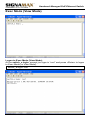
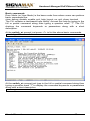
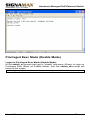
Logon to Configure Mode (Configure Terminal Mode).
The switch_a(config)# prompt will show on the screen.
switch_a(config)#
2. Usage:
Use set port gvrp enable command to enable and set port gvrp disable
command to disable GVRP on a port or all ports in a bridge.
3. Command Syntax:
set port gvrp enable all/IFNAME
set port gvrp disable all/IFNAME
all All ports added to recently configured bridge.
IFNAME The name of the interface.
4. Example:
The following example enables GVRP on the interface fe1 (port 1):
switch_a(config)#set port gvrp enable fe1
switch_a(config)#
Per port setting:
GVRP applicant:
1. Command Mode: Configure mode
Logon to Configure Mode (Configure Terminal Mode).
The switch_a(config)# prompt will show on the screen.
switch_a(config)#
2. Usage:
Use this command to set the GVRP applicant state to normal or active.
3. Command Syntax:
set gvrp applicant state active/normal IFNAME
active Active state
normal Normal state
IFNAME Name of the interface.
User’s Manual
170