1
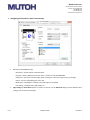
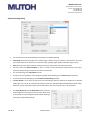
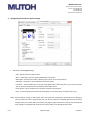
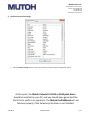
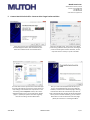
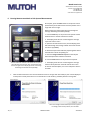
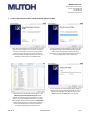
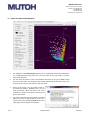
Mutoh America Inc. NDUSTRIES LTD. 2602 South 47th Street, Suite 102 Phoenix, Arizona 85034 USA Tel: 480.968-7772 Fax: 480.968.7990 www.mutoh.com/spectrovue 1. Configuring the Print Driver: Basic Printer Settings Mutoh print driver Basic settings: Orientation – Portrait (tall) or Landscape (wide) Page Size – Select a default size from the menu, or create a user-defined User Size. Output Size – Use this to scale the image, either to enlarge or reduce the image size by a percentage. Rotate – Turn the image 90 degrees to one side. Media Type – ‘Marking Film’ is default, new media types can be added. Print Setting – Standard, Draft, High Quality, etc. 6 / 17 Page Setting and Print Mode options are shown on the left. Use the Advanced dialog to access additional print settings, print modes and media types. DEALER EDITION 2011-06-15