1
1.
2.
3.
4.
5.
Connect the Table Top Stand (see above) to the DCH 2600/3700/4700 panel such that you can have it
stand on a flat table.
Hook up the Power Cable to the DCH 2600/3700/4700 Panel.
The DCH2600 unit comes with an extra power adapter for the SA1000 which you will need to hook up as well.
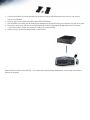
Proceed to hook up a USB mouse and USB keyboard to the SA1000 Media Player behind the LCD panel
– see picture below (There are a total of 4 USB ports on the SA1000).
Then hook up your RJ-45 Internet Cable to the SA1000.
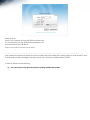
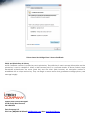
Next proceed to boot up the SA1000. You will see the following Player Registration screen when the system is
booted up properly.