1
o
o
o
o
o
MIDI (.midi, .mid)
RealNetworks Real Audio (.rmi)
Audio Interchange File Format (.aif)
AU (.au)
SND (.snd)
■ Multimedia
o
o
o
o
o
o
o
o
o
o
o
Adobe Macromedia Flash (. swf) version 9 or below
MP4 (.mp4)
MMS
Flash Video (.flv)
Mcrosoft PowerPoint 97(.ppt, .pps)
MPEG1/2 (.mpe, .mpg, .mpeg)
Window Media Video (.wmv, .asf, asx) => This is temporarily not supported in version 2.3
AVI (.avi)
DVD Video (.vob) (non protected)
Apple QuickTime (.mov)
HTML (.html, .htm or data driven website)
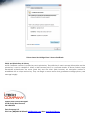
An image or multimedia file will be scaled to full screen size when played, except the PowerPoint files. Follow the steps
below:
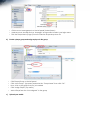
1.
Open the PowerPoint file with Microsoft PowerPoint application.
2.
Select File/Page Setup menu option.
3.
Adjust the width/ height of the slide to match the resolution of the display of the player.
4.
Click OK and save the file as PowerPoint 97.
Note
d)
Some media files may have small variances compared to standard files.
We strongly recommend you preview the content before publishing it
to ensure the media plays correctly on the player.
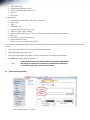
Create a ticker (optional)
•
Click “Management” -> “Ticker”