1
Section 5
Continuous Burn-In
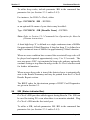
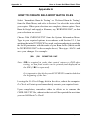
To utilise beep codes, include parameter /BB in the command line
parameter list (see Section 2.3.1 and/or 2.4.3).
For instance, for DOS Pc-Check, either
Type: PCCHECK /BB <ENTER>
or an optional file name of your choice may be added:
Type: PCCHECK /BB [Burnfile Name] <ENTER>
Note: Refer to Section 2.3.1 Command Line Operation for Burn-In
filename instructions.
A short high beep ‘S’ is defined as a single continuous tone of 880Hz
for approximately 200mS Duration. A long low beep ‘L’ is defined as a
single continuous tone of 440Hz for approximately 300mS duration.
When an error condition has occurred the associated beep code will
be played and repeated approximately every 2 to 2.5 seconds. The
user may press <ESC> to terminate the beep code, and may optionally
continue testing or stop Burn-In and go to the Pc-Check results screen
for further information.
When an error beep code is issued, the detected error is automatically
sent to the Results Summary and may be printed from the Pc-Check
Results Report section.
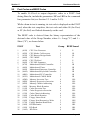
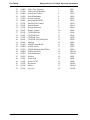
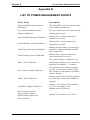
The BEEP codes for the nineteen groups of POST Card Diagnostics
are given in Section 5.5.
5.4
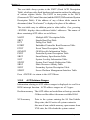
SIB (Status Indicator Box)
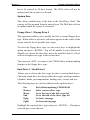
Pc-Check’s SIB provides added support during Burn-In. The SIB can
be used for testing PCs even when there is no monitor attached. Plug
Pc-Check’s SIB into the first serial port.
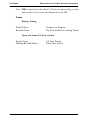
To utilise a SIB, include parameters /BS /BD in the command line
parameter list (see Section 2.3.1 and/or 2.4.3).
Page 5.5














































![[ENG] Genibo-SD User Manual Ver.1.0](http://vs1.manualzilla.com/store/data/006872773_1-9d5625b8ce4c775096d8fc2cc6d1600e-150x150.png)