1
GasAlertMicroClip XT
Calibration
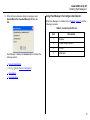
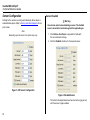
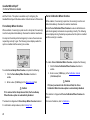
8. Ensure the sensors to be calibrated are enabled in Fleet
Manager II.
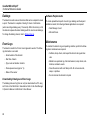
9. Using
, select the concentration value(s) in the
Cal Gas field for each sensor. The values entered in
Fleet Manager II must match the gas concentration values on the gas cylinder.
10. Click
detector.
to save the settings to the
Calibration Procedure
a Caution
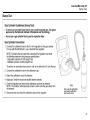
Only calibrate in a fresh air environment and in a safe area. Do
not calibrate the detector during or immediately after
charging.
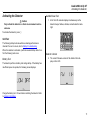
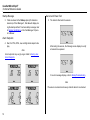
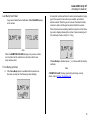
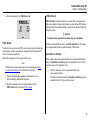
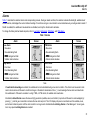
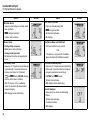
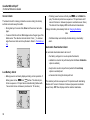
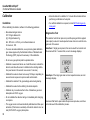
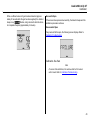
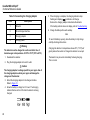
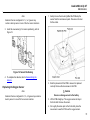
1. Press and hold C. The detector performs the OFF countdown. Continue holding C as the detector briefly deactivates.
Calibrating with the IR Link
a Caution
Only calibrate in a fresh air environment and in a safe area. Do
not calibrate the detector during or immediately after
charging.
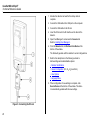
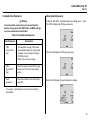
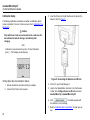
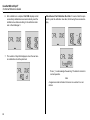
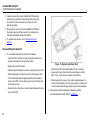
EC To calibrate the detector with the IR Link, complete the following procedure:
1. Complete steps #1-10 under Setting Span Gas Concentration Values.
2. The detector then reactivates and performs the CAL
countdown. Continue holding C until the CAL countdown is complete.
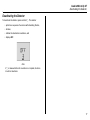
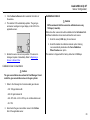
2. Click on the Device Operations tab.
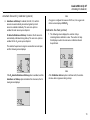
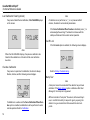
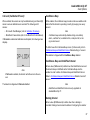
3. Click Calibrate. The detector begins calibration. Refer to
Auto Zero and Oxygen Sensor Calibration.
Note
If C is not held for the entire countdown, the detector will deactivate.
41