1
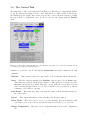
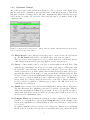
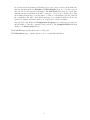
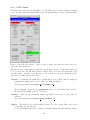
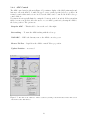
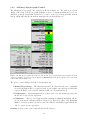
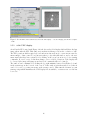
Figure 1.10: The FPI control task window, and 8-but VNC display — used for imaging stars in the focal plane
of 2dF
1.5.1
8-bit VNC display
As well as the FPI control task, Figure 1.10 also shows the 8-bit display which will show the last
image taken with the FPI. This windows is an historical hangover from the evolution of 2dF.
The FPI operations which require keyboard and mouse interactions (i.e. ctrl-click centroids,
shift-drag to define centroid box) interact rather poorly with this window, and so the user
must ensure that they have activated it by clicking on the green bar at its top, before issuing
commands. If ones does not do this then strange, yet recoverable, behaviour of the display will
be observed (the image will jump around and your commands will not be issued).
The window can be minimised by clicking the top right minimise button. It will then be found
in the system tray at the bottom of the console. If the window is inadvertently closed, then it
can be recovered by opening an xterm on the aatlxy console. This runs the aatinst account
start-up script which maximises the VNC display if it is available, or starts a new one if it has
been close.
16