1
User’s Manual of Network Camera/Network Video Server
User’s Manual of Standard Client
Product Introduction ......................................................................................................................2
Product Characteristics ..........................................................................................................2
Product Installation........................................................................................................................4
Installation instruction ...........................................................................................................4
Hardware installation:............................................................................................................5
Connection of video server............................................................................................................6
Connection of camera ............................................................................................................6
Check network parameters ....................................................................................................6
Connection test ......................................................................................................................7
Installation of client software ........................................................................................................8
Operation guide of client software ..............................................................................................11
Logging................................................................................................................................11
Viewing control ...................................................................................................................12
Playback ..............................................................................................................................12
Stop..............................................................................................................................13
Start the video recording......................................................................................................13
Watch the video ...................................................................................................................15
System options.....................................................................................................................15
1>
User management .............................................................................................15
2>
Screen capture ..................................................................................................16
3>
Interface style ...................................................................................................16
4>
Log ...................................................................................................................17
5>
About................................................................................................................17
Pan/tilt head control.............................................................................................................18
Adjustment for video/audio effect .......................................................................................18
Screen capture......................................................................................................................19
IP distribution ......................................................................................................................19
Camera options ....................................................................................................................21
1>
Video ................................................................................................................21
2>
Audio................................................................................................................23
3>
Network............................................................................................................23
4>
Character overlap .............................................................................................24
5>
Pan/tilt head......................................................................................................25
6>
User management .............................................................................................25
7>
About................................................................................................................26
Switch camera .............................................................................................................................27
Status display...............................................................................................................................27
Multi-image switch......................................................................................................................28
Display channel number ..............................................................................................................28
Display character overlap ............................................................................................................28
Display time.................................................................................................................................29
Motion detection..........................................................................................................................30
Points for attention.......................................................................................................................30
1
User’s Manual of Network Camera/Network Video Server
Product Introduction
Thank you for choosing our product. Besides all functions of traditional camera,
network camera, as a new product combining traditional camera with network video
technologies, has been incorporated with a built-in digital compression controller and
WEB-based operating system, which enables transferring the compressed and
enciphered data to the end user through LAN, Internet or wireless network. The remote
user, by using standard network browser or the client software in his/her own PC, may
access to the network camera by its independent IP address, and fulfill real-time
monitoring of target site, real-time edition and storage of video data; moreover, the user
may implement omnidirectional monitoring by controlling the pan/tilt and lens of
network camera via network.
The hardware of network camera includes network video service module and CCD
module, which can work as soon as connected with power and network cable, without
the necessity for connecting the computer. Only with the software program installed in
the computer, the user can, through network, use IE browser or client software to watch
real-time video and listen the field voice. The network camera has functions such as
network video recording, image framing, video record playback, pan/tilt control and
dynamic motion detection. The transfer speed of image in compression form of MPEG-4
may be up to 25 frame/second on network, thus realize real-time watching without
delay; for the recovery of image, the maximum definition for image quality is D1. For
the application of software, it is extremely easy-to-use, for its interface is provided with
the buttons for pan/tilt operation, lens control and network video, and options for
function setting and administrator setting etc.
Product Characteristics
1) Equipment characteristics
It consists of three parts: network camera, player software for network camera and
configuration software for network camera.
D1 high-definition image, fluent voice, with various display formats
Support IE browse
MPEG-4 high compression ratio arithmetic
Applicable to network environment of ADSL, LAN, etc.
2
User’s Manual of Network Camera/Network Video Server
Transfer speed for image up to 25 frame/second
With the function of dynamic motion detection, and the sensibility of detection is
adjustable
Support the capture and archiving of individual image in the format of JPG and
BMP
Support parameter setting on Internet with easy update
Support characters overlap
Automatically search IP and connect it
Encryption function for image
Multiple protocol support-TCP/IP, HTTP, ARP and RARP, etc.
Security
Account number, password, user privilege
Alarm
Video image dynamic motion detection
Control of pan/tilt and
lens
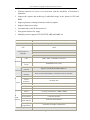
RS485 interface, remote control of pan/tilt and electronic lens by
client
Requirements to
computer
Hardware
Network
Video
CCD
module
Windows2000/XP Version
IE 4.0 version or above
NET4.5 version or above
CPU
32Bit RSIC Embedded Processor
Operating
system
Embedded Linux system
Network
protocol
Support TCP/IP,HTTP,ARP,RARP, etc.
Network
interface
RJ45 10/100m Self-adaptive to Ethernet network interface
Compression
MPEG-4
Frame
frequency
10-30fps (D1)
Resolution
D1:720×576 CIF:320×288 FIELD:720×288 QCIF:192×144
Input
1Ch
Output
1Ch
Sensor
1/3 Sony CCD,420 bus ,32MM×32MM
Signal-to-Noise
More than 48DB (automatic gain is off)
Lens interface
C/CS lens interface
Automatic
white balance
Automatic white balance
Back light
compensation
Automatic back light compensation
Camera power
Power: DC 12V, Current 1A
3
User’s Manual of Network Camera/Network Video Server
Application scope
Enterprise, community, government institutions , traffic, power,
financing and national defense etc.
2) Network Characteristics
1> User-defined http port-allows the gateway of Internet to use “port mapping”,
therefore the network video/audio products and web server may share one Internet IP
address.
2> Support DDNS to release network video/audio products to Internet through
secondary dynamic domain name resolution.
3) Security Characteristics
1> User identification: if necessary, only known user is allowed to access real-time
video, before that, user must input user name and password. The maximum number of
users is 5.
2> Security: password protection and IP filtering, MAC filtering
3> Motion Detection
Product Installation
Installation instruction
Thank you for choosing our products. Before use our products, please read
carefully and understand all safety instructions before installation
The package of network camera shall include:
A. Network camera terminal
B. Network camera terminal power
C. 8-core terminal connection wire
D. Player software for network camera and installation CD of configuration
software for network camera
E. Network camera manual
F. 1m cable
The inner part of the camera manly consists of two parts: network video server and
CCD module. Since we do not provide optical lens, users may select lens by
themselves according to actual needs.
Use cable to directly connect computer with other computers or LAN through router.
The terminal of network camera shall be installed indoor; waterproof cover or
lightning-proof facility shall be considered if installed outdoor.
Do not touch lens since it may leave fingerprint which results in blurred or invisible
4
User’s Manual of Network Camera/Network Video Server
image; only maintainer authorized by the manufacturer is allowed to repair the
terminal of this network camera.
Please return the network video/audio products to our product for repair in
case the followings happen:
Power or plug is damaged
When liquid leaks into network video/audio products
Network video/audio products are damaged arising from falling
Network video/audio products fail to work normally after setting and adjustment
according to the operation manual.
Hardware installation:
1> Installation of lens
The installation of terminal lens for network camera supports the types of C and CS.
The screw threads of both types are 1 inch 32 thread with diameter in 1 inch and the
difference lies in their distance from lens to CCD format. For the C-type installation
base, the distance from base level to the focus is 17.562 mm, which is longer than
that of CS type from CCD format of the length of a special adapter ring; since the
distance from CS-type lens to focus is 12.5mm, an adapter ring of lens is required
for C-type installation; meanwhile, an after-image adjustment ring at the installation
port of network camera terminal is used for the after-image adjustment. During the
adjustment, use the screwdriver to loose the screw on the side of adjustment ring
and turn the adjustment ring, then the CCD format will move forward (backward)
from the installation base to fulfill the adjustment of lens focus.
2> Installation and fixing instruction
A standard fixing base for installing camera (M5 British measurement) is
incorporated respectively on the up and down part on the shell of network camera
terminal.
3> Internet cable: Use grade-5 twisted pair wires and RJ-45 (LAN) connector to
connect the video/audio products with your network; it is also available to connect it
to the concentrator or switcher through standard cable or directly connect to PC
through crossover cable.
4> Make sure the norms of your power adapter (110V or 220 V AC input, 12V.1A
DC output) match the power cord; and connect the power with network video/audio
products.
5> Check if the LED on the power indicator LAN is on or not; the connection
indicator LAN is on if the connection of network is correct.
6> The IP address of the PC shall be set in the same IP address of video/audio, for
example, if the initial IP address of network products is 192.168.1.126, the IP
address of PC shall be set between 92.168.1.2 and 192.168.1.255.
5
User’s Manual of Network Camera/Network Video Server
Connection of video server
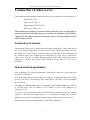
The default network settings of network video server produced by our company are:
IP:192.168.1.126
Gateway: 192.168.1.1
Subnet mask: 255.255.255.0
DNS server: 168.95.1.1
The IP addressee or gateway of network camera and video server is changeable. It
shall be noted that if the IP or gateway is changed, the IP address of PC shall be
changed into the same IP address of network camera, as well as the gateway the
same as that of camera.
Connection of camera
The network video server is connected to the camera through AV video cable and to
the PC or router through RJ 45 port by network cable. Open the package, take out
the video server for package, install the software of network video monitoring on
PC, connect power (use original power connection) to video server, connect the
video server with PC or router through network cable, and ensure the network
connection is correct (the yellow-green indicator on the back of server is on
normally).
Check network parameters
Only matching of PC network parameters with that of video sever can ensure the
successful connection.
At first, the gateway must be the same, for example, if the default gateway of video
server is 192.168.1.1, the gateway of PC shall be also 192.168.1.1 so as to establish
the connection.
The address of IP shall be the same, for example, if the default IP address of camera
is 192.168.1.126, the IP address of PC shall be one of the addresses in
192.168.1.0~255.
In case of any inconformity between your network parameters and the default
setting of the network camera server, it is required to modify the network
parameters of your PC to match the default setting of the network camera server.
Right click the “network neighborhood”, then click “properties”
6
User’s Manual of Network Camera/Network Video Server
Double-click “Internet protocol (TCP/IP)” to check the current network parameters
Connection test
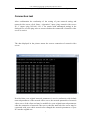
After confirmation the conformity of the setting of your network setting and
network video server, click “Start—>Operation”, input “ping. network video server
IP. -t” (input “ping 192.168.1.126 -t” for camera with unchanged setting) in the
dialogue box, use the ping order to ensure whether the connection of network video
server is correct:
The data displayed in the picture means the correct connection of network video
server:
Provided that your original network parameters is not in conformity with default
network parameters of the network video server, the network parameters of network
video server of the client end may be modified to your original network parameters
after the connection of network video server, then the network video server may be
connected with your whole network after changed the network parameters of your
PC into the original one.
7
User’s Manual of Network Camera/Network Video Server
Installation of client software
On the CD, as an accessory attached, there provides the setup program of standard
multi-image monitoring client software:
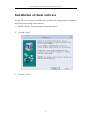
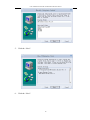
1: Double click the “Setup Program of Network Camera”
2: Click the “Next”
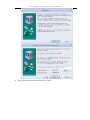
3: Click the “Next”:
8
User’s Manual of Network Camera/Network Video Server
4: Select the setup directory and click the “Next”:
9
User’s Manual of Network Camera/Network Video Server
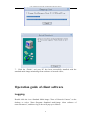
5: Click the “Next”:
6: Click the “Next”:
10
User’s Manual of Network Camera/Network Video Server
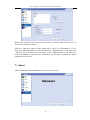
7: Click the “Finish”, and your PC has been successfully installed with the
standard multi-image monitoring client software of network video;
Operation guide of client software
Logging
Double click the icon “Standard Multi-image Client of Network Camera” on the
desktop or select "Start---Program---Standard multi-image client software of
network camera”, and then a log-in box will pop up as follows:
11
User’s Manual of Network Camera/Network Video Server
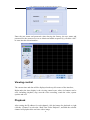
Enter the user name and password (when leaving the factory, the user name and
password for the camera were set as admin and admin respectively), click the “OK”
to enter into the client interface:
Viewing control
The current time and date will be displayed at the top left corner of the interface;
Right under the time display is the viewing control zone, where six buttons can be
seen, including playback, stop, start the video recording, watch the video, system
options and exit:
Playback
After setting the IP address for each channel, click the button for playback or right
click the “Channel” to select the “Real-Time Video Playback”, and then the selected
channel will playback the real-time video image.
12
User’s Manual of Network Camera/Network Video Server
Stop
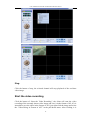
Click the button of stop, the selected channel will stop playback of the real-time
video image.
Start the video recording
Click the button of “Start the Video Recording”, the client will start the video
recording of the currently shown video image and save it in the format of AV; if it is
intended to save the video in the format of AVI, just right click the image and select
the “Video Being in Format of AVI” in the pull-down menu. After clicking, it is
13
User’s Manual of Network Camera/Network Video Server
necessary to set the path for saving the file as follows:
Click the “OK” after the path has been set, the client can record the image
currently shown (the words on the button of “Start the Video Recording” will be
changed into “Stop the Video Recording”), and the word of “REC” could be seen
on the top right corner of the image.
Click the button of “Stop the Video Recording”, it stops client’s recording current
video image.
14
User’s Manual of Network Camera/Network Video Server
Watch the video
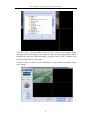
By clicking the button of “Watch the Video”, it is able to playback the recorded
video image. The first thing you need to do after clicking is to select the file you
want to playback as follows:
Click the button of “OK” after the selection is done, the video image will be
displayed back on the screen and the time mark could be seen on the bottom right
corner of the screen.
System options
By clicking the button of “System Options”, you may set those options in client
system.
There are five items in “System Options”, that is, user management, screen capture,
interface style, log and about:
1> User management
The user’ name for logging the client system can be either added or deleted (the
admin defaulted by the system can not be deleted)
15
User’s Manual of Network Camera/Network Video Server
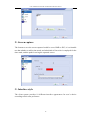
2> Screen capture
The format to save the screen captured could be set as BMP or JPG; it is selectable
too that whether to add a time mark, and what kind of font color is employed for the
time mark; and the path for saving the captured screen.
3> Interface style
The client system provides 10 different interface appearances for user’s choice
according to their own preference.
16
User’s Manual of Network Camera/Network Video Server
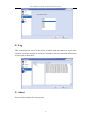
4> Log
This is the historical record of the client, in which such information as log-in time
and date, user name and log-in results are contained. All of the recorded information
will be listed on date basis.
5> About
Some brief description for client system
17
User’s Manual of Network Camera/Network Video Server
Exit: the button of “Exit” is used to close the client system.
Pan/tilt head control
The pan/tilt control could be realized only after connecting the pan/tilt decoder (and
protocol, baud rate and effective address shall be set)
Azimuth control:
By clicking the button of azimuth arrow, it is able to control the eight azimuths of
the pan/tilt.
Control of focal length:
Controlling the multiple of camera lens could be realized via buttons of zoom-out or
zoom- in (it is necessary for the video server to be connected with camera
incorporated with an auto varifocal lens)
Controlling the focal length of camera lens could be realized by near or far buttons
(it is necessary for the video server to be connected with camera incorporated with
an auto varifocal lens)
Adjustment for video/audio effect
(Adjust directly by clicking the color box)
Lightness:
For adjusting the lightness of video image
Hue:
For adjusting the darkness of video image’s color
Contrast ratio:
For adjusting the contrast ratio of video image
18
User’s Manual of Network Camera/Network Video Server
The sensitivity of motion detection:
For adjusting the sensitivity of capturing the motion when starting the function of
motion detection; If the sensitivity was adjusted to a lower degree, there will be a
warning response only if an obvious motion occurs in the image (a red square could
be seen where motion occurs in the image); if the sensitivity was adjusted to a
higher degree, there will be a warning response even when a light motion occurs.
Volume:
For adjusting the volume
Screen capture
After clicking this button the currently shown image will be captured and be saved
at place you have set in “system options”---screen capture”
IP distribution
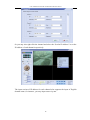
The client can provide a simultaneous browsing for as many as 64 channels, where
you may set the IP for each channel.
The IP address from the first to the 64th channel can be set downward from the top,
and upon inputting IP address, number of receiving and sending ports, user name,
password in the corresponding information column of each channel, you can see the
video image in the channel of corresponding camera.
For example: input in the 33rd channel: IP of 192.168.1.126, port number 80, user
name admin and leaving the password blank, and then click “OK” to save setup;
click the “Playback” after selecting the 33rd channel in cutting screen (or selecting
the “Real-time Video Play” after right clicking the channel screen), after that, you
could, in the 33rd channel screen, see the video image of network cameral with an IP
address of 192.168.1.126.
19
User’s Manual of Network Camera/Network Video Server
Or you may also right click the channel and select the “Set the IP Address” to set the
IP address of each channel respectively.
The input section of IP address for each channel also supports the input of English
domain name, for instance, you may input szsuv.vicp.net.
20
User’s Manual of Network Camera/Network Video Server
Camera options
You may set various parameters of camera by selecting certain channel and clicking
the button of “Camera Options” or right clicking the channel and selecting the
“Options”.
There are 7 items in “Camera Options”, that is, video, audio, network, character
overlap, pan/tilt, user management and about:
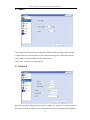
1> Video
Video resolution: there are two formats for setting the quality of video image,
namely, the QCIF and D1, of which, the D1 provides the best effect. The resolution
21
User’s Manual of Network Camera/Network Video Server
under PAL and NTSC systems is shown as below:
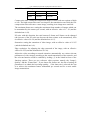
D1
CIF
PAL
720*576
352*288
NTSC
720*480
352*240
Compression ratio: setting the compression degree of data, with two options of high
or low. The high compression ratio can improve the transmission rate while the low
compression ratio can restore a truer image, resulting in an image more satisfied.
The maximum frame rate: setting the maximum frame number of images which can
be transmitted by the camera per second, with an effective value of 1~30 (and the
defaulted one is 30).
P/I ratio: with this function, the ratio between P frame and I frame can be changed
(the increase of the P/I ratio can decrease the data volume to-be transmitted), with
an effective value of 0~29 (and the defaulted one is 15).
Saturation: setting the saturation of video image, with an effective value of 0~255
(and the defaulted one is 0).
Edge resolution: for adjusting the edge sawtooth of the image, with an effective
value of 0~255 (and the defaulted one is 128).
Adjust the video according to network situation: automatically set various relevant
parameters of video images according to the actual transmission of the network, and
the relevant function could be enabled by ticking (√) in the blank in front of the
function options. There are two reference object options, namely, the “Image’s
Quality” and the “Frame Rate”. If you choose the former one, the aim of setting all
parameters is to obtain the best image quality; if the latter one is selected, the aim
is to achieve the maximum frames transmitted per second and for a more stable
image transmission.
22
User’s Manual of Network Camera/Network Video Server
2> Audio
The setting of video parameters cannot be modified until selecting “Allow Sound”
Compression rate of audio data: set the compression degree of audio data stream
Video format: set the format of audio compression
Click “OK” to save the setting and exit
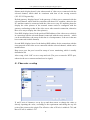
3> Network
Network camera IP: display hereof is the IP address of video server connected with
the selected channel, which can be modified here.(After modifying the IP address,
23
User’s Manual of Network Camera/Network Video Server
normal operation cannot be resumed until switching off and restarting the server)
Subnet mask: display hereof is the subnet mask of video server connected with the
selected channel, which shall be consistent with that of the serving network
(255.255.255.0 generally)
Default gateway: displays hereof is the gateway of video server connected with the
selected channel, which shall be consistent with that of PC machine, otherwise the
PC machine cannot be connected with the video server (any PC machine planed to
display the video pictures of the network camera must be configured with the
gateway conforming to that of the video server after network connection, otherwise
there is no way to display the video pictures)
First DNS: displays hereof is the preferred DNS address of the video server which is
in connection with the selected channel connected with the outer network, which
can be modified here (the setup of this date is of unimportance, if the server has not
been connected with the Internet)
Second DNS: displays hereof is the backup DNS address for the connection with the
outer network of the video server connected with the selected channel, which can be
modified here
Http server port: the port is used for setup of server monitoring, which is usually
defaulted as 80
After setup, click “OK” to save setup and exit (The port set must be HTTP port,
otherwise the server cannot send and receive signal)
4> Character overlap
X and Y-axis of character: set up by up and down arrow to change the value or
directly inputting the value, according to the requirement and taking the top left
point of the picture as the origin. The effective value of X-axis is within 0~720; and
that of Y-axis is within 0~576.
24
User’s Manual of Network Camera/Network Video Server
Character to be overlapped: set the character to be overlapped in the video picture,
which supports Chinese and English input.(After setting the character, click the
option of “display character overlap” at the right bottom of the interface, and the
character shall be displayed at the location designated by you in the picture)
Character color: click color bar to enter into color disk for selection of the color of
adding character.
After setting, click “OK” to save setup and exit
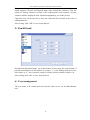
5> Pan/tilt head
Pan/tilt head adjustment range: set up the number of base range for each clicking of
pan/tilt control button (if the number is set up at “1”, each clicking shall move one
base range; at “2”, move two base ranges), with the effective number within 0~99
After setting click “OK” to save setup and exit
6> User management
The user name, to be connected to the network video server, can be added/deleted
here
25
User’s Manual of Network Camera/Network Video Server
Delete user: click the user name in the “User List”, and then click “Delete User” to
delete the existing user name
Add user: input user name and the password in “New User Information” (if it is
desired to add administrator, click the button of “Administrator”), and then click
“Add New User” to add a new user name (if the “Administrator” is not clicked, it
shall be defaulted as a general user, which have no privilege to modify the option
parameter of the sever)
7> About
(Brief introduction and explanation to network video server)
26
User’s Manual of Network Camera/Network Video Server
Switch camera
Switch to the video server connected with the selected channel.
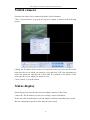
Click “ConvertCamera” to pop up the log-in box again, as shown in the following
picture:
Change the IP address in the section of Camera IP in the log-in box into that of the
network video server which you intend to view, and click “OK” after inputting user
name and password, and then the Client shall be switched to the picture of the
network video server which you intend to view
Click “Cancel” to exit the switch
Status display
Status display box describes the current working condition of the Client
Camera IP: The IP address of video server being viewed is listed here
Frame rate: this item shows the real-time number of frames transmitted per second
Bit rate: transmission speed of video data (K byte/second)
27
User’s Manual of Network Camera/Network Video Server
Multi-image switch
Client system has the function of multi-image browse, with 7 modes of single
picture, four pictures, nine pictures, 16 pictures, 25 pictures, 36 pictures and 64
pictures, among which user can make the choice according to the need; these modes
can be realized by clicking the button for the corresponding number of cutting
channels; full screen browse is possible for picture transferred through any channel
(by using the last button).
Display channel number
By clicking this item, the channel number could be displayed at the right bottom
corner of the picture of each channel.
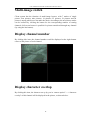
Display character overlap
By clicking this item, the character set up by you in “camera option”---->“character
overlap” of this channel will be displayed in the picture, as shown below:
28
User’s Manual of Network Camera/Network Video Server
The adding character of each channel shall be set up respectively after entering into
camera option. Display character adding needs to be clicked respectively.
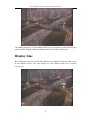
Display time
By clicking this item, the current date and time are displayed at the top right corner
in the channel picture. The time display of each channel needs to be selected
respectively.
29
User’s Manual of Network Camera/Network Video Server
Motion detection
By clicking this item, the Client will produce warning response to any motion
appeared in the picture, and any change between the previous frame and following
frame shall generate red square in the picture, with the precision of the square
determined by the sensitivity of motion detection, as shown in the following picture:
Points for attention
1. Working voltage of the product is DC 12V, and please employs the suitable
power source during operation. Excessively low voltage will lead to unstable
working condition of the equipment; too high voltage will burn out the circuit chip.
2. Please remember the user name and password for log-in, if they are got lost,
please return the equipment to the factory for regeneration of chip data, so as to
restore the factory defaults.
3. Measures of lightning protection shall be made during operation; waterproof
measures are required for non-waterproof series products so as to avoid short
circuit.
4.
Wire pressing of crystal heads of network cable is employed. It is recommend
to adopt the wiring method of standard type A or B,
so as to achieve the best
transmission effect.
5. The default pan/tilt protocol of this product is Pelco-P, 9600 (baud rate ) and
startup with 0 address. For operation, please select the decoder or decoder board
supporting the default protocol, decoder which does not match protocol or does not
30
User’s Manual of Network Camera/Network Video Server
support 0 address start cannot control the pan/tilt normally.
31