1
11. Widgets
d. Economic Calendar Widgets
Economic Calendar widget comes with the alert
function. You can also view previous, forecast and
actual data from the widget. Events within the next
10 minutes will be highlighted in a different font
colour.
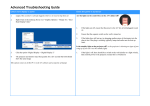
[How to customise settings]
1
Choose update frequency.
2
Enable/Disable alert.
3
Choose time interval for how soon before an event
you want an alert to trigger.
4
Choose sound type (4 choices).
5
Choose to enable/disable vibration feature.
6
Choose notification method (in notification area or
pop-up window).
7
Tap “OK” to save and the widget will be added to
the home screen.
1
2
3
4
5
6
7
To change the widgets settings, please remove the widget from your home screen and add
again. Please note that rates shown on each widget may differ for the same currency pair as
each widget is updated at different time.
14 November 2015
Copyright © GMO-Z.com Forex HK Limited All rights reserved.
51