1
WAFER-PV-D5252/D4252/N4552 SBC
Î
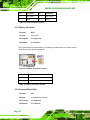
Disabled
Î
Enabled
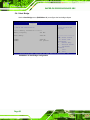
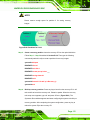
Disabled the multi-monitor function
Enabled the multi-monitor function
DEFAULT
5.4.2 South Bridge
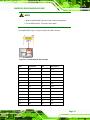
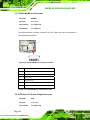
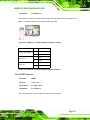
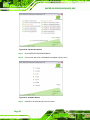
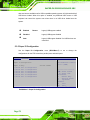
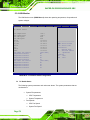
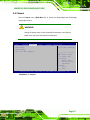
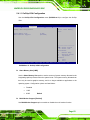
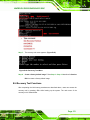
Use the South Bridge menu (BIOS Menu 14) to configure the Southbridge chipset.
Aptio Setup Utility – Copyright (C) 2010 American Megatrends, Inc.
Chipset
Auto Power Button Function
Restore AC Power Loss
HD Audio Controller
USB Function
USB 2.0(EHCI) Support
Set Spread Spectrum function
[Enabled]
[Last State]
[Enabled]
[Enabled]
[Enabled]
[Disabled]
Enable/Disable Azalia HD
Audio
--------------------ÅÆ: Select Screen
↑ ↓: Select Item
Enter Select
F1
General Help
F2
Previous Values
F3
Optimized
Defaults
F4
Save
ESC
Exit
Version 2.02.1205. Copyright (C) 2010 American Megatrends, Inc.
BIOS Menu 14:Southbridge Chipset Configuration
Î
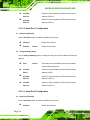
Restore on AC Power Loss [Last State]
Use the Restore on AC Power Loss BIOS option to specify what state the system
returns to if there is a sudden loss of power to the system.
Î
Power Off
The system remains turned off
Î
Power On
The system turns on
Î
Last State
DEFAULT
The system returns to its previous state. If it was on, it
turns itself on. If it was off, it remains off.
Î
HD Audio Controller [Enabled]
The HD Audio Controller option enables or disables the HD audio controller.
Page 84