1
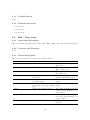
4.1.5
Possible Errors
None.
4.1.6
Related Operations
• Section 4.2
• Section 4.3
• Section 4.4
4.2
Edit / Run script
4.2.1
Functional Description
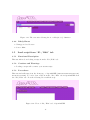
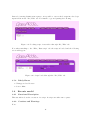
This screen is shown when a user clicks on the “Edit / Run script” tab from the homepage.
4.2.2
Cautions and Warnings
None.
4.2.3
Formal Description
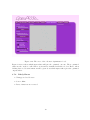
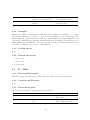
The user can perform the operation as given in table 4.2.
Operation
Intro
Steps
Click on the Intro tab
Help / Demo
Click on the Help / Demo tab
IO / Edit
Click on the IO / Edit tab
Genetic Optimisation
Pause
Click on the Genetic Optimisation tab
Enter a definition in the Script
line input field
Click on the ‘Enter’ a definition in the Script line input
field
Click on the ‘Pause’ button
Run
Click on the ‘Run’ button
New
Click on the ‘New’ button
Add definition
Enter
21
Result
The screen will change to the
Intro view
The screen will change to the
Help / Demo view
The screen will change to the
IO / Edit view
The screen will change to the
Genetic Optimisation view
A definition is added to the
script
A definition is added to the
script
The script is paused and the
‘pause’ button switched to a
‘run’ button
The script start running and
the ‘run’ button switched to a
‘pause’ button
The whole script will be
deleted