1
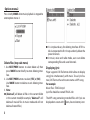
■ Press and hold PREV or NEXT to rewind back or forward rewind actual song.
■ Press shortly MODE to enter music mode option
menu
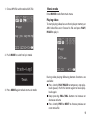
■ Press and hold MODE to exit to player main menu
Options menu
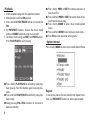
Press shortly MODE button when playback stops to enter options menu. Next steps as described in Options
menu 1 paragraph.
buttons to choose JPG or BMP file to view. Press PLAY/
PAUSE to display JPG/BMP file content.
FM radio
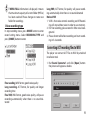
Choose FM Radio from main menu
■ Press MODE button to enter FM radio menu in FM
radio mode
TXT file viewer
Enter E-book mode from main menu. Use NEXT/PREV
buttons to choose TXT file to view. Press PLAY/PAUSE
to display TXT file content.
Graphic file viewer
Enter JPG mode from main menu. Use NEXT/PREV
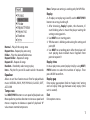
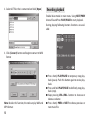
Save – Save currently tuned frequency to a channel
Delete – Delete current preset channel
Delete All – Delete all preset channels
Normal Band – Frequencies from 87MHz- 108MHz
Japan Band – Frequencies from 76MHz - 90MHz
Auto Search – Auto search channel
Exit – Escape from FM radio mode
13