1
BIOS Setup Information
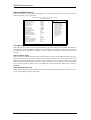
Video Off Method
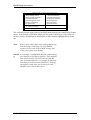
This field defines the Video Off features. There are three options.
V/H SYNC + Blank
Default setting, blank the screen and turn off vertical and horizontal
scanning.
DPMS
Allows BIOS to control the video display.
Blank Screen
Writes blanks to the video buffer.
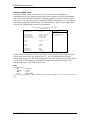
Video Off In Suspend
When enabled, the video is off in suspend mode. The default setting is Yes.
Suspend Type
The default setting for the Suspend Type field is Stop Grant.
Modem Use IRQ
This field sets the IRQ used by the Modem. By default, the setting is 3.
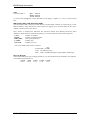
Suspend Mode
When enabled, and after the set time of system inactivity, all devices except the CPU will be shut off.
HDD Power Down
When enabled, and after the set time of system inactivity, the hard disk drive will be powered down
while all other devices remain active.
Soft-Off by PWRBTN
This field defines the power-off mode when using an ATX power supply. The Instant Off mode allows
powering off immediately upon pressing the power button. In the Delay 4 Sec mode, the system powers
off when the power button is pressed for more than four seconds or enters the suspend mode when
pressed for less than 4 seconds.
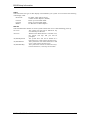
Wake-Up by PCI Cards
Enable this field to allow wake up function through a PCI card.
Power On by Ring
This field enables or disables the power on of the system through the modem connected to the serial
port or LAN.
Resume by Alarm
This field enables or disables the resumption of the system operation. When enabled, the user is
allowed to set the Date and Time.
ROBO-8700VL User’s Manual
4-16