1
Getting Started
3-5
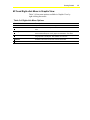
M-Trend Right-click Menu in Graphic View
Table 3-4 lists menu options available in Graphic View by
right-clicking the mouse.
Table 3-4: Right-click Menu Options
Menu Selection
Description
Edit Trend
Opens the M-Trend Definition dialog box.
Undo Zoom
If the current view has any zoom factor, this command returns it to normal
view.
Point Symbols
When View Graph is checked, this command adds unique symbols to
each trended data point on the graph. Not available in Text View.
Mark Data Points
When View Graph is checked, this command marks each data point on
the graph with a small point. Not available in Text View.
Maximize
Provides a full-screen view of the current Trend View.
Print
Prints the current Trend View.