1
Communicator Keys
If you press and hold the
ZERO key for five seconds, the
Communicator will reset the
active EDX to the zero reference calibration point.
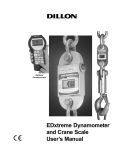
The Communicator has the same keys as the EDX but also some extra
ones. They are all explained below:
On/Off key
Use this key to turn the unit on and off.
Also, when in Radio Mode, this key will
access a menu for further options.
ZERO key
Use this key to zero the force indicated on
the EDX and Communicator displays.
ESC key
Use this key to escape from portions of
the menu structure and return to previous
choices or displays.
Arrow key
Use this key to access any available soft
keys not currently viewed.
Up and
Down key
Use these arrow keys to move through
menu choices, when applicable. Also
scrolls through any active links.
Remote
Setup key
Use this key to access the Setup menu.
Display
Mode key
Use this key to cycle between
Communicator display modes. They are
EDX specific force value, EDX specific
peak value, multiple display of force
values and multiple display of peak
values.
Keypad keys
Communicator
Connectors
Use these keys to
enter numeric
characters. Use for
address assignments and other
miscellaneous data
entry.
The Communicator may have between 2-3 connectors. CELL is for wireline
communications with an EDxtreme. COM1 is for serial communications.
AUX is not presently used and is either nonfunctional or not installed.
EDxtreme Dynamometer User’s Manual
7