1
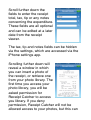
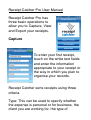
Scroll further down the
fields to enter the receipt
total, tax, tip or any notes
concerning the expenditure.
These fields are all optional
and can be edited at a later
date from the receipt
viewer.
The tax, tip and notes fields can be hidden
via the settings, which are accessed via the
iPhone settings app.
Scrolling further down will
reveal a window in which
you can insert a photo of
the receipt, or retrieve one
from your photo library. The
first time you access your
photo library, you will be
asked permission for
Receipt Catcher to access
you library. If you deny
permission, Receipt Catcher will not be
allowed access to your photos, but this can