1
Receipt Catcher automatically uses the
currency symbol set by the region format of
your phone, but you can enter a custom
currency symbol into the Receipt Catcher
settings via the iPhone settings app.
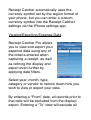
Viewing/Exporting Expense Data
Receipt Catcher Pro allows
you to view and export your
expense data using any of
the criteria entered when
capturing a receipt, as well
as refining the display and
export even further by
applying date filters.
Select year, month, type,
category or vendor to narrow down how you
wish to view or export your data.
By entering a “From” date, all records prior to
that date will be excluded from the display/
export. Entering a “To” date will exclude all