1
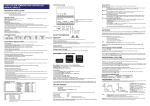
Example with a 5x setting: If connectivity is not restored before the 5th reset, the outlet will stop
resetting after the 5th try. Outlet will come back online once a connection is restored.
Reset Only: This setting allows you to enable the ability to MANUALLY turn ON/OFF or RESET the
outlet even when the OUTLET MODE is set to AUTO RESET
□ ON: The Outlet cannot be manually controlled UNLESS the OUTLET MODE is set to MANU
AL CONTROL
□ OFF: The outlet CAN be manually controlled and will STILL auto reset when it detects an Inte
rnet outage
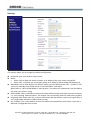
Time Zone: Select the time zone for the outlet location
Daylight Saving Time: Set the Start and End times and dates. E.g.
Username: A username for logging into the Web User Interface
Password: A password for logging into the Web User Interface
Confirm Password: Enter the same password from step p.
Click CONFIRM button to save the changes REVERT to reset
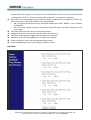
Schedule
Copyright (C) Audon Electronics Ltd 2015 | Field View | Wormald Green | Harrogate | HG3 3NJ | UK
www.audon.co.uk | Phone: +44 (0)1765 677425 | Fax: +44 (0)1765676650