1
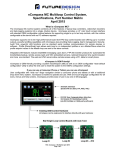
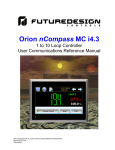
nCompass CM Multi-loop Control System Specifications, Part Number Matrix November 2013 What is nCompass CM? The nCompass CM Multi-loop Control system combines all of the features of typical loop controllers, video/chart recorders and data logging systems into a single, intuitive device. nCompass provides a 4.3” color touch screen interface with standard, user configurable, runtime features for single, dual or 3-loop control applications. All loop configuration and runtime user access is configurable at the device with no PC software required. In addition to a maximum of three loops of control, nCompass can also provide up to an additional 15 inputs for process monitoring for a total of 18 process inputs. The system is provided with eight 24Vdc digital inputs, two 24Vdc outputs and 6 relay outputs standard. nCompass can be expanded to a total of 16 digital inputs and 16 digital outputs and also provides the capability of accepting analog inputs for remote set point control and analog outputs capable of retransmitting system variables to other devices. Individual process controllers, one for each loop in the system, provide reliable, consistent and accurate control. When coupled with the built in ramping profiler provides automatic, timed control of all processes and outputs of the system with optional profile selection by a Bar Code Scan. Integrated LAN features include email, SMS (text messaging) on alarm, FTP (file transfer protocol for automated file transfer/data backup), remote access (web and VNC embedded servers) and national time server time synchronization are standard. The web and VNC servers allow remote access using a PC, tablet or other smart phone devices. If you can use a “smart device” (iPhone, Android, etc.) you can use nCompass! User configurable with “slide nav” finger navigation similar to “smart devices” or with a traditional drop down menu system, nCompass is intuitive to operate and use. With one touch language configuration for all icons, menus and help screens, nCompass provides ease of use in any one of 28 languages. FDC nCompass - CM Matrix November 2013 Page 1 of 5 How to Order nCompass CM is ordered as three components, the 4.3” color touch screen, firmware and the Control Module (CM) with its assorted options. The loop controls must be ordered separately. nCompass CM Sample Part Numbers (minimum of 3 component part numbers is required; (1) Display, (2) Firmware and (3) Control Module.) Item # Product 1 Display Sample Part Number FDC-0450-1011-000BN Description 4.3” display, CM software, 11-36 VDC power input, SD slot, Ethernet, standard enclosure 2 CM Firmware SD-CM CM Control Module Firmware (inserted into display SD slot) 3 Control Module CM-0000-010 Base CM, no optional serial communications, DI, DO, AI or AO and (1) 8-chanel monitor card (T/C) Options Power Supply PS5R-SD24 85-264VAC power input, Output 24VDC 60W (2.5A) Cable CA2011-8A Cable from Display to Control Module (DB9 connector (display), mini DIN on CM, (8ft) Loop Controls 9300-413001 FDC 9300 1/16 DIN loop control, input #1 universal (T/C, RTD, mA & VDC) Input #2 linear (mA & VDC ( may be used as monitor input) ), Output #1 mA PID, RS485 communications Item #1 Model FDC - 0450 4.3” Color Touch Screen FDC - 0450 - 1 0 Order Matrix # 1 2 1 3 1 0 0 4 5 6 Base Price 0 B N 7 8 9 (1) Power Input 1: 11 to 36 VDC (6) Software 0: None (2) Sound Output 0: None (7) Enclosure 0: Standard (3) SD Card Slot 1: Yes (8) Special B: Black Overlay (4) Ethernet 1: Yes (9) Special N: Neutral Overlay (no name/logo) (5) Network 0: None Note: Item #2: Timer is recommended for proper system restart due to momentary power interruptions (<500ms) which Loop Control Firmware Price: included with Display Order Matrix # SD - can cause false alarms and/or erroneous operation CM (Fixed characters SD-CM: SD card with CM (Control Module) Display Configuration and SD plugged into display) Control System Options (ordered separately as appropriate) Control Loops: Order appropriate loop controls separately. Cable: Control Module to Display CA2011-8A: Cable from FC5A CPU to display (8ft) Note: Consult factory for other lengths and options System Power Supply (input 100-240VAC / Output 24VDC) PS5R-SD24: 60W power supply (input 100-240VAC/Output 24VDC 60W (2.5A)) Note: DIN Rail mount 24VDC 60 watt power supply (2.5-amps) to power the FDC-0450, control module CPU, optional IO and FDC-IO monitor input modules. USB Memory Stick UDF115-2GB: (2GB High Capacity USB Memory Stick (3VDC)) Printed Operators Manual Part Number (Orion-nCompass_CM_i4.3_User_Manual.pdf) FDC-Orion-nCompass CM i4.3 User Manual Printed Configuration Manual Part Number (Orion-nCompass_CM_i4.3_Config_Manual.pdf) FDC-Orion- nCompass CM i4.3 Configuration Manual USB Cables & Accessories IStick-Panel USB Panel Mount Adapter IStick-4X-CVR USB Panel Mount Adapter-Nema4x DIN Rail Mounting Adapter for 1/16 DIN Loop Controls DRA-16 1/16 DIN Rail Mounting Adapter System Reset Timer GE1A-C10MA110 / SR2P-06: Reset Timer and socket (DIN Rail) FDC nCompass - CM Matrix November 2013 Page 2 of 5 Item #3 nCompass Control Module (loop controls ordered separately) CM Order Matrix # (note 3) 1 2 3 4 1. Control Module (CM) Application Software (loop control type) 0: FD42: 1: FD10: 2: FD30: 3: HWSL: 4: HWDL: 5: WTSD: 6: WTPM: 7: DHPL: 8: YKGS: 9: Special CM software for FDC P41 / B42 Series CM software for FDC 100 / B41 Series CM software for FDC 300 Series (note 1) CM software for Honeywell 2500/3200 (note 1) CM software for Honeywell 3500 (note 2) CM software for Watlow SD CM software for Watlow PM CM software for Danaher West/Partlow Plus CM software for Yokogawa UT Green Series 2. Optional Serial Communication (DIN Rail Mount – plug into CM) 5 6 7 6. Optional Monitor Inputs (serial connection to CM) 0: None 1: IO-8TCS: 2: IO-6RTD: 3: IO-8AIIS: 4: IO-8AIVS: (8-thermocouple input module - isolated) (6-RTD input module) (8- input module 0-20 / 4-20mA - isolated) (8-analog input 0-10 / 2-10Vdc—isolated) Combination Monitor Input Modules (maximum of 2 & 15 points) A: Item 1 / qty 2 F: Items 1 & 3 B: Item 2 / qty 2 G: Items 1 & 4 C: Item 3 / qty 2 H: Items 2 & 3 D: Item 4 / qty 2 I: Items 2 & 4 E: Items 1 & 2 J: Items 3 & 4 Note: Maximum of 2 monitor input cards monitoring a maximum of 15 monitor inputs. 0: None 1: FC5A-SIF4 2: FC5A-SIF2 (RS485 Modbus RTU port (slave))* (port 3) (RS232 port for Barcode Reader) ** (port 4) Note: If Item 2 is specified, Item 1 is included and must be installed for proper operation of the barcode reader. 7. Special 0: None *RS485 Modbus RTU port allows R/W access by FDC Envision & 3rd party software. **Bar Code Reader input is compatible for serial based barcode readers. Note 1: Maximum of 2 monitor input cards monitoring a maximum of 15 monitor card inputs. With specific CM software, the loop control’s input #2 may be configured as a monitor point. System maximum of 15 monitor points made up of loop control input #2, inputs of monitor cards or combination of both. 3. Optional Digital Inputs (DIN Rail Mount – plug into CM) 0: None 1: FC4A-N08B1: (8-digital input card (24Vdc)) 2: FC4A-N08A11: (8-digital input card (120Vac)) Note 2: Dual loop HW3500 is limited to 1 controller maximum (2 loops). Note: The above optional digital inputs (DI) are in addition to the eight 24Vdc digital inputs that are standard on the CM; system maximum of 16 digital inputs. Note 3: CM-XXXXXXX includes the additional standard components: 4. Optional Digital Outputs (DIN Rail Mount – plug into CM) 0: None 1: FC4A-T08S1 2: FC4A-R081 Part #: FC4A-HPC3 (Note A) Comms Card (RS485 comms to loop controls and monitor cards) (8-digital output– TTL 24Vdc (source))* (8-digital output - Relay (240Vac 2-amps) Part #: FC5A-D16RA1-v2.32 Control Module with 8 Digital Inputs (DI) and 8 Digital Outputs (DO) Note: The above optional digital outputs (DO) are in addition to the 8 DO that are standard on the CPU (6 relay & 2 TTL 24Vdc); maximum of 16 DO. Part #: FC4A-PT1 (Note B) Real Time Clock module 5. Optional Analog I/O (DIN Rail Mount – plug into CM) Part #: FC4A-PM64 (Note B) Memory Module 0: None 1: One AI/O card 2: Two AI/O cards Note A: FC4A-HPC3 must be plugged into the FC5A-D16RA1 control module during installation as described in the manual. FC4A-L03A1 (4-20mA or 0-10Vdc IO) FC4A-L03A1 (4-20mA or 0-10Vdc IO) Note: Each I/O card has qty 2 Remote Setpoint input and quantity 1 Retransmission output configurable for PV, SP or Percent Output. RoHS Compliant Note B: The FC4A-PT1 and FC4A-PM64 modules are assembled and contained within the FC5A-D16R1 Control Module. All other CM (Control Module) options are packaged separately and like the FC4A-HPC3 must be plugged into the FC5A-D16RA1 bus as described in the manuals. The exception is the Monitor Card(s) which are not part of the FC5A-D16RA1 bus and have separate power supply and RS485 communication wiring. The Monitor Card serial RS485 is wired to the FC4A-HPC32 board along with any loop controls. P.O. Box 1196 888.751.5444 Sales Bridgeview, IL 60455 888.307.8014 Fax Technical Support: 866.342.5332 http://www.futuredesigncontrols.com FDC nCompass - CM Matrix November 2013 Page 3 of 5 NOTES: SCADA (Supervisory Control & Data Acquisition) NOTES: Configurable Control Logic FDC-nCompass Series Graphic User Interface (GUI) touch screen provides a full SCADA feature set providing ease of use with either an icon menu system with finger navigation or traditional Menu bar, data acquisition, alarm manager, operator audit trail, multi-level security with user rights, LAN connections and more. Ramp/Soak Profiles (Global Profile configurable as Time or Ramp Rate based): The FDC-nCompass provides for a virtually unlimited number of profiles each with up to 99 steps and up to 16 configurable events per step. Step Advance, Hold, Stop, and other “Wait For” logic per step is standard. The “Wait For” step advance logic includes digital inputs, loop / monitor points achieving a “wait for SP”. The GUI provides ease of configuration, use & support. - System Configuration for loop, monitor point, alarm, digital input & outputs assignment / logic, Help language selection and more, all without an external device or PC. - Loop Views: view Loop and/or Monitor Points in single or dual View; and also in Trend format - Profile: Virtually unlimited number of profiles with each profile having up to 99 steps with up to 16 events. - File Management: View, print, copy/move Profile, Alarm, Historical Data (data log files) and operator audit trial files. File transfer via LAN features or USB flash memory. - Support: View loop & digital IO status, force loop & digital outputs and more. - LAN: Remote Access & touch screen operation (VNC), email/SMS on alarm, email historical, alarm & audit trail files on-demand, Web Page (view only) and FTP of alarm, audit and historical data files automatically or on-demand. Data Acquisition: - Data log up to 3 control loops (PV, SP & % out) and up to 15 optional Monitor Point PVs (up to 18 PV inputs in all). - Log interval: configurable 6 seconds to 31 minutes with configurable number of days to auto start & name next file (1 to 31 days). - File Start/Stop: Configurable; operator on-demand, on system boot, profile ramp-soak start/end or digital inputs - File Interval: Once started a data log file is configurable to auto end and start new file with the same name as previous file with an appended time/date name. Configurable time interval is from 1 to 31 days. - File name: Operator entered file name, batch & lot number or if running a profile, file name same as profile name. (all file names appended with date-time to file name) - Operator Comments/Events: Unlimited operator comments/events linked to each file entered manually or via Bar Code Scanner. - Digital Signatures: full support for user based digital signatures for each data file (data encryption). - Historical Data File: View & print the data directly from the display (auto scale on X & Y axis with each channel selectable for right or left axis values), from a PC after data is copied/moved via LAN (FTP or email) or USB Flash Memory card provided. NOTES: Monitor Inputs – Optional (DIN Rail Mount w/serial connection to CM) Monitor Inputs: The FDC-IO modules are DIN rail mount 8-channel isolated thermocouple, RTD (6-channel) or 8-channel linear mA or Vdc input modules. Each monitor point is configurable for Alarm setpoints and segment advance “wait for” logic (SP logic & loop Delta function). 2 Monitor input cards may be specified. nCompass system configuration allows up to 15 monitor points. Information on the FDC-IO modules may be found at the following Link: http://www.futuredesigncontrols.com/FDC-IO_Modules.html NOTES: Power Supply – Optional Power Capacity Required (Watts) - A base system without options requires ~30 watts of 24Vdc power. The 60W power supply offered is sufficient to power all of the components and options including up to 3 24Vdc powered B42 loop control boards. Profile selection by serial bar code scan is supported. Refer to pages serial communication Configurable Loop Control: Each of the B42 control loops may be configured via the operator interface as single loop controls or as components in Cascade or %RH values. Each control loop is configurable to run Ramp/Soak profiles or as steady state controls (non-profile) per profile. Alarm Configuration: Alarm Annunciation and History File All alarms except those configured as silent* are annunciated on the display command bar and may be reset and cleared by the operator. All alarms, except “silent” are saved in a daily alarm history file. System Alarms System Alarms include loss of communication with loop & monitor points, configurable call back, audible and more; may be mapped to one of the standard or optional digital outputs DIN Control Loop Alarms (a maximum of 30 alarms for loop & monitor) The loop controls (up to 3) may have up to 30 alarms configured per loop. The alarms may be configured as latching or not, silent*, inhibit logic and to defeat any digital output. Alarms may be mapped to one or more of the standard or optional digital outputs (maximum of 16 digital outputs). Alarm types include: - Process, Deviation, Percent Output and Rate of Change (ROC) low, high or both Monitor Input (a maximum of 30 alarms for Loop & monitor) Each channel may be configured with Process or Rate of Change (ROC), latching or not, silent*, inhibit and/or to defeat any digital output. Alarms may be mapped to one or more of the standard or optional digital outputs (max of 16 digital outputs) *Silent Alarms Alarms may be configured as “silent” with no annunciation of the alarm action nor is it written to the alarm history file. Digital IO Configuration Digital Outputs (DO): CPU includes 8-digital output (6-relay & 2-TTL) with optional 8-output card (24VDC or relay); max of 16 DO. Digital Outputs are configurable as: - Loop, monitor point or digital input alarms - Event outputs used in ramp soak profiles - Event output for profile status: run, hold & step change - Event outputs as a result of Digital Inputs - Configurable cycle times to pulse an output or no cycle - on 100% - Configurable time delay to automatically turn DO off - Configure DO with counter & alarm message Digital Inputs (DI): CPU includes 8-digital inputs with optional 8- digital input card for maximum of 16 digital inputs. Digital Inputs are configurable as: - Configurable time delay (timers) - System Run - Alarm Input - Data Acquisition start and stop - Profile functions; start, stop (all off), hold, advance previous/next step - Defeat Logic; disable specific or groups of DO - Disable Communication to loop control SP SP communication disabled: SP values may be changed at loop controls while still monitor & data log all values. Note: The power supply should be used to power nCompass components only and not OEM or other end user components or devices. FDC nCompass - CM Matrix November 2013 Page 4 of 5 NOTES: Analog I/O: Optional (DIN Rail Mount to CM or Loop Controls Analog I/O (Input/Output): Control Module: - Remote Setpoint: Cards accept two 4-20mA or 2-10Vdc inputs to be transmitted as SP values via the serial link to specific DIN controllers. - Retransmission: Cards have one 4-20mA or 0-10VDC signals configurable as PV, Setpoint or % Out values from specific DIN controls. Maximum number of cards is 2: 4 remote set point inputs and 2 retransmitted PV, Setpoint or %Output values. Loop Controls: - The loop control model used may offer Retransmission capability although it, along any other outputs, are not accessible from the nCompass control system. NOTES: System Configuration nCompass has an embedded configuration program and normal runtime allowing full customization & configuration directly from the GUI. Simple Import/Export function allows complete configurations to quickly & easily imported to other nCompass i3.5 control systems. Configuration Program allows: - Number of Loop Controls, Monitor Points, Digital Inputs, Digital Outputs, Events and Analog I/O with naming assignment for all types. - Profile Setup: Time or Ramp Rate based Ramp configuration. - Main startup view and menu/options (used/not used) configuration. NOTES: Serial Communications (Serial connection to CM) RS485 Modbus RTU (slave) and RS232 (barcode input) modules RS485 Modbus RTU input module: The RS485 module allows 3rd party software / hardware R/W access to specific registers within the Control Module. Contact Future Design Controls technical support for the register/address listing for specific software versions. RS232 Serial input for barcode readers: The RS232 serial input option allows the nCompass to receive up to 16 characters from a standard compatible serial Barcode reader. -Bar Code Profile Selection: Data from the bar code reader will prompt the operator if the scanned profile name should be loaded and started. -Bar Code Data Logging Data from the bar code reader will insert operator events into the historical data file; there is no limit to the number of events that may be entered manually or with a bar code scanner. Note: If Serial Communication is used the RS485 module must be included; i.e. if bar code reader is used both the RS485 and the RS232 (used for bar code reader) modules must be specified. NOTES: Language Configuration NOTES: Loop Controls (Serial connection to CM) Control Module (CM) Software for Loop Controls: Up to 3 loops of control and up to 15 monitor points (8-T/C, 6-RTD or 8mA or VDC inputs). Supports DIN style loop controls or board only control modules (B41 single SP, B42 profiler). Loop controllers/control boards ordered separately. . The FD30 & FD10 CM software allows connection to Future Design Controls 300 & 100 Series DIN controllers. Both Series are available in 1/32, 1/16, 1/8 and 1/4 DIN sizes with DIN rail mounting available for both the 1/32 and 1/16 DIN sizes. The FD10 CM software also allows connection to the B41 board level control. Information on these Series controllers may be found at the following links: http://www.futuredesigncontrols.com/300.HTM http://www.futuredesigncontrols.com/100.HTM http://www.futuredesigncontrols.com/B41.HTM The FD42 CM software allows connection to Future Design Controls P Series DIN controllers and the B42 board level controller. Information on these Series controllers may be found at the following links: http://www.futuredesigncontrols.com/P_Series.HTM http://www.futuredesigncontrols.com/B42.HTM CM software supporting Honeywell, Watlow, Danaher, Eurotherm, Yokagawa and other controller products are available. Refer to the specific FDC brochure available for each control brand as there may be limitations depending upon control brand. nCompass provides a one-button language configuration for the following languages. Afrikaans Albanian Arabic Basque Belarusian Chinese – Simplified Chinese – Traditional Czech Danish Dutch English Finnish French German Greek Hebrew Hungarian Icelandic Italian Japanese Korean Norwegian Polish Portuguese Russian Spanish Swedish Turkish P.O. Box 1196 888.751.5444 Sales Bridgeview, IL 60455 888.307.8014 Fax Technical Support: 866.342.5332 http://www.futuredesigncontrols.com FDC nCompass - CM Matrix November 2013 Page 5 of 5