1
Spare Time Gizmos
SBC6120 User's Manual
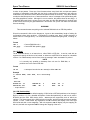
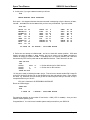
starting at location zero with the ST command (section 5.5.1), but it normally such heroics are not
necessary. The SBC6120 B command (section 5.8.3) does the same job with much less work.
4.4.2 Boot Key
The B (section 5.8.3) command in BTS6120 actually bypasses the primary bootstrap step and
simply reads block zero of the boot device into page zero, field zero directly. The VM01 and ID01
secondary bootstraps all contain a special "key" in words 0 through 5, the ones which would
normally overwrite the primary bootstrap, and BTS6120 looks for this key to identify a bootable
volume. If the key is found, then BTS6120 simply jumps to main memory location 5 to start the
secondary bootstrap and finish loading OS/8.
This system should also work for any other, non-OS/8, system provided that it uses the same
primary bootstrap shown above and that its secondary boot contains the special key in the first
five words. As long as the secondary bootstrap starts at offset 5, the remainder of its code is
unimportant to BTS6120 and it can do anything it likes.
What’s the magic key? The letters “BOOT”, in eight bit ASCII one character per word, in locations
0 to 4, and a zero in location 5.
4.5
LOADING OS/8 ONTO THE SBC6120
Now that you've built your SBC6120 you're probably wondering how to get OS/8 loaded on it.
After all, you can't very well put in your RX01 floppy or your RK05 disk pack and boot it up. There
are at least four ways to get OS/8 onto the SBC6120:
¾
Use a PC to build an IDE disk with a bootable OS/8 image on it
¾
Download a bootable OS/8 image to the SBC6120 over the serial port
¾
Program an EPROM for the RAM disk board with a bootable OS/8 image
¾
Use the BTS6120 BU (Build) command to build bootable media
All of these options will require that you have some form of PDP-8 emulator running on a PC.
The emulator must be able to run OS/8 and it must support emulation of the SBC6120 ID01 IDE
and/or VM01 RAM disk devices. Not surprisingly, the Spare Time Gizmos WinEight emulator fills
all these requirements nicely. Other emulators, such as Bob Supnik's, could undoubtedly be
used if someone is willing to write the necessary code for ID01 and VM01 emulation.
The general plan is to use the emulator to boot OS/8 from standard media (e.g. RX01, RK05,
RL01, etc.), load and compile the SBC6120 ID01 and VM01 device drivers, and then use the
OS/8 BUILD program to build a bootable IDE or RAM disk image file. If you have no idea how to
go about using BUILD to configure an OS/8 system, then you should read Appendix A for a brief
summary of the procedure. Once you have a bootable ID01 or VM01 image, you can use the
emulator to transfer whatever OS/8 CUSPS you like from your OS/8 system to the SBC6120 boot
image. After that, the only tricky part is to transfer the RAM disk or IDE disk image from your PC
to the SBC6120.
NOTE
The copyright for OS/8 is still held by Digital Equipment Corporation17 and
Spare Time Gizmos cannot supply OS/8 software for your SBC6120. DEC
has kindly granted permission to use OS/8 on Bob Supnik's PDP-8 emulator,
however the legal status of using OS/8 on home built hardware is uncertain.
17
subsequently Compaq Computer, and subsequently to that, Hewlett-Packard.
4/22/2004 8:26 AM
Page 21