1
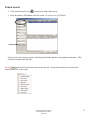
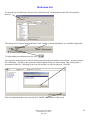
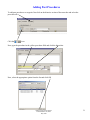
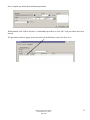
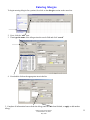
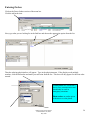
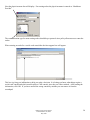
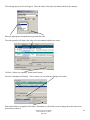
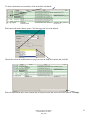
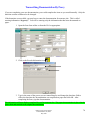
5. Use the drop down arrow to select your relationship.
NOTE: The relationship box will not appear or some names may not be listed if you have previously
established relationship with the patients.
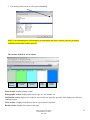
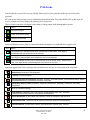
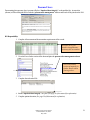
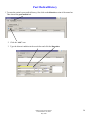
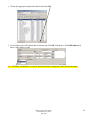
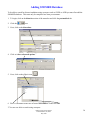
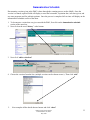
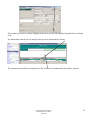
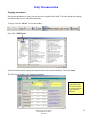
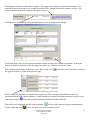
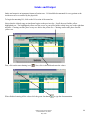
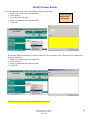
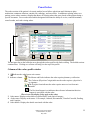
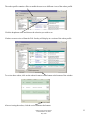
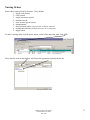
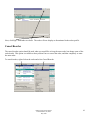
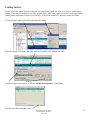
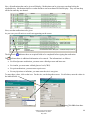
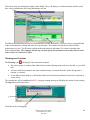
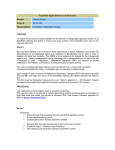
The sections of the PAL are as shown.
Name
Section
Demographic
Section
Notifications
Section
Tasks
Section
Results
Section
Name section: displays patient’s name
Demographic section: displays info such as, age, sex, rm. number, etc.
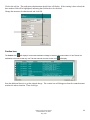
Notification section: displays new orders as soon as they are signed by provider. Also displays new lab and
radiology reports.
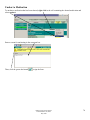
Tasks section: Displays tasks that are due at a given time for a patient.
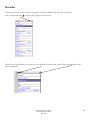
Results section: displays last entered vital signs.
DRH Clinical Transformation
Pamela Haddox, RN, BSN
May 2009
13