1
2. THE DIGIDART
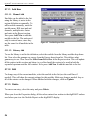
3 Enter MDA Coefficient
These are the MDA coefficients used in the MDA
calculation (see Section 6.2). These coefficients
depend on the MDA formula used. You can enter any
coefficients here, but to have the values correspond to
the MDA value calculated in the software such as
GammaVision, use the values shown in the
GammaVision dialog for MDA preset.
The three coefficients are entered as decimal numbers.
These coefficients are used for all 20 MDA
calculations. Changing them for one MDA changes
them for all MDAs. It is only necessary to enter them
once.
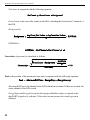
4 Enter Low Channel
This is the beginning of the peak region. The region
should start in the background region below the peak.
The three left-most channels should be background.
The region should not be wider than necessary, as the
unnecessary width increases the background and the
MDA value.
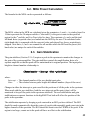
5 Enter ROI Length
This is the number of channels for the peak region.
The region should be wide enough to end in the
background above the peak. The three right-most
channels should be background. The region should not
be wider than necessary, as the unnecessary width
increases the background and the MDA value.
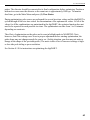
6 Enter Efficiency Yield
Enter the product of the detector efficiency and the
gamma-ray yield or branching ratio. This value is
entered by GammaVision when you use it to setup the
Preset. To retain the current value, press
MENU/ENTER. MDA Preset (Actual) = Efficiency
Yield product × MDA Preset (User).
7 Enter Nuclide Name
Enter the nuclide name to be displayed in the MDA
table and in the software display. This is loaded by the
software when the preset is set to retain the current
name, press MENU/ENTER.
8 Clear MDA
This disables the current MDA and sets all of the
settings to 0, except the coefficients.
19