1
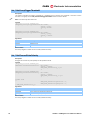
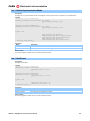
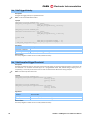
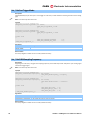
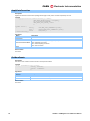
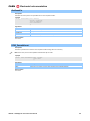
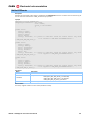
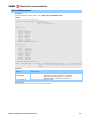
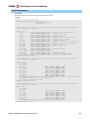
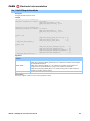
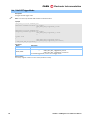
CAEN Electronic Instrumentation 3 Trigger configuration The acquisition in the digitizer is ruled by the trigger, which is a signal that decides when to start the acquisition window and save samples of the ADC or the values of interest calculated on line (DPP) in the digitizer memory. The digitizer can have the following trigger sources: External Trigger (digital signal from the panel), Software Trigger (write access to the specific register), Self Trigger Channel (internal signal generated by a digitizer channel under certain conditions, for example when the input signal exceeds a programmable threshold). All trigger sources can be enabled or not to generate the acquisition trigger for the channels. Similarly, it is possible to decide what triggers should participate in the generation of the Trigger Output (NIM or TTL digital output of the digitizer panel). Trigger Output can not necessarily coincide with the acquisition trigger: for example, in order to trigger multiple cards at once, as one of their channel has “auto triggered“; for this purpose, the auto triggering channel is used only to generate the Trigger Outputs (but not for the acquisition trigger); all Trigger Outputs are ORed externally to the cards and the resulting signal is sent in parallel to all cards Trigger Inputs, which are programmed to enable only the Trigger Input to generate the acquisition Trigger. Note: in digitizer series X740, the auto trigger channel is divided into two levels: each 8-channel group generates a “group local trigger”, given by the OR a of channel triggers enabled to generate them. The group triggers, in their turn, may participate or not to generate the acquisition trigger and / or trigger output. SendSWtrigger Description This function sends a Software trigger to the Digitizer. The SW trigger can be used to save an acquisition window on all channels at the same time and/or to generate a pulse on the Trigger Output of the board, according to the SW trigger mode set by the “Set” function of the Set / GetSWTriggerMode. Synopsis CAEN_DGTZ_ErrorCode CAENDGTZ_API CAEN_DGTZ_SendSWtrigger (int handle); Arguments Name handle Description Device handler Return Values 0: Success; Negative numbers are error codes (see Return Codes). Examples WAVEDUMP Code (To be implemented) UM1935 – CAENDigitizer User & Reference Manual 26