1
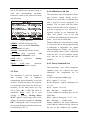
4.7.5 Reset Default Calibration
Value
LPG、Natural Gas and Ethanol Gasoline.
The default setting is Gasoline.
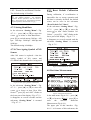
During calibration, if re-calibration is
impossible due to wrong operation and
the data is seriously deviated, the default
values can be reset in the sub-menu
“Reset Default Cal. Values”.
In the sub-menu “Setting Menu”(Fig.
4-7-1),press [▲] or [▼] to move the
cursor
to item “Reset Default Cal.
Values”,press [K],“OK!” flashes at the
lower part of the display(Fig. 4-7-3),
it disappears at several seconds and the
sub-menu “Setting Menu” is returned
(Fig. 4-7-1).
When fuel type is set as “Gasoline”、“Natural
Gas” and “Ethanol Gasoline” , HC indication
represents hexane equivalent, with the mark of
“HC”;when “LPG” is set,HC indication represents
propane equivalent, with the mark of “C3H8”.
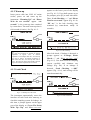
4.7.3 Setting Baud Rate
In the sub-menu “Setting Menu”(Fig.
4-7-1),press [▲] or [▼] to move the
cursor
to locate at item Baud Rate,
press [K] to switch among 300 bps、600
bps、1200 bps、2400 bps、4800 bps and
9600 bps.
The default setting is 9600bps.
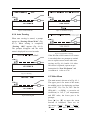
4.7.4 Clear Ageing Symbol of NO
Sensor
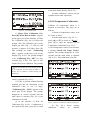
After NO sensor is replaced,clear the
ageing symbol of NO sensor and
re-calibrate this channel before being used.
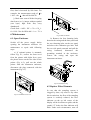
Fig 4-7-3 Reset Default Cal. Values
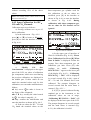
4.8 Real-time Measurement
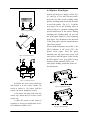
Fig 4-7-2 Clear Ageing Symbol of NO Sensor
In the sub-menu “Setting Menu”(Fig.
4-7-1),press [▲] or [▼] to move the
cursor
to locate at item “New NOx
Sensor”,press [K] and “OK!” flashes at
the lower part of the display(Fig. 4-7-2),
it disappears at several seconds and the
sub-menu “Setting Menu” is returned
(Fig. 4-7-1).
/
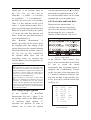
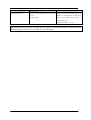
Fig 4-8-1 Real-time Measurement
In the main menu(Fig. 4-2-1),press [▲]
or [▼] to locate at “KMEAS”,press [K] to
enter
the
interface
Real-time
Measurement (Fig. 4-8-1).
The upper part of this interface ( Fig.
4-8-1)is for name of this sub-menu; the
12