1
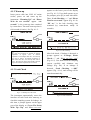
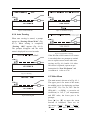
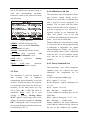
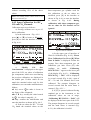
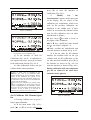
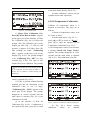
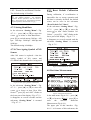
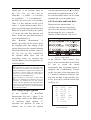
Fig 4-1-6 Leak Check OK Fig 4-1-9 O2 Sensor is Aging 4.1.4 Auto Zeroing When auto zeroing is started, a prompt appears as “Zeroing...Please Wait!” (Fig. 4-1-7). When zeroing is completed, “Zeroing OK!” appears (Fig. 4-1-8). The prompts disappear and the main menu is displayed in several seconds. Fig 4-1-10 NO Sensor is Ageing If the life time of NO sensor or O2 sensor is exceeded, there are prompts to remind user to replace sensor in time after auto zeroing, see Fig. 4-1-9 and 4-1-10. After NO sensor is replaced, operate as per instruction for “New NO Sensor” and re-calibrate it(refer to 4.7.4). Fig 4-1-7 Zeroing 4.2 Main Menu The main menu is shown as in Fig. 4-2-1. The upper part is for name of the menu; the middle part is for displaying real-time data of HC, CO, CO2, O2, NO(Not for NHA-406), n (RPM), (excessive air coefficient) or A/F, T (oil temperature) and PEF value, the lower part is for prompts. Press [▲] or [▼] to move the menu forward or backward. There are six sub-menus: “SZERO”、“KMEAS”、“SLEAK”、 “KT CAL” 、“SSET” and “KGAS CAL”. Press Fig 4-1-8 Zeroing OK 5