1
23
MDL ROOM REQUEST USER MANUAL
Searching Other Fields in the LOV
This search allows you to perform a string search on any of the fields that may be in the LOV.
You will need to place the cursor to the right of the % sign in the Find field in order to perform
this particular search
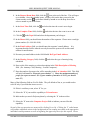
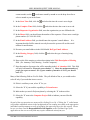
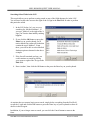
1. In the LOV below, let‟s say we were
searching for „Medical Students‟. If
you type „Medical‟ to the right of the %
sign, you‟ll notice than initially nothing
happens.
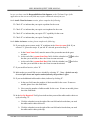
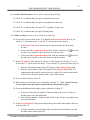
2. If you click the OK button or press the
Enter key on your keyboard, you‟ll
notice that the list returns all results that
contain the word „Medical‟. From
there, you will be able to select Medical
Students option as denoted in the above
example.
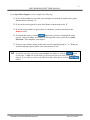
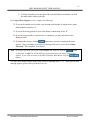
3. If the list still remained too long, you
could continue to search by placing
your cursor to right of the % sign in the
Find field.
4. Enter „student‟, then click the OK button or the press the Enter key on your keyboard.
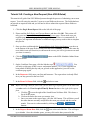
At anytime that you want to begin a new search, simply delete everything from the Find field
except the % sign and click the OK button or press the Enter key on your keyboard to show all
choices in the list again.
In addition, if you no longer want to search, you can click the Cancel button to return to the
form.
INFORMATION ENGINEERING BRANCH
Printed: 5/19/2009