1
Chapter Five: Printer Operation Instructions
This chapter explains how to operate printer interface, including Printing Management, Data
Management, System Management, Tools Management, and Status Bar.
5.1 Main Interface
Switch on power,
printer starts
initialization
startup. After
initialization
startup, “main
interface” appears
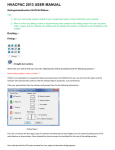
(see Figure 1).
Setting
Management
Printing
Management
Status bar
Data
Management
Tools
Management
(Figure 1)
To find and preview data, start/stop printing, set printing delay value, and set
Printing
Management printing initial values (see Section 5.2).
Data
To Find/Preview, File-new, Edit, Delete data (see Section 5.3).
Managemen
To manage system setting, editing options, printing options, user authority, and
System
Management screen correction setting (see Section 5.4).
Tools
To manage image logo, system upgrade, system backup, system record,
Management equipment default restoring, system resetting (see Section 5.5).
Status bar
Display information of ink, equipment, USB, encoder, external photocell, and
Ethernet status (see Section 5.7).
16