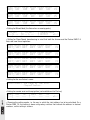
1
4 - Manual Preset section
manual presets
10
10
9
9
10
10
9
9
d
s
n
8 16 32
4
1
2
2
1
4
8
0
of f m ax
3
2
2
1
0
4
5
5
5
4
4
3
3
2
2
1
1
1
0
0
0
6
7
8
9
10
11
c
4
3
3
6
e
5
4
2
8
7
6
12
13
14
15
16
17
18
19
20
21
22
23
s
5
1
8
7
A
or
1÷24
s
6
i n u t e
8
7
6
o
m
8
7
manual presets cross time
link
so l o
24
10
10
10
10
9
9
9
9
9
8
8
8
8
8
7
7
7
7
7
6
6
6
6
6
5
5
5
5
5
4
4
4
4
4
B
or
25÷48
10
3
3
3
3
3
2
2
2
2
2
1
1
1
1
0
0
0
0
1 o r 25
2 o r 26
3 o r 27
4 o r 28
5 o r 29
6 o r 30
7 o r 31
8 o r 32
9 or 3 3
10 or 34 11 or 35 12 or 36
13 or 37 14 or 38 15 or 39 16 or 40 17 or 41 18 or 42 19 or 43 20 or 44 21 or 45 22 or 46 23 or 47 24 or 48
1
0
A o r p set
B
2 pset mode
(24 ch)
1 pset mode
(48 ch)
go
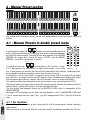
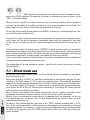
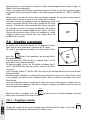
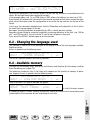
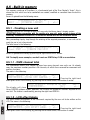
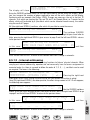
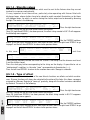
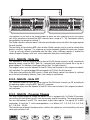
This section of the console is entirely manual and recognisable by its light grey fader knobs and
buttons.
4.1 - Manual Presets in double preset mode
A or p s e t
B
10
9
go
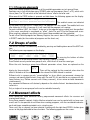
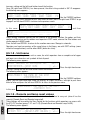
In this operating mode, the
buttons are used to enable presets A
and B (so have on/off function). The output level of the two presets depends
on that of the relative master. The selected level only depends on the GRAND
MASTER: this means that if preset A’s level is at 100%, and the GRAND
MASTER is set at 80%, light output is just 80%.
A or p s e t
B
8
7
6
5
4
3
2
1
0
page 10
go
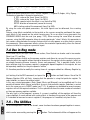
If, instead of pressing
simultaneously (GO function - parag.
B
4.1.1), both presets are switched off, no light will be output. In the same A o r ps e t
way, if both presets are switched on, the sum of the two presets will be output, combining instantly or gradually according to whether a cross time has been set or not.
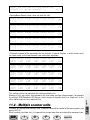
If channel 10 is set at a level of 80% on preset A and at a level of 60% on channel B, the output
won’t be 140%, as Studio consoles use HTP (Highest Takes Precedence) technology: this means
that the highest light intensity is output. So in this example, there’s an output level of 80%.
The maximum output level of a preset or channel can never in any case be more than 100%.
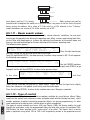
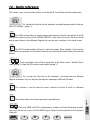
The buttons below each preset have a green LED, which normally indicates the output level of the
relative channel, whereas the button is used for the FLASH function.
The flash output level depends directly on the MASTER FLASH, which is independent of the
GRAND MASTER.
Here again, HTP technology must be taken into consideration. In fact, if the MASTER FLASH level
is set at a lower level than the “static” light (e.g. 60% compared with 100%), the flash will not be
seen.
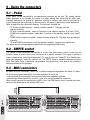
4.1.1 Go function
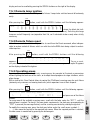
This control enables operators to pass from preset A to B, ensuring precise mixing constantly
under control.
When one preset is off and the other on, pressing A and B simultaneously enables the GO func-