1
Table of Contents
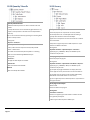
1 ... Overview
1.1
1.2
1.3
The Complete Template Solution ................... 4
The Project Dataset......................................... 4
1.2.1
Where is the Project Dataset?
4
Easy to Customize ........................................... 4
2 ... Standards and Conventions
2.1
2.2
2.3
2.4
2.5
2.6
2.7
2.8
2.9
2.10
4
5
Production Solution Tools ............................... 5
National CAD Standards .................................. 5
2.2.1
A Path of Least Resistance
5
2.2.2
NCS Layer Standard Version (NCS)
6
2.2.3
Uniform Drawing Standards (UDS)
6
2.2.4
Tri-Service and Department of Defense
Plotting Standards
6
Layer Properties .............................................. 6
2.3.1
The layer standard with hyphen
separators:
6
2.3.2
Utility Layers
6
2.3.3
Proposed Conditions
6
2.3.4
Existing Conditions
7
Text Layers ...................................................... 7
2.4.1
NCS -LABL Layers
7
2.4.2
NCS -TEXT Layers
7
Layer Color Properties .................................... 7
2.5.1
Simple Color Rules
7
2.5.2
Last Digit Rule
7
2.5.3
Black or White Background Matters 8
2.5.4
Layer Standards Spreadsheet
8
2.5.5
Color is a Matter of Choice
8
2.5.6
Basic AutoCAD Colors
8
2.5.7
Tri-Services Plotting Guidelines
8
2.5.8
NCS 4.0/5.0 Plotting Guideline Changes
9
Linetypes ......................................................... 9
2.6.1
Load and Assign Linetypes
9
2.6.2
Linetype Naming Convention
9
2.6.3
NCS 4.0/5.0 Linetype Resources
9
Plotstyles ......................................................... 10
2.7.1
Layer Standards Spreadsheet
10
Style Based Plotting (STB) ............................... 10
2.8.1
Reasons to use STB
10
Hatches and Fills ............................................. 10
2.9.1
Load and Assign Hatches
11
Fonts and Textstyles ....................................... 11
Solution Standards
Page 2
2.11
2.10.1 Default Proposed and Existing
Textstyles
11
2.10.2 Load and/or Edit Textstyles
11
Blocks .............................................................. 11
2.11.1 Model Templates
11
2.11.2 Symbols and Blocks
12
2.11.3 Symbol Sets
12
2.11.4 Block Naming Convention
12
2.11.5 Sheet and Layout Template Blocks 12
3 ... Hierarchy, Customization, and Maintenance
3.1
3.2
3.3
3.4
3.5
Civil 3D Style and Setting Hierarchy................ 13
3.1.1
Hierarchy in Civil 3D
13
3.1.2
Label Style Defaults (LSD)
13
3.1.3
Parent and Child Label Styles
13
A Template is the Top Level of the Hierarchy . 13
3.2.1
You must manage changes in the
template(s) you employ.
14
The Simple Style Rules .................................... 14
The Hierarchy Rules ........................................ 14
Multiple Model Templates ............................. 15
3.5.1
The Basic Templates
15
3.5.2
Complementary Layer State files
15
3.5.3
Make a Backup Copy of All the
Templates
15
3.5.4
Delete Styles in Production Templates
15
3.5.5
Thin down the Design Templates
16
3.5.6
Thin Down the Survey Template
16
4 ... Fonts and Text Styles
4.1.1
4.1.2
4.1.3
17
Proposed is the Default Textstyle
Referenced Textstyles
Modified Historic Textstyles
5 ... Hatch Patterns
6 ... Layers
6.1.1
6.1.2
6.1.3
17
17
17
17
18
Delete unwanted Layers
Renaming Layers
Layer State External Files
7 ... Reports
8 ... Drawing Settings > Object Layers
8.1
8.2
8.3
13
18
18
18
18
18
Design Templates ........................................... 18
Survey Templates ........................................... 19
New Feature Layers ........................................ 20
8.3.1
2010
20
8.3.2
2011
20
8.3.3
2012
20
MoreCompetency, Inc.
www.cadpilot.com
©2009-15 MoreCompetency, Inc.