1
10.7 Alignments
A variety of Alignment Styles are supplied that employ NCS
“like” naming conventions for Utilities, common Site features,
Property boundaries, easements, etc.
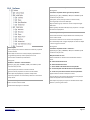
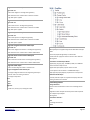
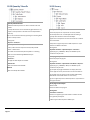
Alignment Design Checks
Design Check Sets
Used to collect combinations of Line, Curve, Spiral and Tangent
Intersection Design Check Rules
Supplied are basic examples. No attempt was made to provide
an in-depth set of examples.
Naming Rule:
<Condition> <Details>…
Line
Line Design Check Rules
Curve
Curve Design Check Rules
Spiral
Spiral Design Check Rules
Tangent Intersection
Tangent Intersection Design Check Rules
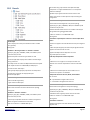
Alignment Label Sets
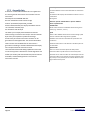
Used to collect multiple Alignment Feature labels and often use
label property values together by name
Naming Rule:
<Condition> <optional Rotation> <space> <Contents>
<Details>…
Typical (An), (Ex), (Pr), (Qa), +INVISIBLE, +NEW, and +NOPLOT
prefix conventions may be used
+NOLABELS Set in supplied to speed label removal.
Para (parallel to Alignment) and Perp (perpendicular to
Alignment) are used to clarify label location and reference
Example Label Sets may be named outside the convention
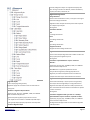
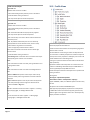
Alignment Label Styles
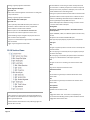
Alignment Styles
Used to display alignment geometry
Alignments supply the horizontal control for other Features
Naming Rule:
<Condition> <Alignment Purpose Name>
Typical (An), (Ex), (Pr), (Qa), +INVISIBLE, +NEW, and +NOPLOT
prefix conventions may be used
Typical descriptive alignment purpose names are used
Linear objects to various NCS C or V-ROAD and/or RAIL layers
Styles typically employ ByLayer properties for all Components
Annotative Alignment Styles
MoreCompetency, Inc.
www.cadpilot.com
©2009-15 MoreCompetency, Inc.
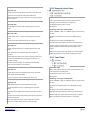
Used to label individually or by Group the various geometry
parts and/or referenced geometry to an Alignment Feature
Alignment Label Styles may reference model properties from
other connected Features like Surfaces and Profiles via dynamic
or static connections.
Naming Rule:
<Condition> <Alignment Label Type Code><L or R and/or
optional Rotation><space><Contents> <optional On suffix>
Typical (An), (Ex), (Pr), (Qa), +INVISIBLE, +NEW, and +NOPLOT
prefix conventions may be used
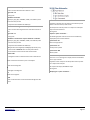
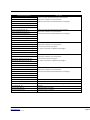
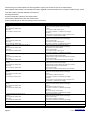
The Alignment Label Type Codes are listed with the Alignment
Label Styles below
Solution Standards
Page 37