1
Software Tool RISK ANALYZER (beta) - User manual
EIE-06-078 - Gasification Guide
4.6 Definition of auxiliary media (for units)
The user can define an unlimited number of auxiliary (solid, liquid, and gaseous) media (i.e.
process streams) for each unit (plant part) and assign parameters to them. Any process
streams can be added by the user as necessary by pressing the button “Add
Medium/Parameter”.
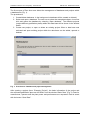
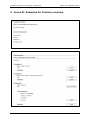
Fig. 8 shows the dialog window for the creation and assignment of auxiliary media for units.
Streams can be assigned with parameters in the following way:
1. Selection of a media from the drop-down list
2. Selection of a media parameter in the list
3. By pressing the “Add Parameter”-Button, the parameter will be added to the media
parameter list in the bottom of the screen (hence to the selected media)
4. New parameters can be created in the fields to the right (description and unit), and
pressing the ◄-button will add them to the media parameters list (left)
5. Alternatively media parameters can be deleted by the ►-button
Fig. 8: Definition of auxiliary media streams (for units / plant parts)
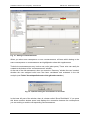
After closing the window the user returns to the unit window. Here media parameters can
easily be imported including their properties (media parameters) from existing settings done
for other units (Button: “Import auxiliary media from unit” in the unit window). Deleting of
parameters can be done via the “delete parameter”-button.
! Warning: The “Delete-Button” removes the selected data irrecoverable. An undofunction is not implemented!
Revision 1.0
DRAFT VERSION
13/27