1
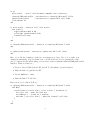
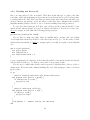
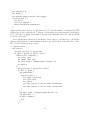
In your ‘Procedure’ tab, you should enter
to setup
clear-all
; setup whole grid
ask patches [
set pcolor white ; uninfected
]
; setup initially infected cells
ask n-of 5 patches [
set pcolor green ; latently infected
]
end
Note that ‘;’ is used to indicate a comment: everything after the ‘;’ is ignored by NetLogo
so it allows you to leave yourself notes in the code to remember what the commands do. The
n-of 5 command tells NetLogo to pick 5 patches at random.
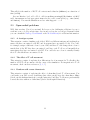
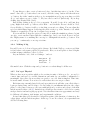
Now, let’s link the setup function to a ‘setup’ button. Go to your Interface tab. Make
sure ‘Button’ is selected, press ‘Add’, and click anywhere in the Interface window. Under
‘Commands’ enter setup, i.e. the name of the function you just created. Every time you
click the ‘setup’ button, your setup procedure is run. Click it a few times to see how your
initial setup changes.
3.2.2
Controlling the number of pfu in our inoculum
Instead of having 5 cells infected, we want to be able to set the number of cells to be initially
infected (i.e., the number of plaque forming units or pfu in the inoculum) directly from the
‘Interface’ tab. Let us call that number pfu.
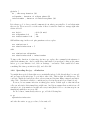
First, add a ‘Slider’ to the ‘Interface’ tab, following the same procedure you used for
adding a button above, and enter the following information in the entry fields:
‘Global variable’
‘Minimum’
‘Maximum’
‘Value’
‘Units (optional)’
pfu
1
FIXME
5
pfu
leaving the rest of the fields as they were.
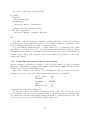
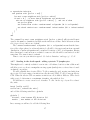
Second, replace the n-of 5 with n-of pfu in your ‘Procedure’ tab. Now if you go back
to your ‘Interface’ tab, you can try moving the slider to different pfu values and press ‘setup’
and verify that your slider successfully changes the number of initially infected cells. Ah,
look at you: now you control the initial inoculum. Such power!
13