1
51-52-03-16
Page 2
Standard Features, cont.
Standard Features, cont.
Standard Features, cont.
Archiving - is run as a background
task, allowing you to run other
operations while archiving is in
progress. For recorders you can store
PV’s (up to 32 for DPR3000) plus
related Alarm and Digital Input status
per recorder.
Data Logging and Storage with
Analysis - data is stored in ASCII
format on the PC hard disk and can be
easily imported to most spreadsheet
programs such as Microsoft Excel™
and Lotus 1,2,3™ to enable
presentation in graphical format or for
further calculations.
Multilingual - support for international
sales include English, French and
German.
For controllers, you can store PV’s,
Setpoint values, Output values,
and On/Off Alarm states.
Communications - lets you supervise
16 addresses with a mix of recorders
and controllers. There are 128 points of
data available.
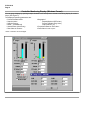
Main Menu
The Main Menu bar is located along the
upper edge of the window
(See Figure 2).
The LPCS program’s Main Menu is the
top level menu that allows access to
drop-down menus that will navigate you
through the application and let you
quickly select a specific function.
Undo
Copy
Each menu item describes its
functionality.
A Toolbar at the top of the window
offers shortcuts to the most common
menu items.
A Status bar at the bottom of the
window indicates information about the
current window including downloading
and uploading status.
Cascade
Horizontal Tile
Vertical Tile
A rrange Icons
Window
Tr ending
Toolbar
Status Bar
Contents
Tip of the Day
About Honeywell LPCS...
Device Diagnostic ...
Password
Ctrl+ Z
Ctrl+ C
Dependencies Information
Language
Communication Parameters ...
Network Selection ...
New Configuration ...
Open Configuration ...
New Network
Open Network ...
Close
Save
Save As ...
Remove Configuration
Remove Network ...
Print
Ctrl+ P
Print Preview
Print Configuration...
Preview Changes
Ctrl+ R
Ctrl+ H
Ctrl+ V
Ctrl+ A
Upload Configuration ...
Download Configuration
Verify Configuration...
Monitor...
Select Product...
Archiving Parameters ...
Start Archiving
Archive
E xit
Figure 2 - Main Menu
Toolbar
The toolbar (Figure 3) contains
several commonly used functions that
can be accessed by clicking on the
corresponding button.
The buttons are grouped to show
relationships.
Save
Print
Open Configuration
New Configuration
Figure 3 - Toolbar
Copy
Monitor
Network Selection
Download Configuration
Upload Configuration