1
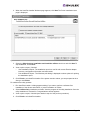
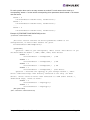
2. When the AutoPilot Installer Welcome page appears, click Next.The Driver Installation Issue
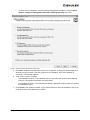
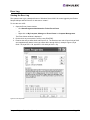
page is displayed.
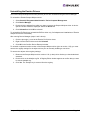
Figure 3: Driver Installation Issue
3. Select the Skip the driver installation and install the utilities check box and click Next. To
stop installation, click Cancel.
4. View or print a report, if desired.
•
View Installation Report. The installation report is a text file with current Emulex adapter
inventory, configuration information and task results.
•
Print Installation Report - The Windows print dialog is displayed to select options for printing
the installation report.
5. Click Finish to exit AutoPilot Installer. If the system needs to reboot, you are prompted to do so
after you click Finish.
For software-first utility updates:
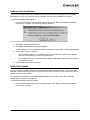
1. Run AutoPilot Installer. A dialog appears asking if you want to perform a software-first
installation of the drivers and utilities, or just an installation of utilities.
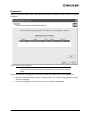
2. Select Utilities Only. Installation proceeds. View the progress of the utility installation. Once the
utility installation is successful, a congratulations window appears.
3. View or print a report, if desired (see details in step 4 of the previous procedure).
4. Click Finish to exit AutoPilot Installer.
Storport Miniport Driver User Manual
Page 11