1
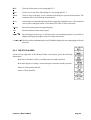
Dual
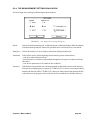
Selects the Dual matching strategy. It is a particular case of the Pair or Quartet strategies
when we are dealing with twin tubes measured with the Dual measuring mode. See 10.3.
About
Used to insert or display a text comment describing the present measurement. The
comment will be saved with the measurement.
Export
Used to export the present measurement in ASCII text format.
Exit
Exits the Match control panel.
10.3 MATCHING STRATEGIES AND SOME EXAMPLES
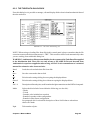
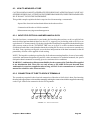
It has to be clearly understood that the program works, during the matching process, with ALL tube
measurement files (".PTE", ".PT1", ".PT2") present in the currently selected working directory.
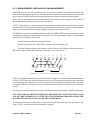
Lets now assume that we measured sixsteen 6550 tubes and that we saved their curves in the files named
"TUBE1.PTE", "TUBE2.PTE" and so on until "TUBE16.PTE" and that we are working in their
directory named 6550.
As a preliminary one has to perform the calculation of the reciprocal matching factors (with the Calc
button); this calculation may take some time, signaled by a progress indicator.
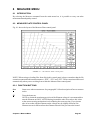
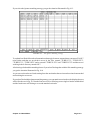
We can then match our tubes either in pairs or in quartets. If you select the Pair matching strategy you
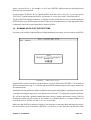
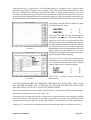
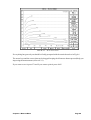
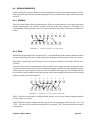
get the situation illustrated in Fig.10.2.
FIGURE 10.2 The Pair matching strategy
As you can see the software produces a list of couples of tubes ordered by their matching factors, that
are displayed nearby; the best couple is listed first and then the others in a descending order. The first
couple is the best among all tubes; the second is the best among the remaining tubes when you subtract
the first two, and so on.
Chapter 10 Match Menu
Page 10-2