1
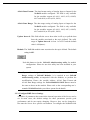
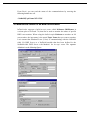
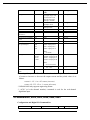
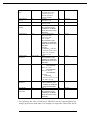
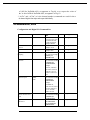
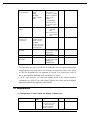
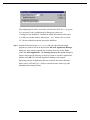
The fields and buttons in Communication Port Settings dialog box are described
in the following:
Comm Port: Select the communication port for this configuration
Reply Timeout: This field is used to input the amount of time (in seconds) the
NuDAM modules on this communication port will be given
to reply to commands from the NuDAM-6000 DDE Server.
The Timeout message is sent out when a NuDAM module
fails to respond. The value is valid from 1 to 32 and the
default value is 3 seconds.
Note: Except that the Baud Rate is lower than 2400, the default value of 3
seconds should be sufficient for most NuDAM modules.
Parity: Select the Parity setting which matches the configuration of the
NuDAM modules on this communication port. The default setting is
None.
Stop Bits: Select the appropriate number of "Stop Bits" for the NuDAM
Modules on this communication port. The default setting is 1.
Baud Rate: Select the Baud Rate for the NuDAM Modules on this
communication port. The default setting is 9600.
9