1
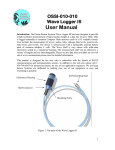
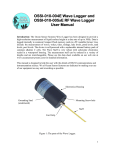
OSSI-010-002E Wave Staff User Manual Introduction: The Ocean Sensor Systems Wave Staff has been designed to provide a high-resolution measurement of liquid surface height at a data rate of up to 30Hz. They can be used to measure waves, wakes, tides, sinkage, lake levels, pond levels, tank levels, pool levels. Additionally, the programmable alarms/switches allow the instruments to be used for control applications. The Wave Staff is very robust with solid-state electronics sealed in a waterproof housing. The staffs can be ordered in a variety of lengths and are interchangeable. Please see the data sheet available on our web site at ww.oceansensorsystems.com for detailed information. This manual is designed to help the user with the details of RS232 communications and instrumentation science. We at Ocean Sensor Systems are dedicated to making your use of our equipment as easy and rewarding as possible. Figure 1. The parts of the Wave Staff. Cord Grip Grounding Stud Electronics Housing Staff Mounting: The physical mounting of the unit at the measurement site requires no special protection from spray, rain or sun though it should not be mounted underwater. The Wave Staff may be used in any fluid compatible with glass, PTFE, stainless steel, and ABS plastic. The unit is mounted with the electronics head on the top and the staff projecting down into the fluid. The output is a relative measurement of the height of the air/fluid interface. Order a unit long enough to measure over the full vertical range of the surface without the electronics housing coming in contact with the fluid. The unit may be mounted with clamps around the body of the black electronics housing. Specially designed Mounting Hardware Kits are available from OSSI for this purpose (see OSSI 015-009 Mounting Hardware 1 Kit). The cable is a weather-proof neoprene jacketed cable. The cable should be secured and not be allowed to hang unsupported for distances greater than 24”. The staff projects into the fluid and may require additional support for anything but small waves and short staffs. The supports should cover only a small portion of the vertical section of the staff as they will create distortion in the measurements. The supports should hold the staff securely without crushing the yellow Teflon plastic insulation. The Mounting Kit contains stanchions for this purpose and will hold the staffs securely and will not damage the staff. When mounting the Wave Staff, a level should be used to assure it is vertical. The yellow part of the staff should be mounted at least 4” away from any metallic or grounded surface. Important Note on Grounding: An electrical connection must be made from the ground stud on the side of the electronics housing to the fluid to be measured (see Figure 1). The structure the unit is being mounted to may be used for this purpose if it is electrically conductive and extends into the fluid. Another simple solution is to take a length of solid copper wire (2 to 18 gauge) and strip the insulation back one foot to create a good surface area for contact with the fluid. The other end of the wire is then stripped and looped around the stud on the electrical housing of the Wave Staff. The nut is then tightened against the wire to hold it securely. The grounding wire should be held securely along its length to prevent it from coming within 4” of the staff. See Appendix: C Note: Water ground wire should be bare and kept to a short length and placed 5 inches or more away from the staff. This will insure the most accurate measurements. Power Requirements: The power supply requirement for the Wave Staff is very flexible requiring any voltage from 5.5 to 40 volts dc. A simple method is to connect a 9 volt battery to the unit which will provide enough power for several days of operation. It is important to exercise caution when working with electricity around water. We recommended that the supply voltage be kept below 16 volts to reduce the electrical hazard. Be sure to use a UL safety approved power supply if you choose not to use a battery. The red wire is connected to the positive terminal of the power supply and the black wire is connected to the negative terminal. See Appendix: C 2 Serial Communications: The Ocean Sensor Systems Wave Staff is an intelligent device and allows for data exchange and reconfiguration through RS232 communications to a computer. There is one commonly used RS232 port on computers: the DB9 where the number refers to the number of pins. Only three wires are needed to connect the unit to the computer. They are the transmit, receive and ground wires which are in the cable. See Appendix: C RS232 Connections, and wiring up Serial Devices RS232 Pin Assignments (DB9 PC signal set) To Wave Staff cable Pin 1 Received Line Signal Detector (Data Carrier Detect) Pin 2 Received Data -----------------------------------------------------------------Orange Pin 3 Transmit Data -----------------------------------------------------------------Green Pin 4 Data Terminal Ready Pin 5 Signal Ground -----------------------------------------------------------------Black Pin 6 Data Set Ready Pin 7 Request To Send Pin 8 Clear To Send Pin 9 Ring Indicator The connector on the PC has male pins, therefore the mating cable needs to terminate in a DB9/F (Female pin) connector. Once the Wave Staff is connected to the computer, it may be powered up by connecting power to the unit. See appendix C for typical wiring. Ocean Sensor Systems has a Graphical User Interface available to download free of charge from www.oceansensorsystems.com. The interface works on most Windows platforms and allows configuration, and display of data. Details for the use of this program are given below. Alternately, a HyperTerminal program may be used. Start the HyperTerminal Program in the accessories programs of your PC. Configure the baud rate to 9600 with no flow control. If data is scrolling down the screen, enter the letters st to stop the data steam and enter configuration mode. Full details are in the data sheets on the web pages. Analog Output: If analog output is preferred, the unit should be configured with the analog output on and the RS232 communications off. Turning off the RS232 communications improves the signal to noise ratio 3 dramatically in the analog signal. Configuration of the Wave Staff can be accomplished using the interface software described below. See Appendix: C Maintenance: The Ocean Sensor Systems Wave Staff should require no maintenance other than wiping any slime buildup off of the yellow PTFE staff. The PTFE offers a very slippery surface and any attached material will be easily removed. The only other maintenance is to check the electrical connections for corrosion. Replacing the staff: The staff may be separated from the electronics housing. This feature allows for replacement of the staff should it become damaged and also allows for different length wave staffs to be used for different applications. See appendix A for instructions on changing the staffs. Replacement staffs in a variety of lengths are available from Ocean Sensor Systems. Wave Staff Interface Board: Ocean Sensor systems has available an interface board that simplifies powering and communicating with the Wave Staff. This small highly integrated module has connections for communications to a PC, a 9volt battery receptacle and to the wave staffs. It also has LEDs for monitoring the alarm and analog outputs. This board is highly recommended for those unfamiliar with electronics or interfacing to an RS232 port. Data Analysis: The output of the Wave Staff is the actual level of the surface of the liquid being measured in count units. Counts can be converted to millimeters with the simple formula: counts*(staff length in millimeters)/4095. If this is the surface of an open body of water, the significant wave height may be estimated with 4*(standard deviation). It is usually more convenient to sample the Wave Staff in free run mode and log the data for subsequent analysis. If a lower sample rate than 10Hz is required, simply discard the redundant information. When using an array of Wave Staffs to determine phase information about the surface being measured, SYNC mode is preferred. If the phase speed is of the order of several seconds, free run sampling at 30Hz will result in negligible delay error. The internal temperature is given in units 16*Celcius so the actual temperature is found by dividing by 16. Default Configuration: The Wave Staff is shipped with the following configuration. Free run Enabled internal temperature Disabled analog output 9600 baud ASCII output RS232 enabled 10Hz sample rate Alarms disabled Calibrated 0-4095 output 4 Software Interface: A new Staff and Sonic Products Interface program is available from Ocean Sensor Systems Web Site. Use this Interface Software: to display plot and analyze sampled data; to configure and calibrate all units and to input running, saved or logged sampled data. Please see the Staff Products Interface Program Guide on our web site. Archive Support Software Interface: The Wave Staff/Logger interface software is available from Ocean Sensor Systems and contains all of the features necessary to calibrate, configure and display data. It will run on most Windows based machines. An outline of the basic steps required to display and log data are given below. With the Wave Staff connected to the computer through the RS232 port, start the Wave Staff/Logger interface software. Choose the correct com port (usually com 1 or 2). Turn on the Wave Staff and left click on (select) the button labeled CONNECT. A popup window should appear giving the device serial number. Click on the button RETURN TO MAIN. If communications failed, one of four possibilities has occurred 1. The Wave Staff is not connected properly to the RS232 port. Review the discussion above and check the connection. 2. The Wave Staff is not powered. Try reconnection of the battery. 3. The Wave Staff is connected to a different RS232 port than the one selected. Check to see which port it is connected to and select the correct port. 5 Now you may select CONFIGURE, CALIBRATE, or DISPLAY to configure the internal settings of the Wave Staff, calibrate the Wave staff (only required if the staff has been changed) or display measurement data to the screen and log it to a file on the PC. The configuration control panel is shown here. From this it is possible to configure a wide range of features. To start, press the GET CURRENT CONFIGURATION button and the dials and indicators will change to reflect the current settings of the instrument. Please see the detailed data sheet for the Wave Staff to understand the function of the various features. By selecting the RETURN TO MAIN button you will return to the previous menu. Select the DISPLAY DATA button by left clicking on it. The Display data window will appear. This window will allow graphical viewing of the data as well as logging of the data to a file. The data string from the Wave Staff can be viewed as well. To log data to a file, first click on the LOG DATA TO A FILE button and a popup window will allow the designation of a destination file. Once a file has been selected, pressing the START button will begin the display of data in the data string window as well as on the graph. The units on the vertical axis of the graph are meters and the horizontal axis samples. To stop logging and displaying data, click on the Stop Data button and then click on the RETURN TO MAIN button. From the Main window, select QUIT to exit the program. 6 Instrument Accuracy: The Wave Staff is accurate to better than 1% of full scale. If greater accuracy is desired, the unit may be calibrated in-situ and the data may be post-processed with a 3rd order curve fit. Both techniques are for the advanced user and will result in better than 0.1% accuracy over the full range of the unit. 7 Appendix A: Changing the staff on a Wave Staff Unscrew the cord grip cap and slide out the plastic insert Slide the Teflon tubing back to access the metal rod Unscrew the Staff while griping the metal rod. Do not use any tools to clamp onto the yellow portion of the staff as this will damage the Teflon cover. Put the cap and plastic insert on the new Staff Screw on (finger tight) the new Staff while griping the metal rod 8 Slide the Teflon tubing into the cord grip Slide the plastic insert into the cord grip Screw on the cap moderately tight Follow the calibrate procedures in appendix B to calibrate the new staff. 9 Appendix B: Wave Staff and Wave Staff III Calibration Procedure Every Staff and Wave Staff Unit has a variance in characteristics. A calibration must be performed after the two are assembled together. If the Staff is changed, without recalibration, the accuracy of the calibration could be off as much as 10%. To calibrate the newly assembled unit the following steps must be performed: 1. Connect the Wave Staff to a PC using a serial cable. 2. Start the Wave Staff Interface Software on the PC. An Interface Program may be downloaded from our web site www.oceansensorsystems.com. 3. Select the serial port (typically #1) then click the CONNECT button. You should see a new window stating that you have successfully connected. 4. Now return to the first window and click on the CALIBRATE button. A Calibrate Wave Logger window should appear. In the new window, enter the staff length of the unit you are calibrating and the staff Type. For Wave Staff III and Wave Logger III with Coaxial Rod Staff select Int Gnd Rod For Wave Staff III and Wave Logger III with Coaxial Cable Staffs select Int Gnd Cbl For Wave Staff and Wave Logger with Rod and Cable Staff select Ext Gnd Rod/Cbl 10 5. Then click on the SET DEFAULT VALUES button. You should see a SUCCESS window. If the Set Default Test Results are available for the staff SET DEFAULT VALUE and skip to step 10. These Default Test Results may be received from us when extra staffs are purchased with a unit or units and we have calibrated them for you. See paperwork that shipped with units. 6. Return to the start window and click the CONFIGURE button. 11 The unit will need to be configured to take two measurements for the calibration. Make sure the settings are configured: Set Data Format to ASCII Set Water Temperature to off Set Serial Data Output to On Set Sync or Free Run to Free Run Now click the CONFIGURE button. You should see a SUCCESS window. 12 7. Return to the start window and click Display Data to view the data. 8. With a small piece of tape mark two points on the staff; typically at 20% and at 80% of the length of the staff. 9. Now take two readings at the marked locations in a convenient pool or pond. Be sure to have the ground stud with wire connected to the water and keep the staff at least 6 to 12 inches from other objects. The data readings are the first 4 digits in the window marked “Data String From Serial Port”. 10. Now return to the first window and click on the CALIBRATE button. A Calibrate Wave Staff window should appear. In the new window enter the staff length of the unit again and staff type. 11. Enter Lower Level measurement point (20% typically) in mm and the Data measurement in counts. 12. Enter the High Level measurement point (80% typically) in mm and the Data measurement in counts. Example: A 4 meter staff at 20% and 80 % would be 800mm / 850 counts for the lower measurement and 3200mm / 3010 counts for the higher measurement 13. Click the CALIBRATE button. You should see a SUCCESS window. 14. Now if you take the same two measurements again the data should be correct. Typically better than 0.1% however it depends on how accurate you were in taking the measurements. The object here is to be very accurate both times. To convert the Data measurement in counts to meters: multiply the Staff length in meters, times the reading, divided by 4095. 15. After you finish Calibrating the Unit you must remember to reconfigure the unit to your desired requirements. 13 Appendix C: Typical Wiring Wave Staff & Wave Staff III Typical Wiring Using the RS232 Serial Output Connected to a PC Computer W a v e S ta ff III W a v e S ta ff PC COMPUTER DC POWER SUPPLY Wave Staff & Wave Staff III Typical Wiring Using the 0 to 5 volt Analog Output Connected to a Single Ended Analog Input Card W a v e S ta ff III W a v e S ta ff ANALOG INPUT CARD SINGLE ENDED INPUT DC POWER SUPPLY 14 Wave Staff Typical Wiring Using the 0 to 5 volt Analog Output Connected to a Differential Analog Input Card ANALOG INPUT CARD DIFFERENTIAL INPUT W a v e S ta ff DC POWER SUPPLY 15 Typical Wiring Optional TTL Sync: Note a120 ohms ¼ resistor must be added in series with the TTL Sync signal with software upgrade. Leave White wire open when not used, Wave Staff & Wave Staff III Typical Wiring Using the RS232 Serial Output Connected to a PC Computer W a v e S ta ff I I I W a v e S ta ff PC COMPUTER DC POWER SUPPLY 16 Typical Wiring Optional TTL Sync: Note a120 ohms ¼ resistor must be added in series with the TTL Sync signal with software upgrade. Leave White wire open when not used, Wave Staff & Wave Staff III Typical Wiring Using the 0 to 5 volt Analog Output Connected to a Single Ended Analog Input Card Wave Staff Wave Staff III ANALOG INPUT CARD SINGLE ENDED INPUT DC POWER SUPPLY Wave Staff Typical Wiring Using the 0 to 5 volt Analog Output Connected to a Differential Analog Input Card ANALOG INPUT CARD DIFFERENTIAL INPUT Wave Staff DC POWER SUPPLY 17