1
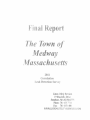
MEDWAY WATER CONSERVATION GRANT PROJECT
PROJECT NUMBER 10-05/WCG
YEARS PROJECT CONDUCTED
2011-2013
PREPARED BY:
MEDWAY DEPARTMENT OF PUBLIC SERVICES, WATER AND SEWER DIVISION
AND HALEY AND WARD, INC.
PREPARED FOR:
MASSACHUSETTS DEPARTMENT OF ENVIRONMENTAL PROTECTION
BUREAU OF RESOURCE PROTECTION
AND
U.S. ENVIRONMENTAL PROTECTION AGENCY
REGION 1