Download User`s Guide

Transcript
User’s Guide
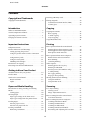
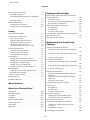
Contents
For Windows. . . . . . . . . . . . . . . . . . . . . . . . . 131
For Mac OS X. . . . . . . . . . . . . . . . . . . . . . . . . 132
Paper is improperly loaded. . . . . . . . . . . . . . . 151
Paper is not ejected fully or is wrinkled. . . . . . . 151
The CD/DVD tray is ejected or not inserted
correctly when sending a CD/DVD print job
. . . . . . . . . . . . . . . . . . . . . . . . . . . . . . . . . . . 151
The Product Does Not Print. . . . . . . . . . . . . . . . 151
All lights are off. . . . . . . . . . . . . . . . . . . . . . . . 151
Lights came on and then went out. . . . . . . . . . 151
Only the power light is on. . . . . . . . . . . . . . . . 152
An ink error is indicated after you replace the
cartridge. . . . . . . . . . . . . . . . . . . . . . . . . . . . . 152
Increasing the Print Speed (For Windows Only)
. . . . . . . . . . . . . . . . . . . . . . . . . . . . . . . . . . . . . 153
Other Problem. . . . . . . . . . . . . . . . . . . . . . . . . . 154
Printing plain papers quietly. . . . . . . . . . . . . . 154
Transferring Data Using an External
Storage Device
Precautions on Storage Devices. . . . . . . . . . . . . . 133
Copying Files Between a Storage Device and Your
Computer. . . . . . . . . . . . . . . . . . . . . . . . . . . . . . 133
Copying files to your computer. . . . . . . . . . . . 133
Saving files to a storage device. . . . . . . . . . . . . 134
Error Indicators
Error Messages on the Control Panel. . . . . . . . . . 135
Troubleshooting for Printing/Copying
Troubleshooting for Scanning
Diagnosing the Problem. . . . . . . . . . . . . . . . . . . 136
Checking product status. . . . . . . . . . . . . . . . . 136
Paper Jams. . . . . . . . . . . . . . . . . . . . . . . . . . . . . 139
Removing jammed paper from the rear cover
. . . . . . . . . . . . . . . . . . . . . . . . . . . . . . . . . . . 139
Removing jammed paper from inside the
product. . . . . . . . . . . . . . . . . . . . . . . . . . . . . . 140
Removing jammed paper from the paper
cassette. . . . . . . . . . . . . . . . . . . . . . . . . . . . . . 141
Removing jammed paper from the Automatic
Document Feeder (ADF). . . . . . . . . . . . . . . . . 141
Preventing paper jams. . . . . . . . . . . . . . . . . . . 143
Reprinting after a paper jam (for Windows
only). . . . . . . . . . . . . . . . . . . . . . . . . . . . . . . . 144
Print Quality Help. . . . . . . . . . . . . . . . . . . . . . . . 144
Horizontal banding. . . . . . . . . . . . . . . . . . . . . 145
Vertical banding or misalignment. . . . . . . . . . 146
Incorrect or missing colors. . . . . . . . . . . . . . . 146
Blurry or smeared print. . . . . . . . . . . . . . . . . . 146
Miscellaneous Printout Problems. . . . . . . . . . . . . 147
Incorrect or garbled characters. . . . . . . . . . . . . 147
Incorrect margins. . . . . . . . . . . . . . . . . . . . . . 147
Printout has a slight slant. . . . . . . . . . . . . . . . . 148
Size or position of copied image is incorrect. . . 148
Inverted image. . . . . . . . . . . . . . . . . . . . . . . . 148
Paper or CD/DVD only prints halfway or is
blank. . . . . . . . . . . . . . . . . . . . . . . . . . . . . . . 148
Printed side is smeared or scuffed. . . . . . . . . . 149
Printing is too slow. . . . . . . . . . . . . . . . . . . . . 149
Paper Does Not Feed Correctly or the CD/DVD
Tray is Not Inserted Correctly. . . . . . . . . . . . . . . 150
Paper does not feed. . . . . . . . . . . . . . . . . . . . . 150
Multiple pages feed. . . . . . . . . . . . . . . . . . . . . 150
Problems Indicated by Messages on the LCD
screen or Status Light. . . . . . . . . . . . . . . . . . . . . 155
Problems When Starting a Scan. . . . . . . . . . . . . . 155
Using the Automatic Document Feeder (ADF)
. . . . . . . . . . . . . . . . . . . . . . . . . . . . . . . . . . . 155
Using the button. . . . . . . . . . . . . . . . . . . . . . . 156
Using scanning software other than Epson
Scan driver. . . . . . . . . . . . . . . . . . . . . . . . . . . 157
Problems When Feeding Paper. . . . . . . . . . . . . . 157
The paper gets dirty. . . . . . . . . . . . . . . . . . . . . 157
Multiple sheets of paper are fed. . . . . . . . . . . . 157
The paper jams in the Automatic Document
Feeder (ADF) . . . . . . . . . . . . . . . . . . . . . . . . . 157
Problems With Scanning Time. . . . . . . . . . . . . . 157
Problems With Scanned Images. . . . . . . . . . . . . . 158
Scan quality is unsatisfactory. . . . . . . . . . . . . . 158
The scanning area or direction is
unsatisfactory. . . . . . . . . . . . . . . . . . . . . . . . . 159
Problems Remain After Trying All Solutions. . . . 160
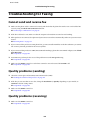
Troubleshooting for Faxing
Cannot send and receive fax. . . . . . . . . . . . . . . . . 161
Quality problems (sending). . . . . . . . . . . . . . . . . 161
Quality problems (receiving). . . . . . . . . . . . . . . . 161
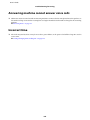
Answering machine cannot answer voice calls. . . 162
Incorrect time. . . . . . . . . . . . . . . . . . . . . . . . . . . 162
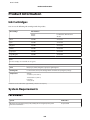
Product Information
Ink Cartridges. . . . . . . . . . . . . . . . . . . . . . . . . . . 163
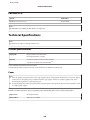
System Requirements. . . . . . . . . . . . . . . . . . . . . 163
6