1
Contents
Contents
1
2
3
4
5
5.1
5.2
5.3
5.4
5.5
Introduction
Getting Started
Overview
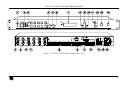
Your VS-5x5 5x5 Video Audio Matrix Switcher
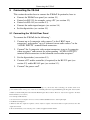
Connecting the VS-5x5
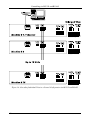
Connecting the VS-5x5 Rear Panel
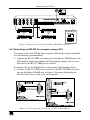
Controlling via RS-232 (for example, using a PC)
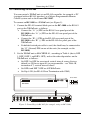
Controlling via RS-485
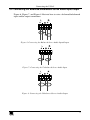
Connecting the Balanced/Unbalanced Stereo Audio Input/Output
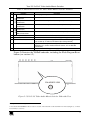
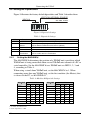
Setting the Dipswitches
1
1
2
2
6
6
7
8
9
10
5.5.1
Setting the MACHINE #
10
6
7
7.1
7.2
Controlling via RS-232 and RS-485
Operating the VS-5x5
Displaying Unit Characteristics
Choosing the Audio-Follow-Video or Breakaway Option
11
13
13
13
7.2.1
7.2.2
Setting the Audio-Follow-Video Option
Setting the Breakaway Option
14
14
7.3
7.4
Switching OUT-IN Combinations
Confirming Settings
14
14
7.4.1
7.4.2
Toggling between the AT ONCE and CONFIRM Modes
Confirming a Switching Action
15
15
7.5
Storing/Recalling Input/Output Configurations
16
7.5.1
7.5.2
7.5.3
Storing an Input/Output Configuration
Recalling an Input/Output Configuration
Deleting an Input/Output Configuration
16
16
17
7.6
7.7
8
8.1
8.2
8.3
9
10
11
11.1
11.2
12
Locking the Front Panel
Adjusting the Audio Gain Control
Flash Memory Upgrade
Downloading from the Internet
Connecting the PC to the RS-232 Port
Upgrading Firmware
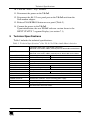
Technical Specifications
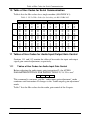
Table of Hex Codes for Serial Communication
Tables of Hex Codes for Audio Input/Output Gain Control
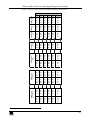
Tables of Hex Codes for Audio Input Gain Control
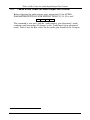
Tables of Hex Codes for Audio Output Gain Control
Kramer Protocol 2000
17
17
18
18
18
19
23
24
24
24
26
28
i