1
TECHN
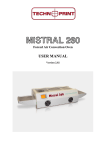
Mistral 360 user manual
PRINT
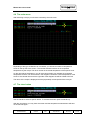
4.2 Selecting a recipe.
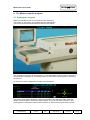
Select a recipe using the selection handle, you may step through the list by pushing the
handle up or down as indicated on the right side of your screen.
After selecting the recipe push the handle to the left, you will then enter the main menu.
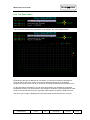
4.3 Changing a recipe.
Select the recipe you would like to change. (You may store up to 32 recipies in the table)
When you have selected a recipe push the handle to the left, the next screen will apear.
Please note that the functionality of the select handle is changed.
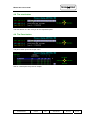
4.4 Changing the recipe name.
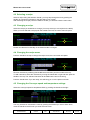
Push the handle to the top to change the recipe name, the next screen will apear:
Remove character by selecting first the BS button and then push the handle to the top.
To add characters, select the character by moving the handle left or right and then push the
handle to the top. The selected character will be added at the end of the string.
Push the handle down if you are ready, this will bring you in to the previous screen.
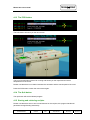
4.5 Changing the Conveyer speed and temperature settings.
Select the conveyer speed or temperature field, by pushing the handle to the right.
You may increase or decrease the value by pushing the handle up or down. When done,
move the handle to the left until you enter the main menu.
(c) TechnoPrint. Ermelo
The Netherlands
Mistral User
manual
Version:
2.00
Published by:
TechnoPrint
Date:
22.10.07
Page:
6 of 13