1
EZPull VR User Manual
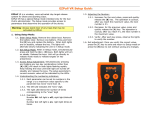
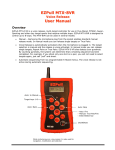
3. Using EZPull VR on a Stand: Using the “plug microphone” the unit can be placed in a stand
positioned 2’ -4’ in front of the shooter. The Shooter presses the key for the desired target and
has 16 seconds to call Pull. This arrangement does not require a Puller. When moving to another
station the squad carries the stand with the remote unit to the new station.
4. Using EZPull VR with a Puller: Using the “plug microphone” the Puller stands behind and to
the side of the shooter, extending the arm holding the EZPull towards the shooter. When the
shooter is ready, the Puller presses the key for the required target. The shooter calls Pull to
release a target. The advantage of this arrangement is consistent pulls.
5. Using EZPull VR with the optional Lapel microphone: the shooter can strap the EZPull on a
belt or place it in the vest pocket, clipping the optional lapel microphone to the vest or shirt close
to the mouth. This arrangement is suitable for a “solo” shooter.
Plug Microphone
Lapel Microphone