1
1. Introduction
Welcome to the Using a Database with Legitronic Labeling Software User Guide. This guide provides
an overview of Legitronic’s database access features, describes its windows and dialog boxes, and
explains how to use its functions. Before you begin using the functions shown in this guide you should
already be familiar with using Legitronic Labeling Software. If this is not the case, STOP, and read
through the full Legitronic User Guide included on the CD your labeling software came on. You can
download an abridged version of the User Guide titled, Using Legitronic 3.6.2 to Design and Print
Labels at www.weberpackaging.com/legitronic-software-faqs.html.
How This Guide Is Organized
This guide contains three chapters
Chapter 1, Introduction, contains the conventions used in this guide, and where you can get help.
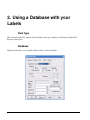
Chapter 2, Using a Database with Your Labels, explains how to configure Legitronic to populate
individual fields using a database.
Chapter 3, Queried Printing, explains how to print one or more labels for each item in a database
table.