1
Page 1-14
Chapter One
o
Chapter 6, System Administration, mainly explains the AM8000.INI file changes and XPE
administration details and Ghost backup procedures.
o
Chapter 7 gives Hints Restrictions and Shortcuts. The minimum system configuration guidelines
and general information on the use of the Servers is presented. Some useful utility short cuts are
also described.
o
Chapter 8 contains information on Preventive Maintenance for the Server.
o
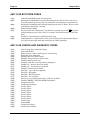
Chapter 9 contains the diagnostic display codes which are active under AMOS 8.x
o
Chapter 10 contains information on TODOS and FMDOS software.
o
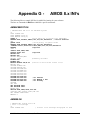
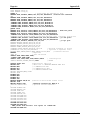
Several appendices contain technical information, including SCSI bus configuration details and
instructions for serial cabling and installation. The AM-113 info and AMOS INI examples are
documented.
The AM-8000 and Eagle 800 Service Manuals contain additional information on opening and
configuring the Server. The service manuals are intended for authorized technical personnel only.
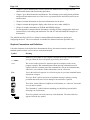
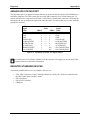
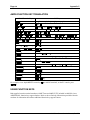
Graphics Conventions and Definitions
Like other documents in the Alpha Micro documentation library, this manual contains a number of
standard symbols to make our text easier to read and understand.
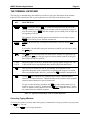
Symbol
Meaning
TEXT
Bold text in an example of user/computer communication represents the characters
you type. When the text is all capitals, type exactly what’s shown.
or(text)
TEXT
We use text in this typeface for: characters the Server displays on the screen,
program examples, and command format. When showing command format, all
capitals indicates a constant part of the command line, such as the command name,
while lower case indicates variable information, such as a file name.
Text
Text in this bold, italic typeface is a reference to part of a previous command format
description or sample.
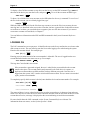
This says “Halt!” and lets you know an important warning or message is being
presented that could cause serious damage or inconvenience if ignored.
This “Hint” symbol indicates a helpful bit of information, or a “short cut” that could
save you time or trouble.
This “Remember” symbol indicates something you should keep in mind while
following sets of instructions.
ENTER
or
RETURN
These key symbols refer to the enter key on the keyboard. The name of the key
appears inside the key symbol.
AMOS 8.x Server Owner's Manual, Rev.B00