1
Application
Customising the CHANNEL Settings
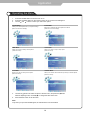
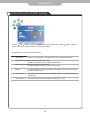
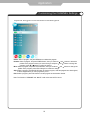
Program Edit: Press
button to enter the submenu as the following picture.
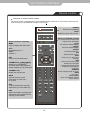
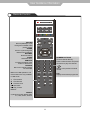
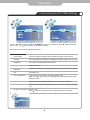
Delete: Select a program, and press RED button to delete the program.
Rename: Select a program, and press GREEN button, then you could use and buttons to select the
position of the program’s name you want to change, and press and
buttons to change the
character, press or button to confirm the change.
Move: Select a program, and press YELLOW button, then you could use
and
buttons to change the
position of the program, press YELLOW again to confirm the change.
Skip: Select a program, and press BLUE button to sign the program, while the program have been signed,
it will be skipped when you scan programs by CH+/-.
FAV: Select a program, press FAV button to set the program as the favourite channel.
Note: The function of “RENAME” and “MOVE” could not be used in DTV source.
21