1
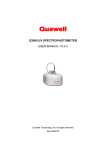
Quawell Q3000 USER MANUAL 2. INSTALLATION Note: Do not connect the instrument to the PC before software install. Computer requirements Microsoft Windows XP, Vista or Windows7 Microsoft Office 2003 or higher Adobe Reader CPU: 400MHZ or higher 64MB RAM USB port Monitor 1024x768 500MB Hard disk available Software Setup Insert the CD into the CD-ROM, open the folder “Q3000”, double click the file “Setup”, and follow the prompts to finish installation of the software. Install Q3000 and the Driver Connect the instrument to the PC using the USB cable shipped with the Q3000, the computer will automatically find the drive and finish the installation. Input CCE No. For first time to use, it is required to input the CCE No. Note: wrong CCE No. input will cause the measurement error. 8