1
17 Configuring the network settings [Network]
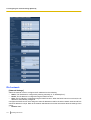
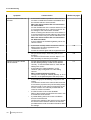
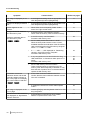
[Directory name]
Enter the directory name where the images are to be saved.
For example, enter “/img” to designate the directory “img” under the root directory of the FTP server.
• Available number of characters: 1 - 256 characters
• Default: None (blank)
[File name]
Enter the file name (name of the image file to be transmitted) and select the naming option from the following.
• Name w/time&date: File name will be [“Entered file name” + “Time and date (year/ month/ day/ hour/
minute/ second)” + “Serial number (starting from 00)”].
• Name w/o time&date: File name will be the characters entered for “File name” only. When “Name w/o
time&date” is selected, the file will be overwritten each time a file is newly transmitted.
• Available number of characters: 1 - 32 characters
• Default: None (blank)
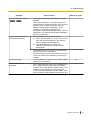
Note
•
When “Name w/time&date” is selected, the file name will be [“Entered file name” + “Time and date
(year/ month/ day/ hour/ minute/ second)” + “Serial number (starting from 00)”] + “s” during summer
time.
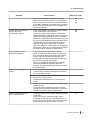
[Transmission interval]
Select the interval for the FTP periodic image transmission from the following.
1s/ 2s/ 3s/ 4s/ 5s/ 6s/ 10s/ 15s/ 20s/ 30s/ 1min/ 2min/ 3min/ 4min/ 5min/ 6min/ 10min/ 15min/ 20min/ 30min/
1h/ 1.5 h/ 2h/ 3h/ 4h/ 6h/ 12h/ 24 h
• Default: 1s
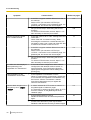
[Image capture size]
Select the capture size of images to be transmitted from the following.
When “4:3” is selected for “Aspect ratio”
QVGA/ VGA/ 800x600*1/ 1280x960*2
When “16:9” is selected for “Aspect ratio”
320x180/ 640x360/ 1280x720*2
• Default: VGA
*1
SW152
*2
SW155
SF135
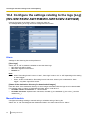
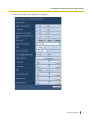
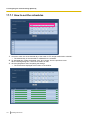
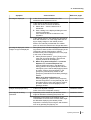
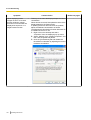
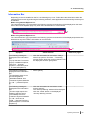
17.7 Configure the schedule settings of the FTP
periodic image transmission [FTP img. trans.]
Click the [FTP img. trans.] tab on the “Network” page. (®page 32, page 34)
The schedule settings of the FTP periodic image transmission can be configured in this section. Refer to
page 142 for further information about the settings relating to the FTP periodic image transmission.
Operating Instructions
143