1
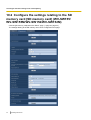
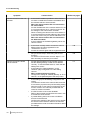
10 Configure the basic settings of the camera [Basic]
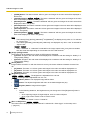
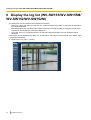
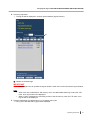
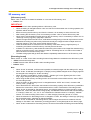
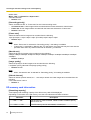
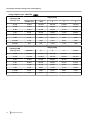
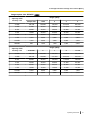
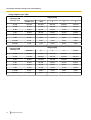
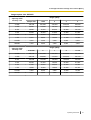
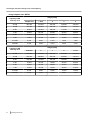
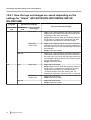
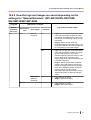
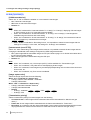
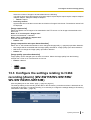
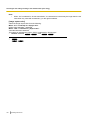
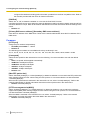
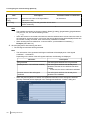
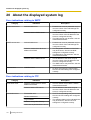
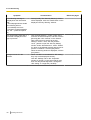
10.4.1 How the logs and images are saved depending on the
settings for “Alarm” (WV-SW155/WV-SW155M/WV-SW152/
WV-SW152M)
[Log] tab
[SD memory card] tab
Alarm: Save
logs
SD memory
card
On
Use
Logs and associated images
Save trigger
Alarm input
•
•
Other than
“Alarm input”
•
•
•
Not use
-
•
Off
Use
Not use
58
Operating Instructions
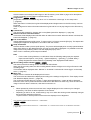
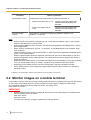
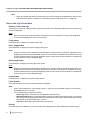
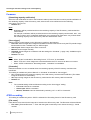
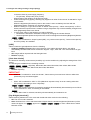
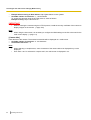
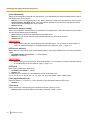
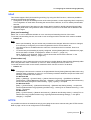
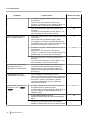
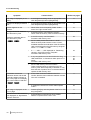
Logs: Up to 5,000 logs will be kept. When more than
5,000 event logs are filed, the older event logs will be
overwritten by the newer event logs.
Images: Will be saved. When the remaining capacity of
the SD memory card becomes insufficient, the older
images will be overwritten by the newer images.
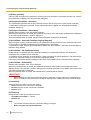
Logs: Up to 5,000 logs will be kept. When more than
5,000 logs are filed, the older logs will be overwritten by
the newer logs. In this case, the oldest log is the first to
be overwritten.
Images: Will not be saved.
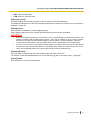
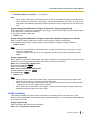
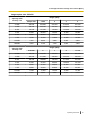
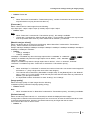
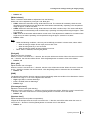
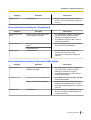
Logs: Up to 1,000 logs will be kept. When more than
1,000 logs are filed, the older logs will be overwritten by
the newer logs. In this case, the oldest log is the first to
be overwritten. When the power of the camera is turned
off, logs will be deleted.
Images: Will not be saved.
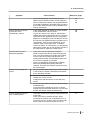
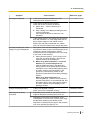
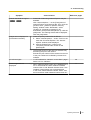
Alarm input
•
•
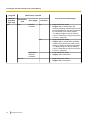
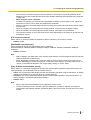
Logs: Will not be saved.
Images: Will be saved. When the remaining capacity of
the SD memory card becomes insufficient, the older
images will be overwritten by the newer images.
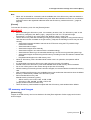
*To display images on the SD memory card, it is
necessary to copy them onto the PC first. (®page 48)
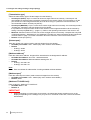
Other than
“Alarm input”
•
•
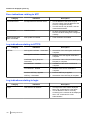
Logs: Will not be saved.
Images: Will not be saved.
•
•
Logs: Will not be saved.
Images: Will not be saved.
-