1
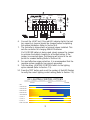
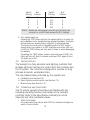
Switch
Setting
# of
Flashes
Switch
Setting
# of
Flashes
OFF
2
4
6
8
0
1
2
3
4
10
3/1
4/2
6/2
D/D
5
6
7
8
9
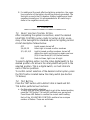
NOTE: Rotate the rotary switch one full cycle if there is an
incorrect or no LED flash (except for OFF setting).
b. Turn system lights on
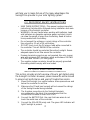
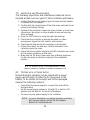
Pressing the TEST button will turn the system lights on to verify correct installation or for troubleshooting a system problem. The lights
will be turned on anytime (day or night) for 5 minute intervals.
The lights can be turned on repeatedly with the TEST button
except when the system is in LVD (load disconnect/red LED on).
In LVD the TEST button will only work 3 times to avoid damaging
the battery.
If pressing the TEST button causes a load disconnect (LVD), the
lights will turn off. Wait 5 minutes and press TEST again to turn
the lights on in LVD.
7.3
OPERATOR TASKS
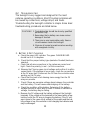
The SunLight is a fully automatic solar lighting controller that
includes electronic functions to protect both the controller and
the PV system. The controller is designed to operate for long
intervals at remote, unattended sites.
The only manual tasks performed by the operator are:
a. Installation (see Section 6.4)
b. Select lighting control option (see Section 7.1)
c. Maintenance (see Section 7.5)
7.4 OPERATION AND FUNCTIONS
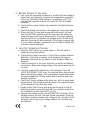
The PV system operator should become familiar with the
following operating functions and design of the SunLight
controller. Refer to the Specification Summary for actual
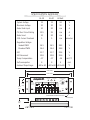
setpoints and other parameter values.
• 100% Solid State
All power switching is done with FETs. No mechanical relays are
used in the controller.
9